DJI Avata 2 Fly More Combo: the three batteries are the product
Buy the three-battery Fly More Combo if the flying itself is the reward, and walk away if what you actually want is a camera in the sky, because the Avata 2 is a cinewhoop that films well rather than a camera drone that happens to be fast.
Based on 1700 owner ratings, 6 owner discussions and 3 other sources. We have not tested this machine ourselves.
We earn a commission if you buy through our links, which does not affect what we say.
Read how this site works →
The last word
Two and a bit years after launch, the Avata 2 is still the aircraft that turns "I have always wanted to try FPV" into an afternoon rather than a project. That is a real achievement and the reason it keeps appearing among the FPV drones worth flying. It is also a fifteen-minute machine with no forward vision, a return-to-home that climbs into trees, a closed airframe you cannot fix on a bench, and a listing that oversells its toughness and its acrobatics.
None of that changes the verdict, it just prices it properly. Buy the three-battery kit, budget for damage, learn in a simulator first, fly it in the goggles until the grin wears off, and keep a camera drone for the days you actually need a photograph.
Almost every piece of advice written about which DJI to buy is advice about camera drones, and almost none of it applies here. The Avata 2 is not competing with a Mini or an Air. It is a ducted, crash-tolerant quad you fly in goggles, with a camera bolted into the nose because you are going somewhere interesting and might as well record it. People who understand that come back grinning. People who bought it expecting a Mavic with attitude come back asking why their stills are soft.
So the segmentation, before anything else. Buy it if you have watched FPV footage for years and never had the nerve or the soldering iron to start, if you want tight indoor and low-altitude shots that a gimballed camera drone physically cannot get, or if you already own a camera drone and want the other half of the hobby. Walk away if you want aerial photographs, if you want something that follows you down a trail, if you need long endurance from one battery, or if the idea of breaking a thousand-dollar object against a tree branch would ruin your week. It will break against a tree branch eventually.
Two things you are not told on the way in, and both matter before you click anything. The advertised twenty-three minutes of flight time is a laboratory number measured at a fixed cruise with the camera not recording; owners consistently report around fifteen, which is exactly why the three-battery version of this kit exists and the one-battery version is a trap. And the integrated propeller guards, sold on the listing as "super-sturdy", buy you far less than the word implies: an experienced FPV pilot cracked one in his first week from a fall of a metre or two.
Quadcopter Bench's position is that this is still the best-executed consumer FPV aircraft you can hand to a beginner, and that the honest way to sell it is as a session of roughly forty-five minutes in the air, split three ways, with a repair fund attached.
Key Specifications
What the three-battery box gets you, and what it quietly leaves out
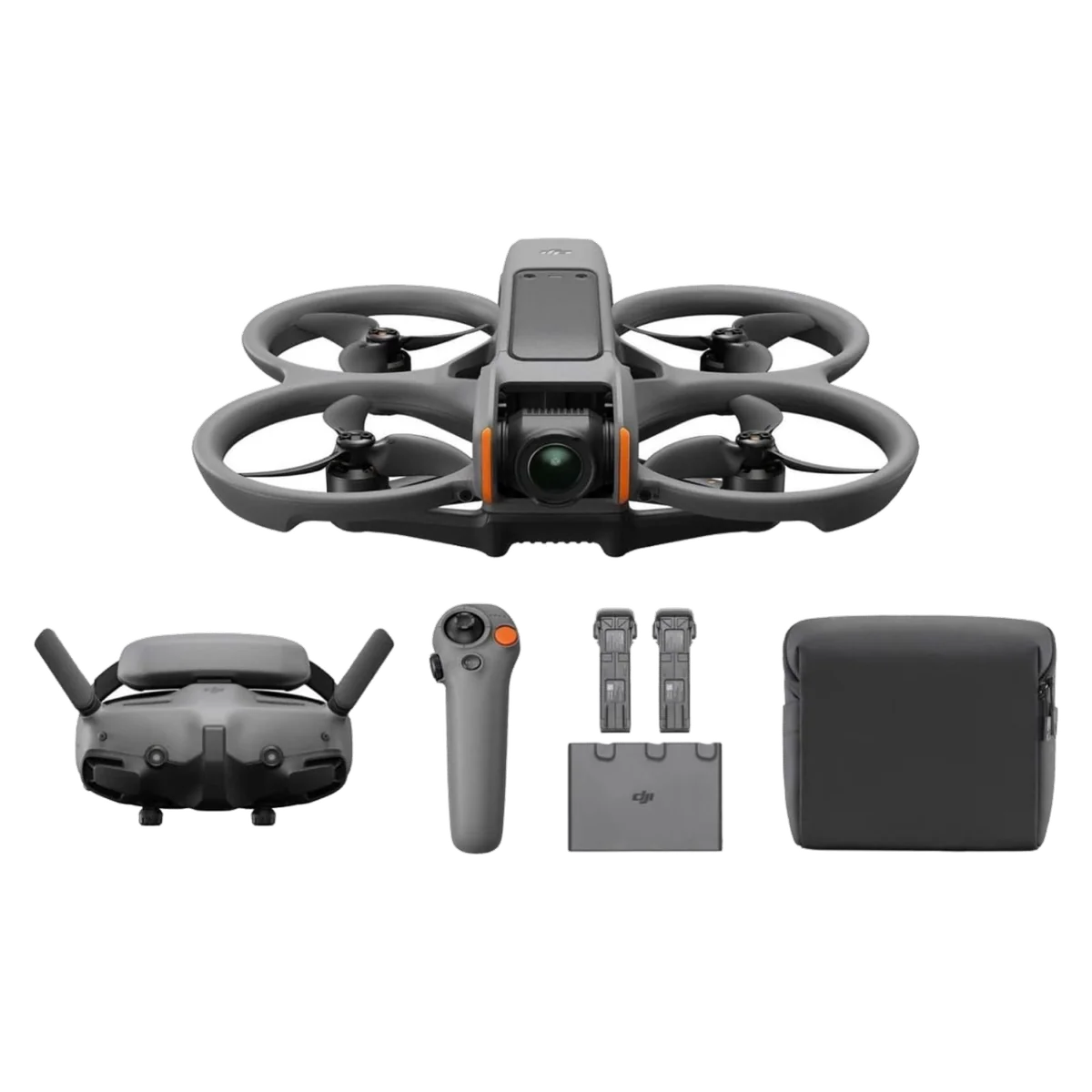
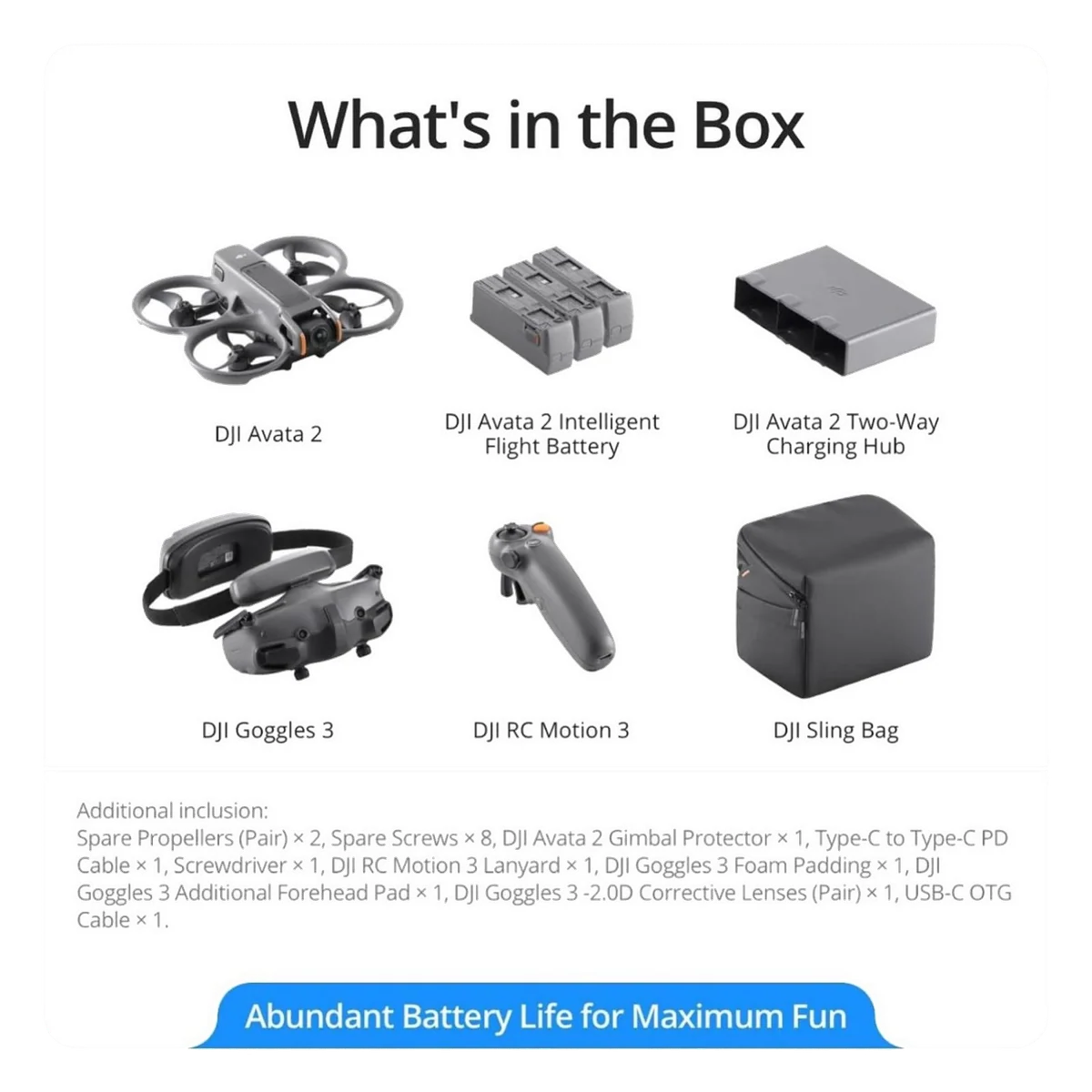
This bundle is a complete flying kit rather than an accessory pack. Aircraft, three intelligent batteries, the charging hub, the RC Motion 3 hand controller, goggles, spare props, screws, a screwdriver, corrective lenses, and a padded bag that owners rate more highly than they expected to. One reviewer discovered his Mini 4 Pro also fits in the space meant for the charger, which tells you something about how the bag is built.
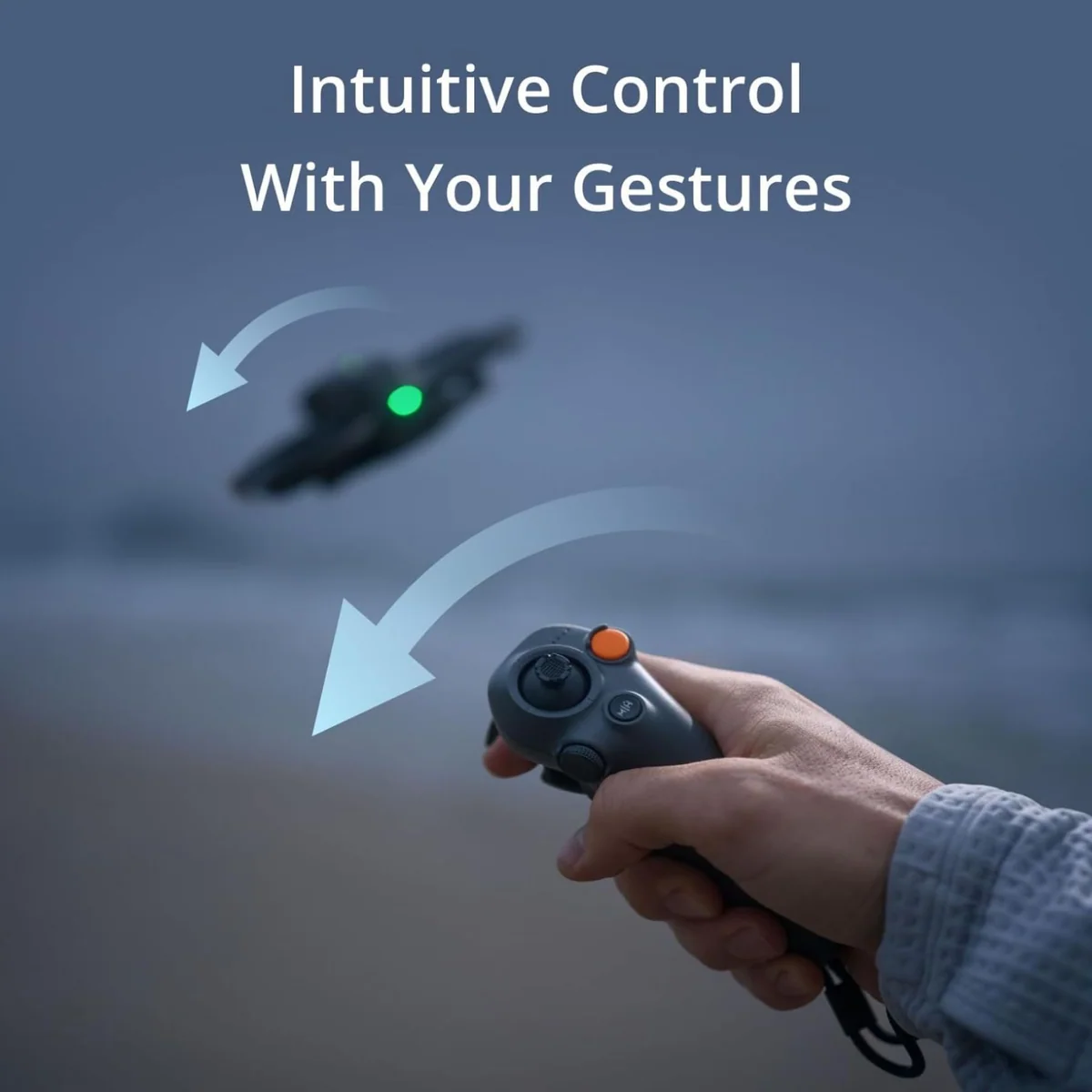
What it leaves out is the stick controller. The RC Motion 3 you get in the box is a wand: you point where you want to go and the aircraft coordinates roll, pitch and yaw for you. It is the single reason a person with no FPV background can fly this thing on day one, and it is genuinely fun rather than a compromise. It also cannot give you true manual flight. Rate mode, the thing that produces the footage you have been watching on YouTube, needs the FPV stick controller, which is a separate purchase. Digital Camera World lists exactly this as a con of the aircraft: the fastest mode requires hardware that is not in the box.
Three of the thirteen retained Amazon owners raised this unprompted, and two of them went and bought the stick controller anyway. One rated the drone 4.5 in the body of a five-star review and said plainly that it would have been a solid five had the stick controller shipped instead of the wand. The good news is that swapping between them requires no setup: bind both, fly whichever suits the day.
Two goggles wear the same name
DJI sells Goggles 3 and Goggles N3, and they are not the same product. The N3 is the cheaper unit with a lower runtime and without the real-view picture-in-picture window. The listing for this bundle names Goggles 3 in its contents, and owners have described receiving both, so read the specific bundle you are looking at rather than assuming. Either way, the fit is the real upgrade over the previous generation: the weight sits on your forehead rather than the bridge of your nose, and there is dioptre adjustment plus a pair of corrective lenses in the box, which means glasses are not the disqualification that a lot of buyers assume they are.
Do the firmware first
At launch this was a closed island: older DJI goggles and controllers would not talk to it. Two firmware updates later it pairs with Goggles 2, the Integra, RC Motion 2 and the older FPV controller, and the goggles will talk to O3 air units. One owner logged a whole complaint about backwards compatibility, then edited his own review after installing DJI Assistant on a PC and updating everything, at which point his Mini 4 Pro paired with the Goggles 3 quite happily. Update the aircraft, the goggles and the controller before you conclude that anything is broken. Android buyers have an extra step: the DJI Fly app is no longer on Google Play, the aircraft must be activated in that app, and the download comes from DJI's own site.
Strengths & Limitations
Strengths
- Goggles-and-wand flying is learnable in an afternoon, and the pause button airbrakes hard enough to rescue a beginner who has run out of nerve.
- Three packs plus the hub turn a fifteen-minute aircraft into a continuous session, because one recharges in roughly the time it takes to fly the other two.
- 46GB of internal storage means a forgotten SD card costs you nothing, and the hub doubles as a power bank for a phone or the goggles.
- Video out of the 1/1.3-inch sensor is good enough that most owners stop bolting an action camera to the airframe.
- The ducted guards make close, low, indoor-scale flying a reasonable thing to attempt rather than a stunt.
- Setup is fast enough that one owner goes from a zipped bag to airborne in forty-five seconds.
Limitations
- The box says twenty-three minutes and owners report about fifteen, because DJI's figure is measured at a fixed cruise with the camera not recording.
- There is no forward obstacle avoidance on a drone specifically designed to be flown close to things.
- Return to home climbs vertically first, so invoking it under tree cover flies the aircraft into the canopy.
- It is not as tough as the integrated guards imply, and a pilot with ten years of FPV experience cracked one in his first week.
- True manual flight needs the stick controller, which is not in this box.
- The advertised transmission range is a one-way figure by DJI's own footnote, and the battery gives out long before the link does.
- Nothing here tracks or follows a subject, which catches out buyers who assume every DJI does.
- European buyers get a materially weaker radio under CE rules, with channel selection locked and range reduced.
Fifteen minutes, not twenty-three
DJI's own footnote is the most useful thing on the listing. The maximum flight time figure is measured at a constant 21.6 kph, in a windless environment, at sea level, with the camera set to 1080p/30 and video mode switched off, flown from 100% down to 0%. That is not a flight. That is a treadmill test with the camera asleep, run until the battery is flat, which is a state no sane pilot ever reaches.
What owners report instead clusters tightly. Fifteen minutes is the most common number, given by several people independently, one of whom defines his measurement properly as full charge down to a twenty percent landing. Another gets seventeen or eighteen and volunteers that he flies hard and records 4K continuously. The most detailed single account in the record is an indoor hover log, which is the least demanding flight a quad can perform:
| Elapsed | Battery | What happened |
|---|---|---|
| 08:30 | 60% | |
| 14:05 | 30% | |
| 15:20 | 24% | Low battery warning |
| 16:00 | 20% | |
| 17:00 | 12% | Forced landing |
Seventeen minutes from a hover, with the useful window closing at fifteen. Note also how the curve steepens: thirty-nine percentage points went in the first eight and a half minutes, and the last stretch drains faster than the first. Fly it the way it wants to be flown, with throttle punches and climbs, and fifteen is generous rather than pessimistic. This is the ordinary gap between a box figure and a flight, and it is worth understanding how drone flight times are actually quoted before you compare any two aircraft on endurance.
Three packs is therefore not an upsell, it is the minimum viable configuration, and the charging hub is what makes it work. A pack goes from empty to full in roughly forty-five minutes on the hub, or around eighty-eight minutes if you charge it through the aircraft. Fly three, and the first one is ready by the time the third dies. That is a continuous afternoon.
Two owners appear to disagree about the hub and both are right, because they are describing different things. In the field it is clever: it consolidates charge between packs, prioritises whichever is closest to full, and will act as a power bank for your phone or the goggles off the battery with the least remaining. Plugged into the wall it is dumb: it charges one pack at a time in sequence, reports nothing about temperature, voltage or cycle count, and has no storage-charge mode for packs you are about to leave alone for a month. If you fly weekly, none of that matters. If you fly twice a year, the missing storage charge is a real longevity cost.
The range number is a one-way number
Thirteen kilometres of transmission, in a footnote DJI wrote itself, is measured under FCC standards, without interference, outdoors, and describes the farthest communication range for one-way, non-return flights. Read that twice. It is not how far you can go and come back. The practical limit is not the radio anyway; it is the battery, and a headwind on the way home spends it faster than the trip out did. Round trips of five kilometres out and five back have been demonstrated, which is a lot for a cinewhoop and nowhere near thirteen. The usable warning sign in the goggles is the bitrate readout in the corner, which sags as you go, and the moment the feed starts smearing is the moment to turn round.
How it flies
Normal mode is deliberately conservative and Sport unlocks most of what the airframe has. In either, the downward and backward visual positioning sensors hold it in place with real precision indoors, which is the whole point of a cinewhoop. The escape hatch is the brake: release the trigger, or hit pause, and it airbrakes into a hover fast enough that owners keep singling it out as the feature that gave them the confidence to push. That single button is the difference between an FPV drone and a beginner's FPV drone.
Against a purpose-built freestyle quad it is underpowered and a little wobbly through sharp turns, and it does not recover well from dives or inverted work. That is a cinewhoop trait rather than a defect, and it is why the people who fly manual for a living build their own. What it does exceptionally is cinematic cruising: through a doorway, under a bridge, low over a field, close to a subject at a speed a gimballed drone would never attempt. Twenty mile an hour winds are handled but not enjoyed, and it wobbles and struggles into a headwind, particularly as voltage drops; at 377 grams it sits between a Mini and an Air on the mass-versus-wind curve and gets no special dispensation.
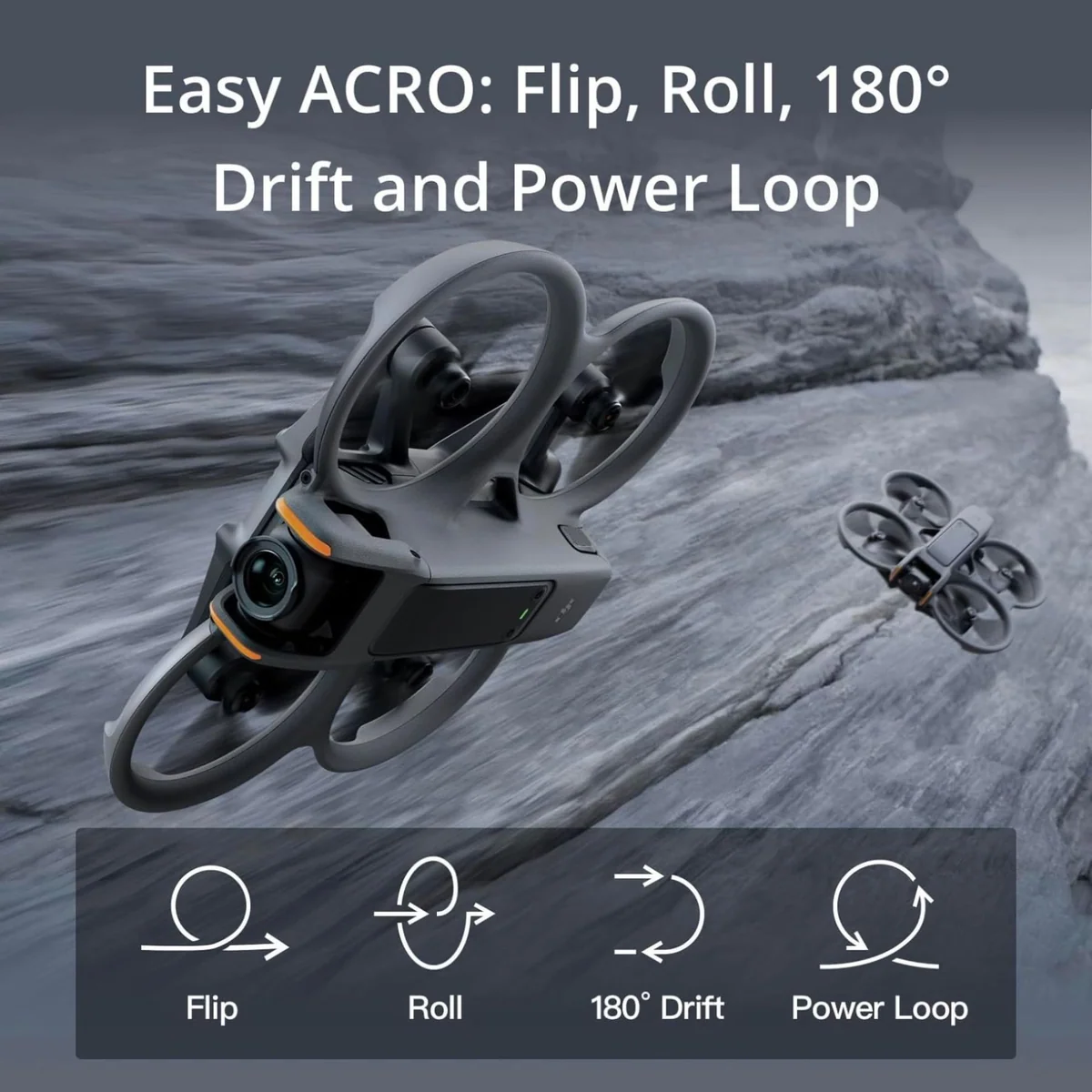
The listing's Easy Acro claim deserves a straight answer. It does perform flips, rolls and drifts on a button press, and for a first-timer it is a laugh. As a way to produce footage it is close to useless, because there is a conspicuous pause between each canned move that makes the result look exactly like what it is. Nobody who has flown real acro is impressed, and the listing's promise that you will fly like a pro without extensive training is the one line on the page that does not survive contact.
What the camera will and will not do
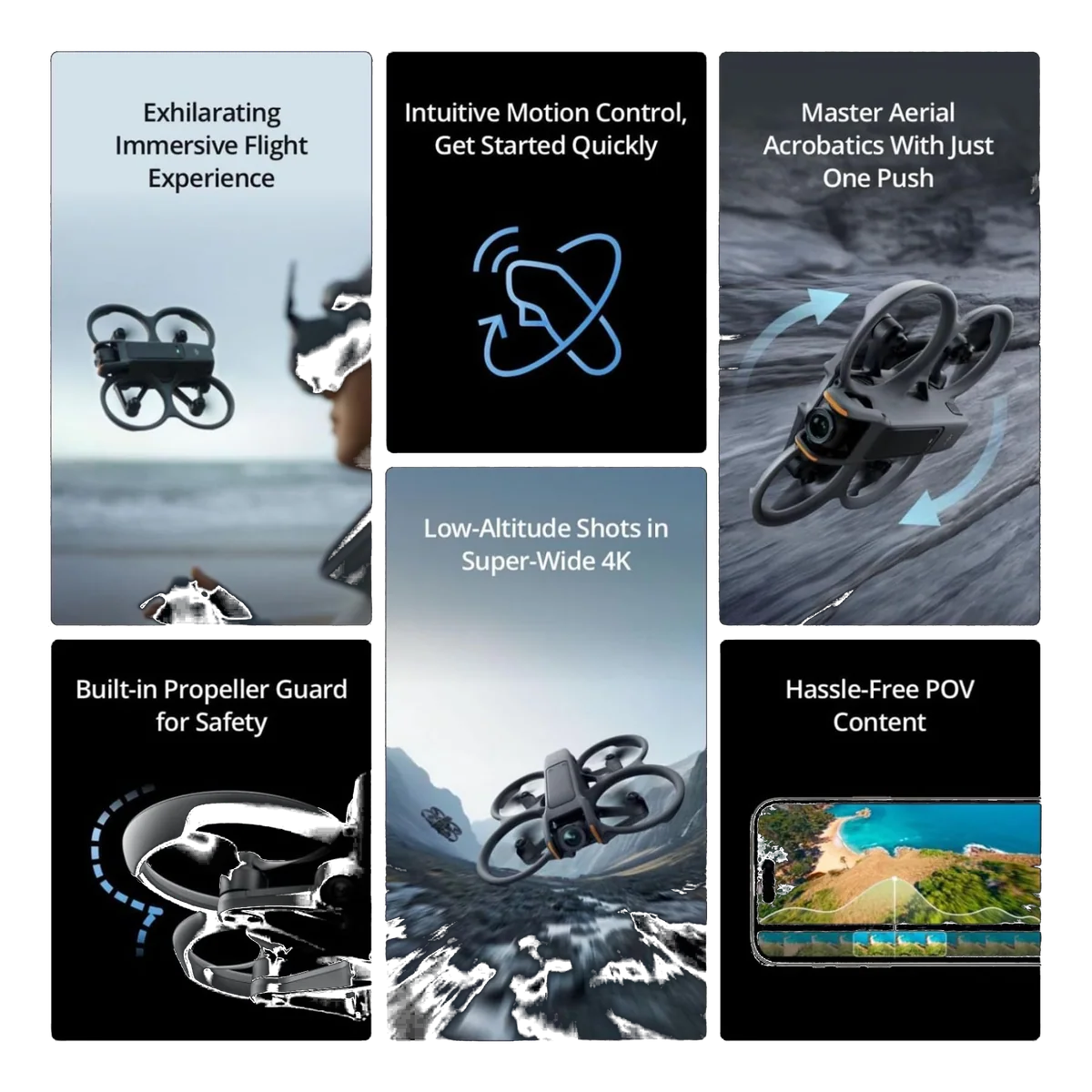
The 1/1.3-inch sensor, 155 degree field of view and 10-bit D-Log M produce video good enough that most owners stop strapping an action camera to the airframe, which is a meaningful saving in both money and flight performance. Video is where this thing lives. Stills are not: the aircraft is light and sways in hover, so clean framed photographs are hard work, and the one owner who separated the two was blunt that photography should send you to a traditional camera drone.
Two constraints nobody advertises. HDR is conditional: you get it at 60fps only with electronic stabilisation switched off, and with RockSteady or HorizonSteady running, HDR caps at 30fps. And because the live view shares its settings with the recording, the frame rate that flies best is not always the frame rate that records best, with 100fps giving the lowest-latency feed. You cannot have every box ticked simultaneously, and the sooner you decide whether a given flight is for flying or for footage, the better both will be. Owners tuck 46GB of internal storage behind the SD slot, which is roughly forty minutes of 4K60 and has rescued more than one person who left the card at home.
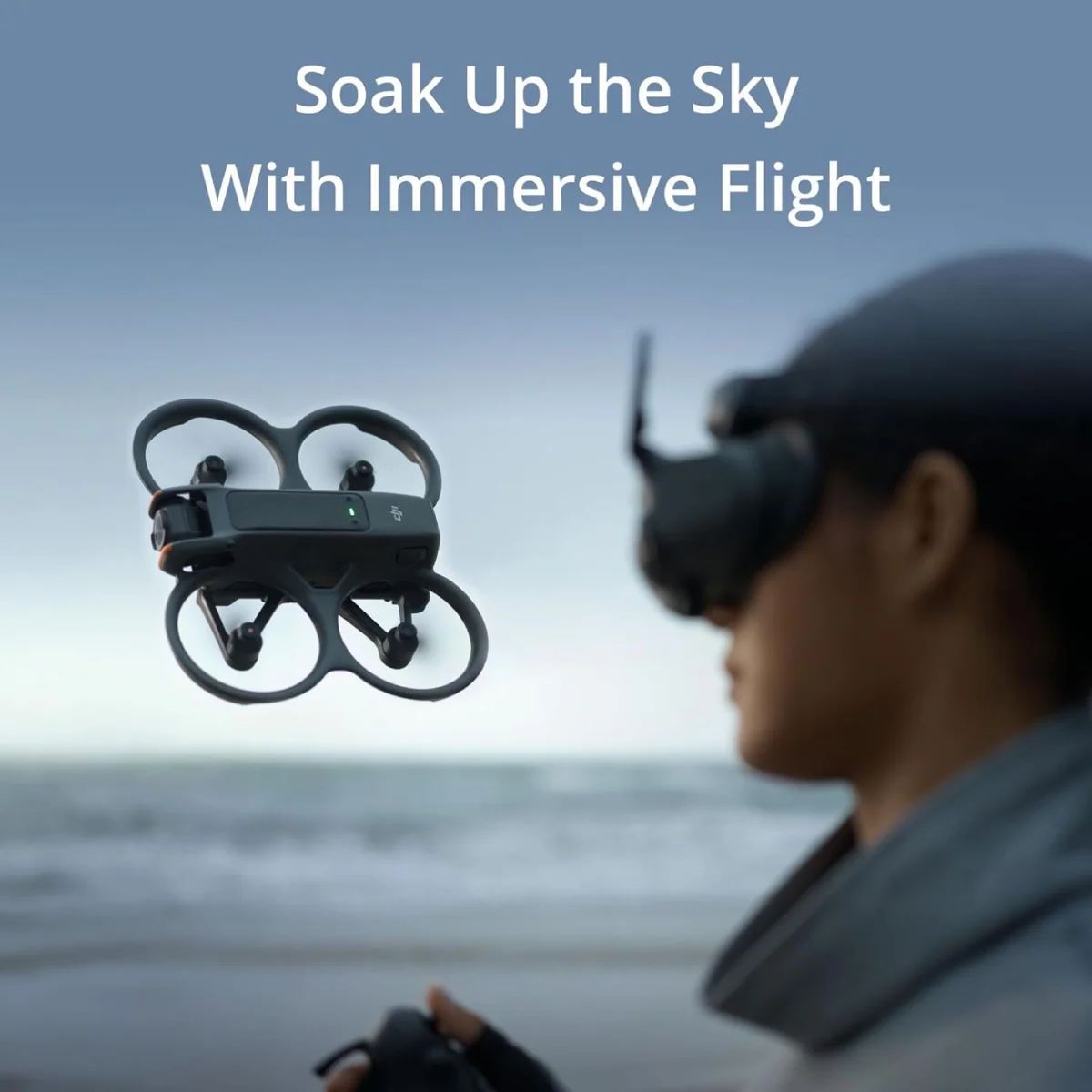
One more thing that only somebody who has worn the goggles will tell you: sit down. The immersion is total enough that balance goes, and an owner who upgraded from a Phantom specifically recommends having a chair, because you genuinely feel that you are the aircraft rather than a person standing in a field. Start in an open space, start slow, and expect the first two outings to be boring on purpose.
Why this is the version to buy, and what to check before you do
The case for the three-battery kit over the single-battery kit is arithmetic, not marketing. Fifteen usable minutes per pack against a forty-five minute hub recharge means one battery gives you a fifteen-minute hobby with a forty-five minute intermission. Three gives you a continuous session and a rotation that never idles. Bought one at a time afterwards, two spare packs and the hub consume most of the difference between the two kits, and you would have spent the intervening weeks waiting around. This is one of the rare cases where the loaded bundle is the honest recommendation rather than the upsell.
Check the seller. This exact listing has attracted third-party sellers at prices far below everyone else, and one such offer ran for weeks in a dedicated owners' community while buyers argued about whether it was a factory pricing error being honoured. It was not. Tracking numbers never moved, nobody received a drone, and the thread ends with the original poster confirming a full refund and the obvious lesson. A discount steep enough to feel like a mistake, from a seller you have never heard of, shipping from a long way away, is a refund with extra steps.
American buyers have a second thing to check. In late 2025 the FCC added new foreign-made drones to its covered list, which blocks the authorisation a device needs before it can be sold or imported, and DJI sued over the action in early 2026. The regulator's stated position has been that drones it previously approved remain legal to buy and to fly, and reviewers still list the Avata 2 among the aircraft available to American pilots, but this is a moving story and the honest advice is to verify the current position rather than trust a page written on any particular day. We keep a running account of where the US situation stands.
And register it. At 377 grams there is no sub-250 gram escape hatch and no argument to have about manufacturing tolerances: it is over the line, it needs registration, and it broadcasts Remote ID. The rule that catches FPV pilots specifically is the spotter requirement, because you are not permitted to fly in goggles without a visual observer standing beside you, which makes solo flying in the goggles a non-starter wherever that rule applies. Digital Camera World lists needing a spotter as a con of the aircraft, which is fair, because it is a genuine operational burden that camera-drone buyers never encounter. The registration and Remote ID rules are worth reading once, properly, before the first flight.
The alternatives worth considering instead
If the pictures matter more than the flying, the money is better spent on the Air 3S, which is heavier, steadier in wind, sees in every direction and will take the photographs this drone cannot. If you invoice for the footage, the Mavic 4 Pro is the tool and this is the toy. If FPV is the appeal but a four-figure commitment is not, the Neo 2 is the cheap taste, though it is honestly weak at manual flight and the people who try it that way are told to come here instead. And if you were about to wait for the 360, do not assume it supersedes this: it is a 360 camera drone that happens to wear the Avata name, it does not behave like an Avata, and the people who follow DJI closely spent the run-up to launch warning that buyers expecting a successor would be disappointed. The two are a genuine comparison rather than an upgrade path, and the 360 has its own case to answer.
Four things it does not do, and what happens when you find out
It cannot see forward. There is no forward obstacle avoidance on this aircraft. The downward and backward sensors exist for position holding, not for spotting a branch. That is a startling omission on a drone whose entire pitch is flying close to solid objects, and the listing's "built-in propeller guard for safety" invites precisely the wrong assumption. One glowing owner review states outright that it detects and avoids unexpected obstacles at full speed; that claim is wrong, contradicted by hands-on reviewers and by the aircraft's own sensor suite, and believing it will cost you a drone. If you want to know what avoidance systems catch and what they sail straight through, that argument is its own subject.
Return to home is dumb, and the two faults compound. Invoke RTH and it climbs vertically before it heads for you, with nothing watching the space above it. Under tree cover it climbs into the tree. An owner triggered it in his own back garden and found the aircraft inverted in the weeds, located only because the ESC beeper was screaming. He is a cautious pilot who will not fly in anything but Normal mode, and it still caught him. Set your failsafe deliberately before takeoff, because the factory default is automatic RTH on signal loss and you can change it to hover or land instead.
Nothing here follows you. The Avata 2 has no subject tracking. This trips up people who are not casual observers: one well-informed enthusiast wrote a long comparison of DJI's follow-me drones with the Avata series included, then went back and struck every mention of it after discovering he had simply assumed tracking was present because every other DJI has it. If a drone that chases you down a trail is the actual requirement, read about the drones built to do that instead, because no firmware update is going to add it here.
Water is the reliable killer. Reflective surfaces confuse the downward vision system, and owners describe flying a few feet above a river and watching the aircraft roll straight into it. Trees over water are the classic loss: clip a branch, and the drone goes to the bottom of a lake rather than into grass you can search. Treat any water below you as a hard no rather than a scenic opportunity.
How tough it actually is
The record splits, and the split is informative rather than contradictory. Grazes are fine: owners report bouncing off walls, clipping foliage, hitting a brick house at speed and carrying on, and one describes it as the least crashable drone he has owned as long as you stay in Normal or Sport. Falls are less fine. Oscar Liang, who has been building and reviewing FPV quads for more than a decade and bought his own unit, cracked a propeller guard in his first week from a one to two metre drop out of a tree, and noted the airframe feels slightly more fragile than the original Avata, a deliberate trade for weight. His conclusion is the one worth carrying: if a ten-year veteran can damage it in week one, a new pilot certainly will.
The compounding problem is repair. This is a moulded, closed system. You cannot swap the camera, you cannot readily replace the most exposed parts, and the consistent complaint even from people who love the thing is that a drone designed to travel at eighty kilometres an hour should have more user-serviceable structure than this one does. Damage tends to mean sending it away rather than fixing it on a bench.
Which runs into the awkward 2026 fact for American buyers: DJI Care Refresh, the accidental-damage cover that made FPV ownership financially sane, is no longer available in the US. Owners have moved to third-party plans, Asurion policies bought through the retailer, or accidental-damage riders on home insurance, and none of those are quite the same product; one pays out as a gift card, and homeowner riders often cover damage but not a flyaway. The economics of insuring a drone have genuinely changed, and this is the category where that change bites hardest, because crashing is not a failure mode here, it is the learning process.
The cheap mitigation is time in a simulator before your first flight. The stick controller works with the common FPV sims, experienced pilots routinely suggest ten to forty hours in one before taking a real aircraft out, and it costs a fraction of a broken airframe. If you have never flown anything, start there rather than in a field.
Frequently Asked Questions
How long does it really stay up on one battery?
Plan on roughly fifteen minutes of real flying per pack rather than the twenty-three on the box, which is precisely why three batteries is the configuration worth owning.
Will it follow me while I ride, run or ski?
No, the Avata 2 has no subject tracking of any kind, and if that is the job you need done then the Neo 2 or the HOVERAir X1 are the drones to read about instead.
Do I have to buy a second controller to fly in manual?
Yes, genuine manual flight needs the FPV stick controller, and this bundle ships the motion wand instead.
Can I use the goggles if I wear glasses?
For most prescriptions yes, because the goggles carry dioptre adjustment and a pair of corrective lenses comes in the box, so ruling FPV out on that basis alone is usually a mistake.
Does it need registering, and can I fly it on my own?
At 377 grams it is comfortably over the 249 gram threshold so registration and Remote ID apply, and flying in goggles requires a visual observer standing with you rather than a solo trip to the park.
Is the Avata 360 the replacement for this drone?
No, it is a 360 camera drone wearing the Avata name and it does not behave like one, which is why the people who follow DJI closely spent its launch warning buyers not to treat it as a successor.
Why is one seller listing this drone far below everyone else?
Treat an implausible discount from an unfamiliar third-party seller as a refund waiting to happen, because exactly that offer once ran on this listing for weeks and ended with buyers refunded and nobody holding a drone.
Should I get this or a camera drone as my first drone?
If you want photographs, buy a camera drone; if you want the sensation of flight, buy this, and be aware that most people who own both end up keeping both because they do genuinely different jobs.
Sources (5)
- Amazon listings and customer reviews — Dji Avata 2
- Owner reports across r/drones, r/DjiNeo, r/fpv and 2 more threads
- Digitalcameraworld — Article — www.digitalcameraworld.com
- Oscarliang — Article — oscarliang.com
- Pcmag — Article — www.pcmag.com