Start with the Mini 4K, and only pay up for the Mini 3 if you know which of three things you need
Buy the Mini 4K first unless you shoot vertical video, need a controller with its own bright screen, or want the open SDK, because those three things are what the Mini 3 Fly More Combo's much larger asking price actually buys.
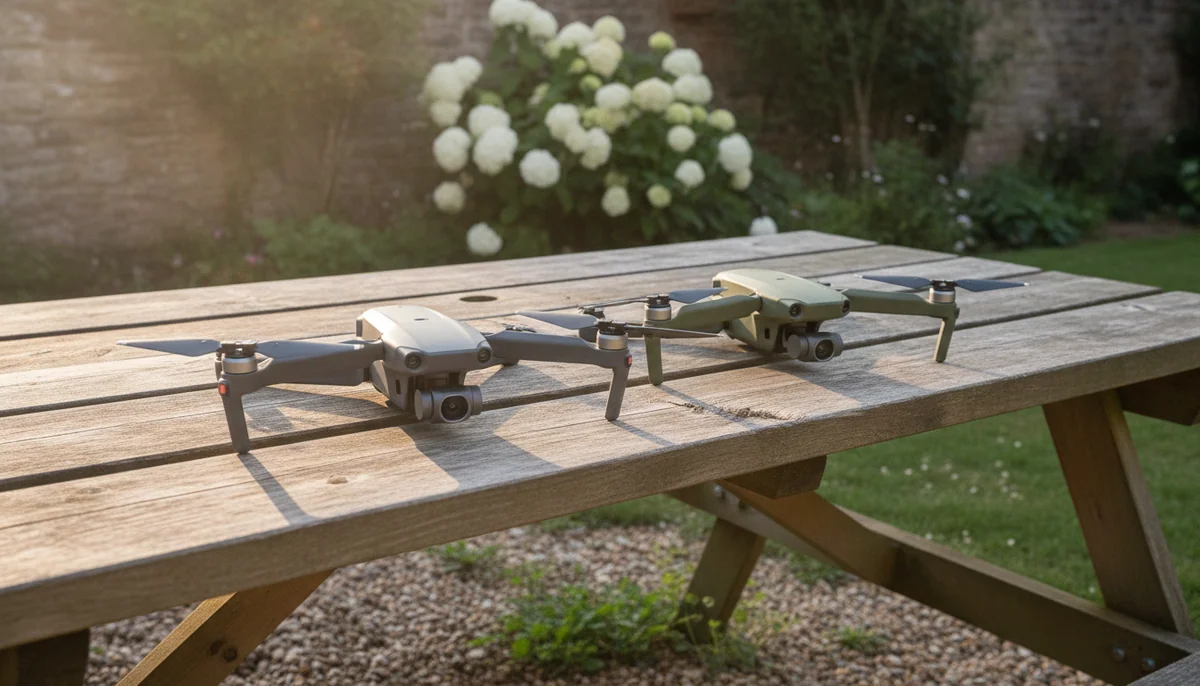
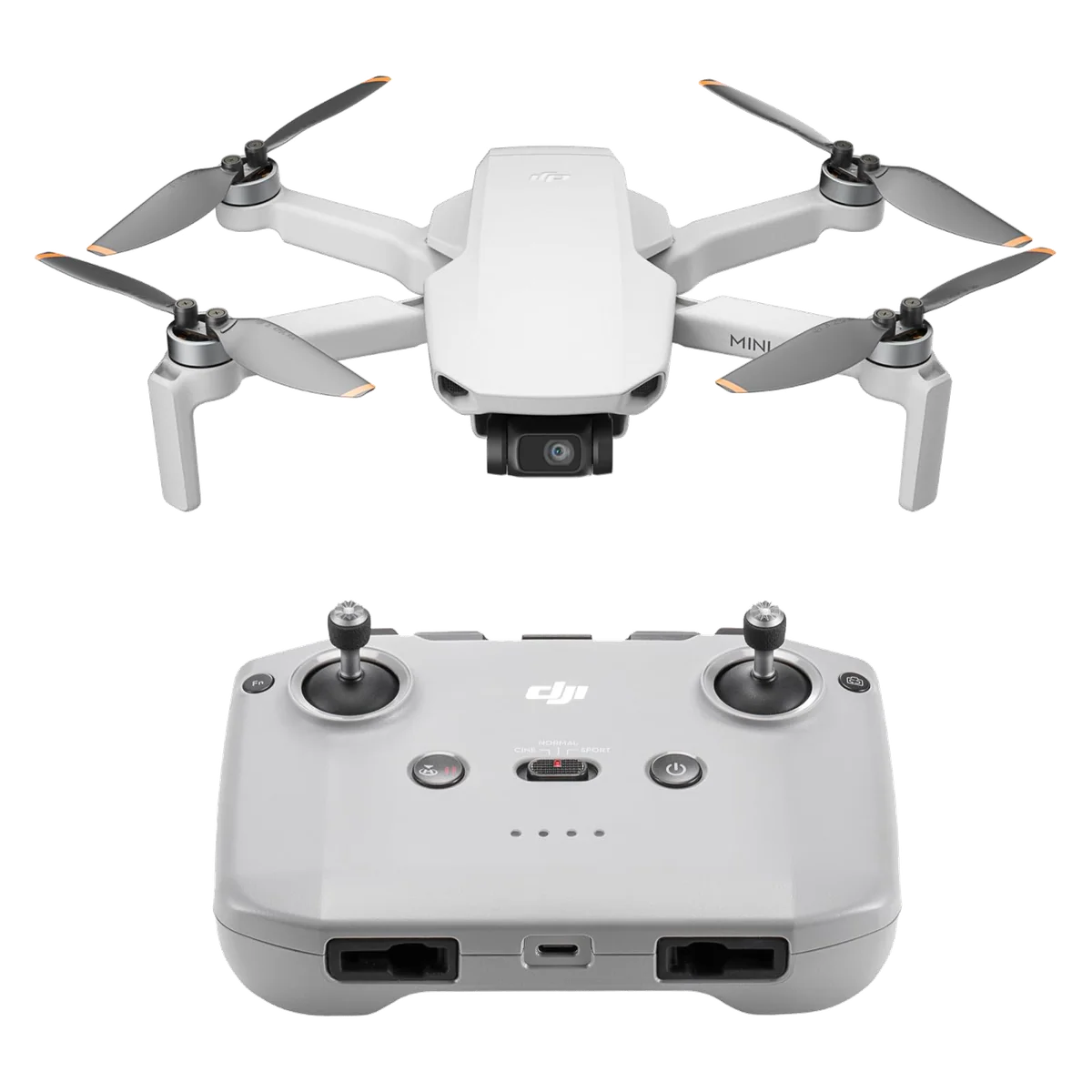
DJI Mini 4K
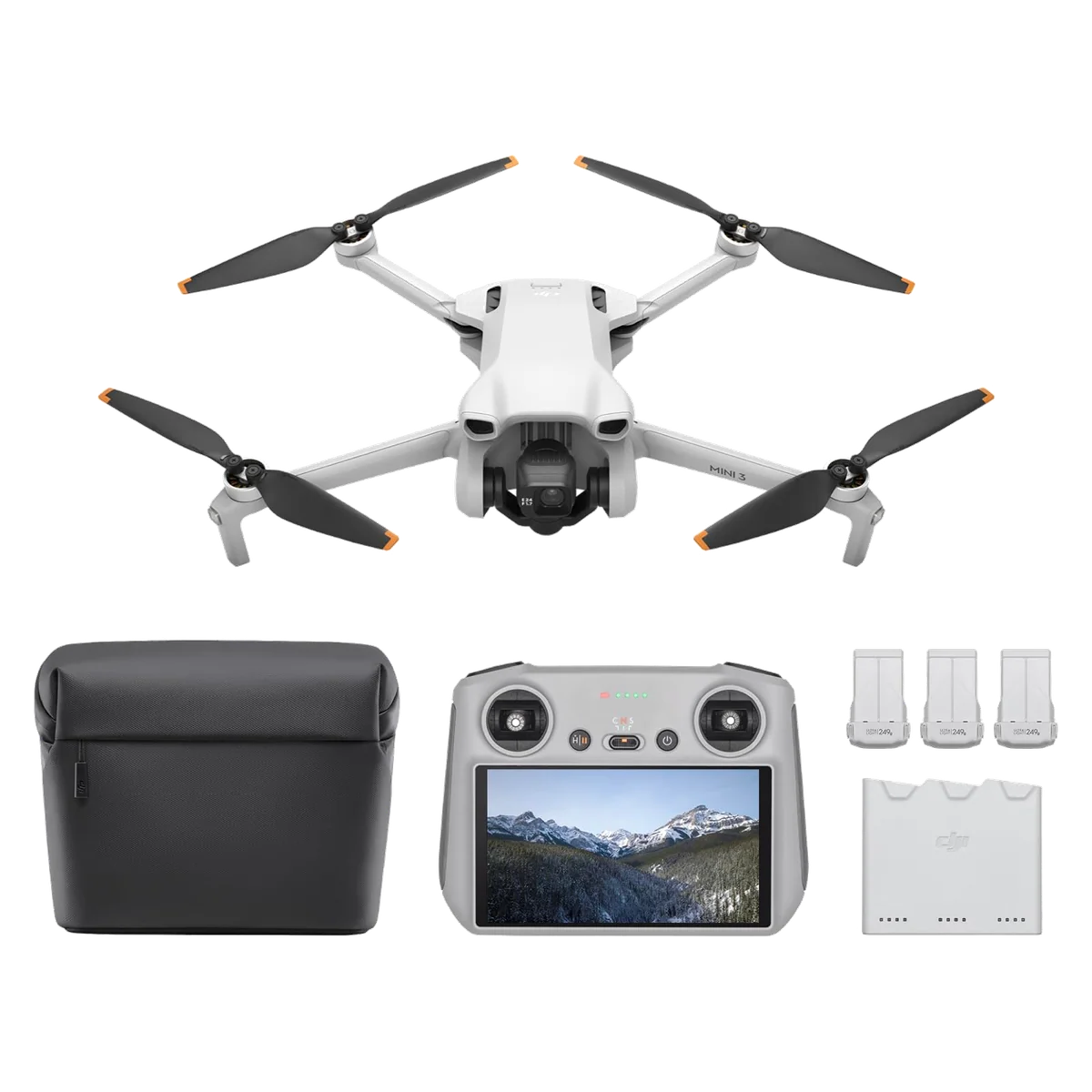
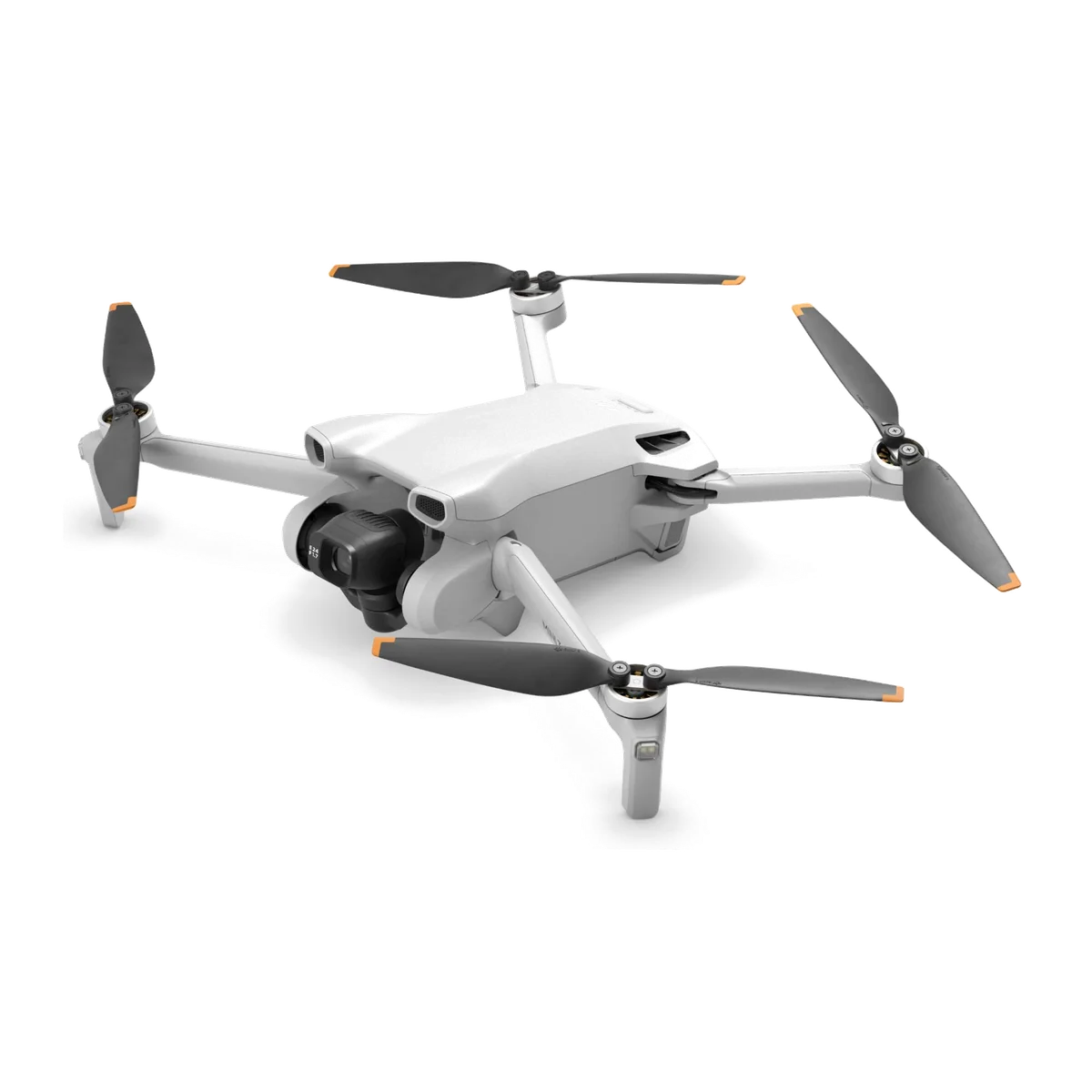
DJI Mini 3 Fly More Combo
The first thing to fix is the shape of the comparison, because the way these two are usually set against each other is wrong. One of them is a bare drone: aircraft, one battery, and the RC-N1C, which is a cradle you clamp your phone into. The other is a kit: aircraft, three Intelligent Flight Batteries, a two-way charging hub, a shoulder bag, and the DJI RC with a 5.5-inch display and the Fly app already on it. A large slice of the gap between them is batteries, plastic and a screen, not sensor. Judge them as cameras and you will conclude the Mini 3 is wildly overpriced. Judge them as the two boxes you can actually put on a table, and the question becomes a much more answerable one: do you need what is in the second box yet?
The second thing to fix is what people believe the money fixes. It does not buy obstacle avoidance. Neither of these drones can see a branch in front of it, and no firmware will change that on either one. It does not buy tracking. Neither will lock onto a person and follow them, so anything involving a runner, a rider or a surfer means hand-flying every second of it. Both need DJI Fly, and on Android both need it sideloaded from DJI's website because it is not on Google Play. An owner of the Mini 3 works the position out unprompted in his own review: three years old, no object avoidance, and still all the drone most people will ever need. That is close to right, and it is right about the cheaper drone too.
So here is the short version you can act on. If you have never flown and you are trying to discover whether you enjoy this at all, take the Mini 4K and spend the saving on spare propellers and a memory card. If you already know you will still be flying next year, and specifically if your output is vertical, or you have suffered trying to read a phone screen in sunlight, or you want to run third-party flight software, the Mini 3 kit is the one you stop wanting to replace. If what you actually want is a drone that films you rather than one you fly, neither of these is the answer and our guide to drones that follow you is where to go instead.
DJI Mini 4K
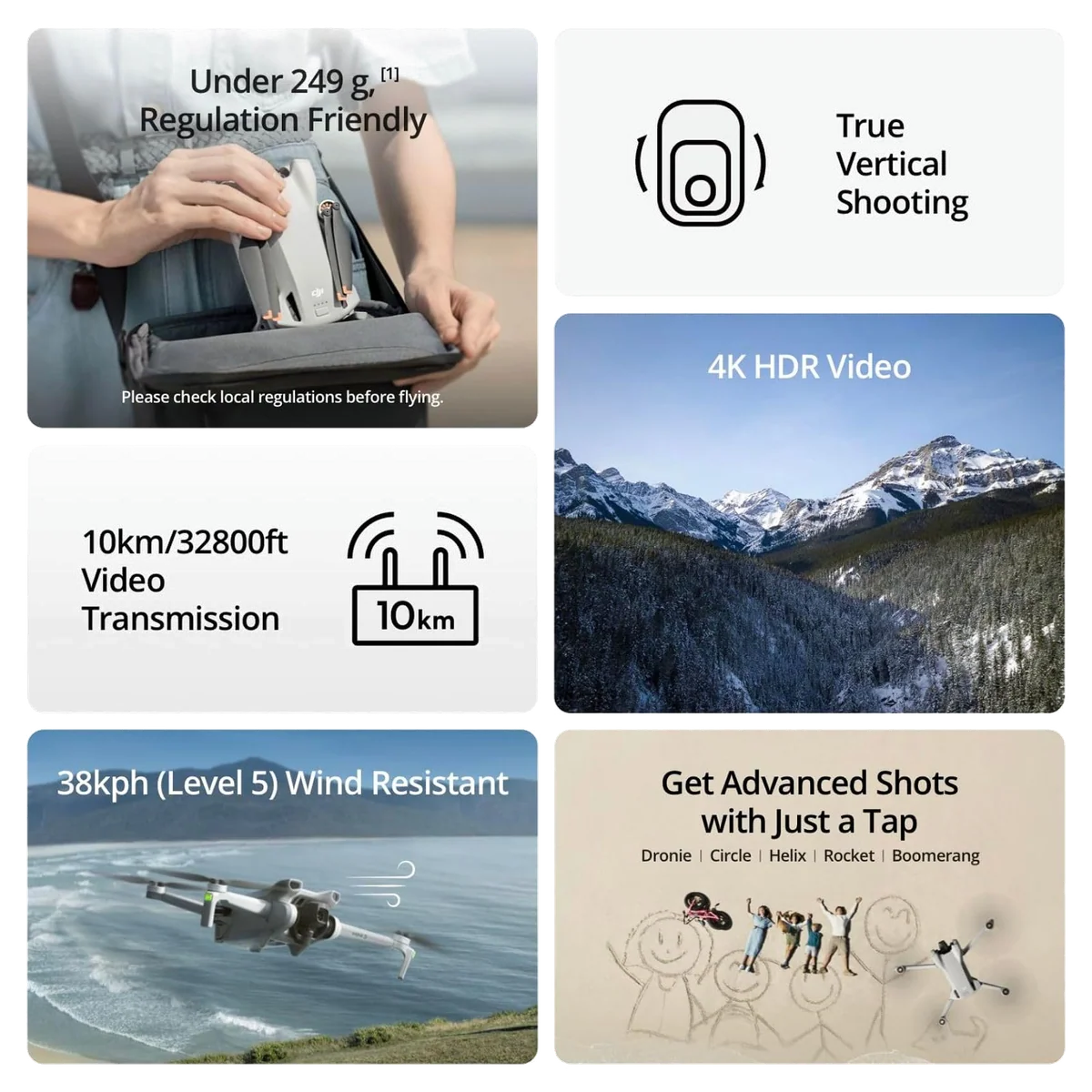
DJI Mini 3 Fly More Combo
At a Glance
| Feature | Editor's Pick DJI Mini 4K | DJI Mini 3 Fly More Combo |
|---|---|---|
| Price Range | $200–$500 | $500–$1,000 |
| Finish | Gray | gray |
| Check Price on Amazon | Check Price on Amazon |
What the extra money actually changes
The Mini 4K is not a new design. It is the 2020 Mini 2 airframe with a better camera on the nose, and the debate about whether that is cynical repackaging or a very good old drone finally made cheap has been had at length by people who own one, with both sides describing the same object. The Mini 3 is a genuinely later aircraft with a genuinely larger sensor. Where that matters and where it does not is the whole of this page.
| What you are comparing | Mini 4K | Mini 3 Fly More Combo |
|---|---|---|
| In the box | Drone, one battery, phone-cradle controller | Drone, three batteries, charging hub, bag, screen controller |
| Sensor and lens | The smallest and darkest in the Mini family | 1/1.3-inch with an f/1.7 lens and dual native ISO |
| Vertical video | Crop a landscape frame and lose resolution | Gimbal rotates into portrait and uses the whole sensor |
| Advertised flight time | 31 minutes, measured at a constant 17kph in a windless lab | 38 minutes, measured at a constant 21.6kph in windless conditions |
| What owners actually get | Roughly 20 to 28 minutes | Low thirties, landing with a sane reserve |
| Obstacle sensing ahead or to the side | None | None |
| Subject tracking | None | None |
| Third-party apps and waypoints | Locked out | Open SDK |
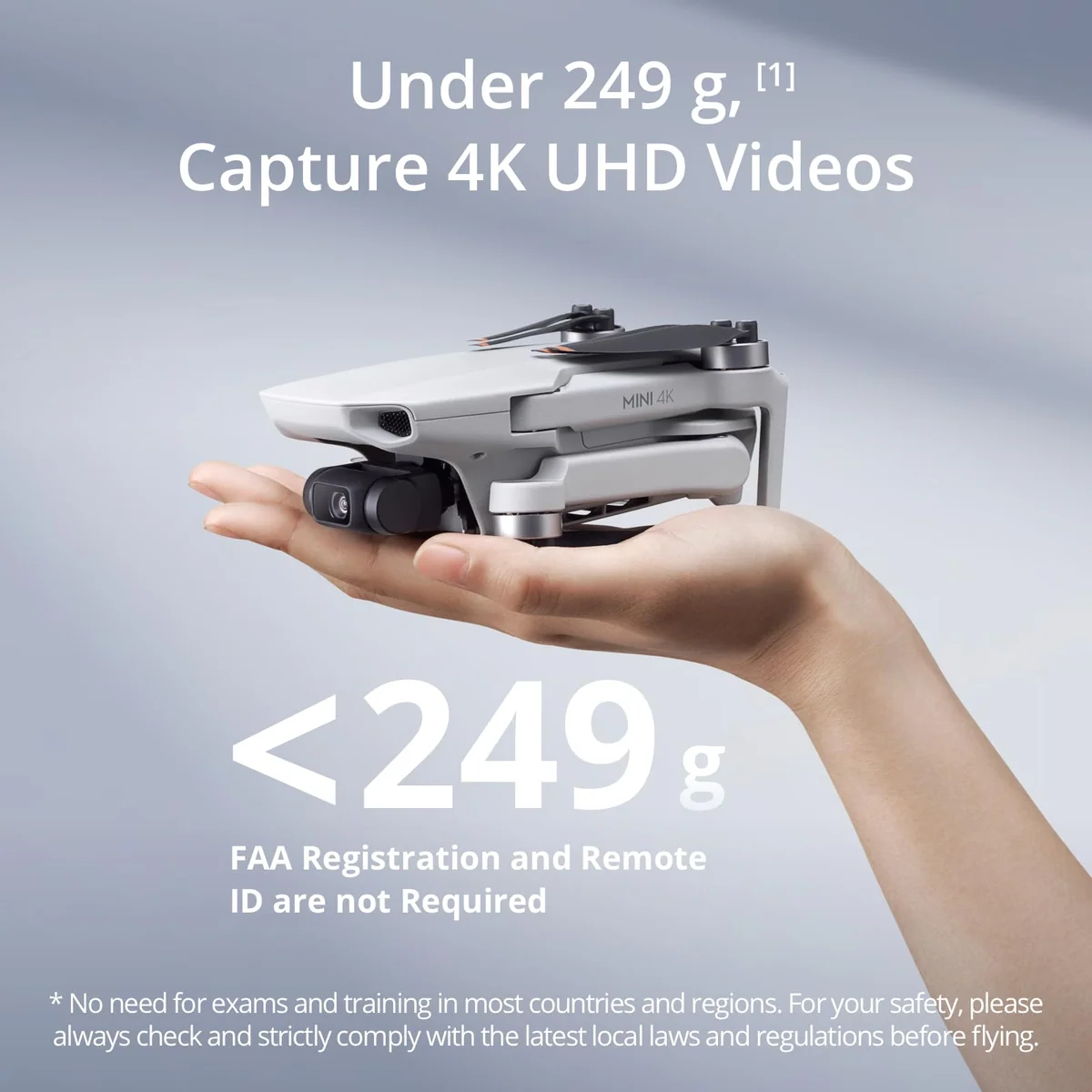
| Weight as shipped | Under 249g, with a batch-variation footnote | Under 249g, with the same footnote |
The camera gap is real, and it is mostly a gap about light
In good light, at midday, on default settings, the difference between these two is smaller than the spec sheet promises and smaller than enthusiast forums insist. Nobody in the Mini 4K's owner record complains about its images, and several name the camera as the reason they bought it. The ceiling shows up in two specific places. The first is dusk, dawn and shade, where the smaller sensor and darker lens simply run out; the second is the edit, where a working photographer delivering paid jobs with a Mini 4K reported that clients never complained and that the pain came when he opened the files to grade them, because they look like photographs from a phone of about a decade ago. The Mini 3's f/1.7 lens and dual native ISO are aimed straight at that first problem.
Do not overpay for the Mini 3's headline stills claim, though. An owner who shot it hard enough to build a gallery of graded RAW files from it says the 48-megapixel captures always looked like upscaled versions of the 12-megapixel ones, with a difference visible but no meaningful gain in real detail, and reports the drone missing focus in something like five to ten percent of frames in a way the app preview is too small to reveal. The Mini 3's real photographic advantage over the cheaper drone is the low-light headroom and true vertical shooting, not the megapixel number. If your output is a tall waterfall, a skyscraper or a phone-shaped video, rotating the gimbal rather than cropping the frame is worth the whole difference on its own.
Two lab numbers, and what the air does to them
Both listings quote a flight time measured by flying forward at a fixed speed in a windless room from full charge to flat, which is not a flight anyone takes. The Mini 3 wins this on paper and wins it in practice too, but by less than the box implies: owners land in the low thirties, and the arithmetic that explains the shortfall is that lithium packs cannot be run to zero, so you are coming home at around twenty percent. The Mini 4K's owners report roughly twenty to twenty-eight minutes, less again in 4K or wind. Independent testing of the sibling Mini 4 Pro landed at about 79 percent of its own claim in a pure hover, which is the shape of the shortfall across the whole family rather than a fault in either of these. We have written up why the advertised figure and the flight you get are different numbers if you want the general case.
Ignore both transmission figures. Ten kilometres describes a radio link in clean air, and the binding constraint on any real flight is the battery, then the law requiring you to keep the aircraft in sight, then the radio, in that order. A Mini 4K owner reports the picture going patchy around 800 metres in ordinary surroundings. A tester who took the Mini 4 Pro out to find its limit turned back at 4,544 metres with four of five signal bars still showing, because the battery would not have brought it home.
Wind is where both drones share the same honest weakness, and it is a weakness of the 249-gram class rather than of either model. The Level 5 rating means the aircraft stays up and comes back; it does not mean the shot holds. Reviewers of the heavier Minis describe the airframe swaying visibly while the gimbal does extraordinary work hiding it, so the drone looks worse than the footage does. A Mini 3 owner who moved to a heavier aircraft noticed how many fewer wind warnings he got, which tells you how routine those warnings were. If you fly ridgelines and coastal gusts, read what a lightweight drone can actually take before choosing either of these.
The thing the cheap drone can never gain
The Mini 4K's SDK is closed, so third-party flight apps, waypoint tools and automated missions are not an option at any price. The Mini 3's is open. This sounds like a specialist concern and it is not: people who bought the cheaper drone have exchanged it for a Mini 3 and named exactly this as the reason. If you already know you want to fly repeatable programmed routes, for site surveys, for time-lapse comparisons, for anything you have to do the same way twice, then the cheaper drone is not a cheaper version of the Mini 3. It is a different product that cannot do your job.
What neither of them will do, no matter which you pick
Tracking is the absence buyers refuse to believe. The most instructive thread in the record is a buyer a week out from a surf trip, arguing that he does not need active tracking, then conceding a few comments later that active tracking is the only feature he will miss. He wanted to film a friend surfing. If you recognise yourself there, believe his second answer.
Obstacle sensing is the absence buyers hallucinate. Two of the thirteen retained reviews on the Mini 3 listing praise its obstacle sensing in some detail, and three others in the same set state flatly that it has none. Nobody is lying; people assume a modern DJI has sensors because every DJI above these two does. Neither of these can see forward or sideways, and sideways is the direction small drones are most often crashed. Fly the first month over open grass, and read what avoidance catches and what it flies straight through before you treat it as the deciding feature on any drone.
The controller is the upgrade people underestimate
The single most consistent note from Mini 3 Fly More owners is not about the camera. It is that the DJI RC's own screen is brighter and larger than the phone they were fighting with, that setup happens entirely on the controller, that the phone battery stays untouched, and that at least one buyer who was certain a screen controller was a waste of money changed his mind completely. If you have flown with a phone clamped to a cradle and hated it, that is a real reason to pay more, and our piece on flying with a phone versus a proper controller goes through the trade. One planning note: this bundle ships the original DJI RC, not the RC 2, and the two are not interchangeable across DJI's current line, so check which drones work with the RC 2 before you assume the controller carries forward to your next aircraft.
The three batteries are the other half of the kit's argument, and the honest version is conditional. The case for them is driving thirty minutes to a location and getting one pack's worth of light; the case against comes from owners a year in who bought one spare and never wanted a third. The split is not how much you fly, it is whether you can recharge where you fly. Note also that the two-way hub fills the packs in sequence rather than together, so what you are buying is three charged batteries at the trailhead, not a fast turnaround. Whether the bundle is worth it is a question we have worked through in general terms.
Where the gap closes, and what to do about it
Our own review of the cheaper drone put its most vulnerable point plainly, and it still stands here: the Mini 4K's merit is largely a function of the gap between the two, and when the Mini 3 is discounted that gap has been observed to fall to nothing at all. So check the two side by side before you commit rather than deciding from this page alone. If the difference is wide, the cheaper drone is the sane purchase. If it is narrow, the Mini 3 is the better aircraft and there is nothing about the Mini 4K that changes to compensate.
One caveat on the Mini 3's registration exemption, because it costs professionals money. Under 249 grams as shipped it needs no FAA registration or Remote ID for recreational flying, but a Part 107 pilot writing for PCMag reports that accessing the Mini 3's Remote ID requires the extended battery, which is sold separately, is not sold everywhere, and by DJI's own admission pushes the aircraft over 249 grams. The paid-work path therefore costs an extra purchase and forfeits the exemption in the same move. Propeller guards do the same thing more cheaply: one owner in the review set added them as a substitute for the sensors the drone lacks, went over the line, and had to register the aircraft. European buyers have a further wrinkle, since sub-250g aircraft flown under the C0 class are capped at 120 metres above the takeoff point regardless of where the drone was bought, which bites hardest in mountains. Sort out what applies to you in registration and Remote ID for sub-250g drones.
Buying either of these in 2026
The regulatory backdrop is the reason two ageing drones are still this competitive. An FCC covered-list action in December 2025 blocks authorisation for new foreign-made drones, with previously approved models remaining legal to buy and fly, and DJI filed suit in February 2026. The practical consequence for this comparison is that "wait for the next one" is weaker advice than it used to be, and we keep the picture current in whether you can still buy and fly a DJI in the US. Two follow-on effects are worth weighing. Care Refresh is no longer purchasable for US buyers, which changes the cost of a crash and is covered in insuring a drone now that Care Refresh is gone. And spares favour the cheaper drone rather noticeably: its batteries, propellers, arms and motors are shared with the enormous Mini 2 and Mini 2 SE installed base, which is exactly the point buyers asking about support were reassured on. That matters on an airframe people do break, and they do: one owner logged ten crashes, two of them frightening, a cracked shell snapped back together and five sets of propellers, with the drone still flying.
Quadcopter Bench has not flown either of these aircraft. Everything above is drawn from the two listings and the test-condition footnotes under them, the customer reviews retained on both, owner threads, and published testing of the sibling Minis where a measured figure from the same family is more useful than a specification.
DJI Mini 4K
DJI Mini 3 Fly More Combo
Which one is yours
Take the Mini 4K if this is your first drone, if you fly over open ground where the missing sensors cost you nothing, if you want a flying camera for practical seeing rather than selling, or if you are not yet certain you will still care about this in a year. Take the Mini 3 Fly More Combo if your output is vertical, if you want the SDK, if you have already been defeated by a phone screen in sunlight, or if you drive and hike to your locations and get one weather window when you arrive.
The one to buy if you have never flown anything
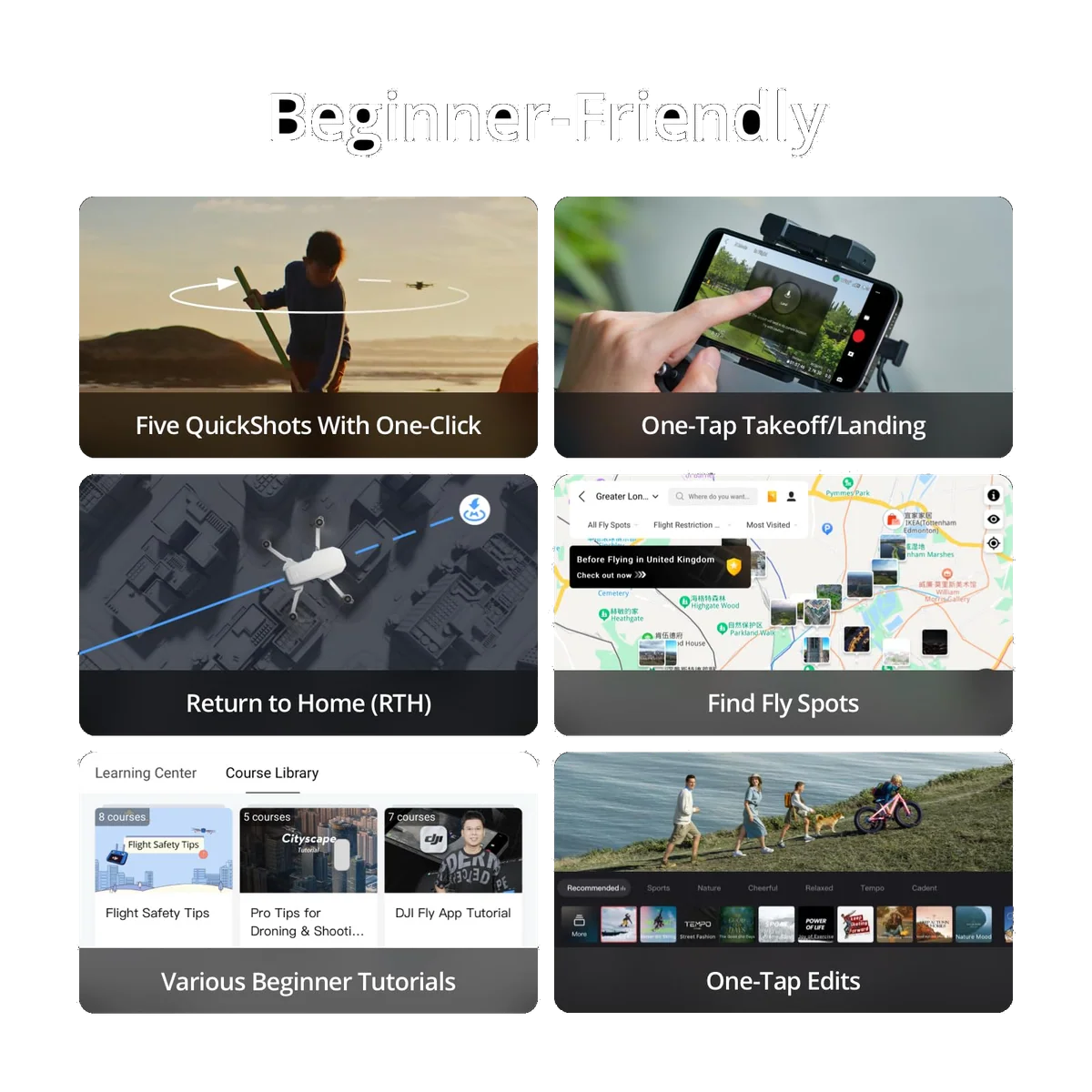
It delivers the two things that keep a first drone out of a tree, a GPS anchor that holds it still and a return to home that owners report bringing the aircraft back to within inches of where it left, for the least money DJI asks.
Its small, dark sensor gives out in low light, and a photographer delivering paid work with one says the files look like phone photographs from a decade ago the moment you start grading them.
The one to buy if you already know you will keep flying
The larger sensor, true vertical shooting, an open SDK, three batteries and a controller with its own sunlight-legible screen add up to the kit you stop wanting to replace.
It is exactly as blind and exactly as incapable of tracking a moving subject as the cheaper drone, which is the part buyers keep assuming the extra money fixes.
If the answer is neither
Three readers should walk away from both. If you want the drone to film you while you ride, run or ski, the DJI Neo 2 is built for that job and the HOVERAir X1 is the specialist at it. If you fly among trees, wires and buildings and want the aircraft to be forgiving rather than to teach you, the DJI Flip adds forward obstacle sensing, folding propeller guards and real subject tracking in the same weight class, at the cost of bulk and some fussiness in wind. If you are shooting client deliverables and grading them afterwards, both of these are below the floor and the DJI Air 3S is where the sensor, the coverage and the mass to sit still in wind actually begin. Outside DJI, the Potensic Atom 2 is the credible alternative and the specific answer for a US buyer who needs Remote ID without a battery upsell; we set it against both drones on this page in Atom 2 against the cheaper Mini and Atom 2 against the Mini 3.
The argument for starting cheap, and the argument against it
There is a reason so many nearly-new small drones turn up second-hand, and it is not that they are bad. People buy them imagining constant use, then discover that the rules are more tiring than the hobby is fun, and stop; the advice that emerges from those threads, unprompted and repeatedly, is to buy the cheapest real drone first and find out whether you enjoy flying at all. The counter-case is just as real and comes from the same shelf: one owner went Mini 4K, then Mini 3, then a refurbished Mini 4 Pro inside seven months without crashing any of them, and called it upgrading the hard way. If you already know you want vertical video, programmed flight and a screen in your hands, buying the cheap one first is not a saving. If you cannot tell which of those two people you are, you are the first one. Our beginner picks and sub-249g roundup put both of these next to everything else worth considering, and the full arguments live in our Mini 4K review and our Mini 3 Fly More Combo review.
Frequently Asked Questions
Which one should a complete beginner buy?
The Mini 4K, because it flies with the same GPS anchoring and the same return to home for considerably less, and every mistake you make while learning costs less to fix.
Will either of them follow me while I ride or run?
No, neither has any form of subject tracking, so filming a moving person means hand-flying the whole shot on both drones.
Does the Mini 3 have obstacle avoidance?
Not in any direction you are likely to crash in, which is why several owners fit propeller guards as a substitute and why two reviews on its own listing praising its sensors are simply mistaken.
Is the Mini 3's higher price mostly the Fly More kit?
A substantial part of it is, since you are comparing a bare drone and a phone cradle against three batteries, a charging hub, a bag and a controller with its own screen, so the aircraft-to-aircraft difference is narrower than the two stickers suggest.
Does the Mini 3's 48-megapixel mode give you more real detail?
Barely, according to an owner who shot and graded a great many RAW files from it and found the high-resolution captures looked like upscaled versions of the standard ones.
Do you have to register either of them?
Not for recreational flying while they stay under 249 grams as shipped, but propeller guards or the Mini 3's extended battery will push you over that line, and paid work needs certification regardless of weight.
Will they both work with an Android phone?
Yes, but DJI Fly is no longer on Google Play, so on either drone you download it from DJI's website and sideload it before the aircraft can even be activated.
Is a drone this old still worth buying?
Yes for both, because new DJI models are not being authorised for the US market and the already-approved older aircraft are what is left standing, which is exactly why two ageing Minis are still near the top of their category.
Ready to Choose?
Sources (6)
- Amazon listings and customer reviews — Dji Mini 4k and Dji Mini 3 Fly
- Owner reports across r/dji, r/drones, r/videography threads
- Firstquadcopter — Article — www.firstquadcopter.com
- Photo — Article — jvn.photo
- Pcmag — Article — www.pcmag.com
- Fstoppers — Article — fstoppers.com