The HOVERAir X1 is not really a drone, and that is exactly why it works
Buy the X1 if you are the subject of your own footage and you move at walking, hiking or running pace; if you want to film scenery rather than yourself, or your sport involves water, cliffs or real speed, this is the wrong model and you should be looking at the Pro or at an actual drone.
Based on 426 owner ratings, 6 owner discussions and 3 other sources. We have not tested this machine ourselves.
We earn a commission if you buy through our links, which does not affect what we say.
Read how this site works →
Who should press the button
Quadcopter Bench would put this in the hands of one specific person: someone who does something outdoors alone, at human speed, and currently has no record of it except selfies taken at arm's length. Solo hikers, trail runners, travellers, parents who want to be in the photograph with their kid instead of behind it. For that person the X1 is not an expensive toy, it is the difference between having footage and not having it, and the reason is boring and decisive: it is small enough and quick enough that you will actually carry it. The reviewer who scored it eighth of eleven drones was measuring it against general-purpose camera drones, and by that standard the score is fair. It is also the wrong yardstick, because nobody cross-shops this against a Mavic.
For everyone else the answer is no, and the reasons are not subtle. If you want to fly a drone, rather than be filmed by one, this will frustrate you inside a week. If your sport involves water or speed, HoverAir built the Pro because they knew this one could not do it. And whichever you buy, put a note in your calendar to cycle the batteries every couple of months, because that is the part that will quietly die in a drawer while the drone itself shrugs off another tree. If you are still weighing the field, our roundup of drones that follow you is the wider view.
Best for: Follow me drones
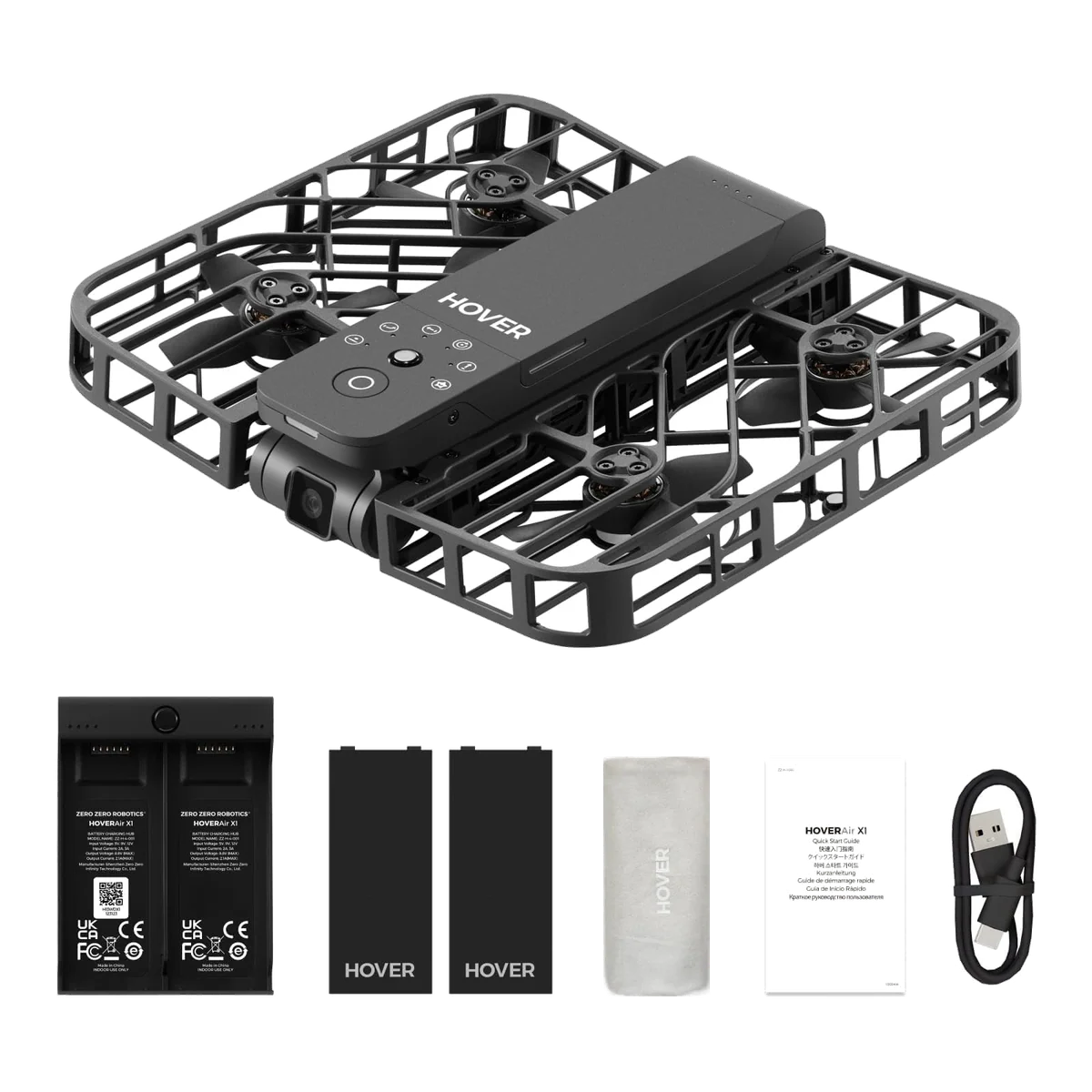
First, a piece of housekeeping, because the search results for this thing are a mess. HOVERAir is not hovercraft. If you arrived here after typing something with the word hovercraft in it and you were picturing a cushion-of-air toy that skims across the kitchen floor and the garden pond, this is not that, and the price gap between the two is roughly an order of magnitude. The HOVERAir X1 is a 127g flying camera with the propellers caged inside a plastic frame, and it is bought by people who need footage of themselves and have nobody standing there to hold a phone.
The second piece of housekeeping is worse, because it trips up buyers who know exactly what they are looking at. Most of the well-written HOVERAir coverage on the internet is about the X1 Pro or the X1 Pro Max, which are different aircraft with a two-axis gimbal, a microSD slot, smart batteries that do not fit this model, rear collision detection, roughly double the tracking speed, and permission to fly over water. None of that belongs to the drone on this page. Everything below is about the original X1: 2.7K at 30fps, 32GB of fixed internal storage, about eleven minutes in the air, and a ceiling of fifteen metres above the ground.
Now the argument. The X1 does not compete with a DJI Mini, it competes with the decision not to bother. The published owner accounts converge on the same scene with unusual consistency: you do not haul a folding drone out of a hard case, unfold it, wake the controller, wait for a GPS lock and fly it into position just to get eight seconds of yourself riding a bike. You skip the shot instead. The X1 takes about five seconds from pocket to airborne, needs no phone once it has been set up, and announces its mode out loud so you never look at a screen. That is the entire product, and it is a better product than the spec sheet suggests.
The drawback that matters is on the same page as the strength, so here it is up front rather than buried at the bottom where the manufacturer put it. This model has no GPS and no return to home. When it loses you, loses the light, or meets wind it cannot beat, it does not come back; it lands, immediately, wherever it happens to be. HoverAir's own FAQ says the X1 is not designed to fly over water, over cliffs, or above terrain with indistinct ground texture. Read those two facts together and you have the failure mode: a drone that responds to trouble by descending, over surfaces that will keep it. Quadcopter Bench treats that combination as the single deciding fact for anyone whose hobby happens near a lake, a river, a coastline or a drop.
Key Specifications
One button, no phone, no flying skill
Setup happens once in the app. After that the drone is self-contained: a button on the body cycles through the flight modes, it says the mode name aloud, you press again and it lifts out of your palm. To land, you hold your hand underneath and the downward sensors bring it in. One owner's first flight was accidentally phone-free because they had left the phone at home, and it made no difference to anything except the settings menu. Another owner points out the less obvious consequence: because the settings live on the aircraft rather than in a cloud account, the drone keeps working even if the company behind it stops existing. That is not nothing in a category with this much churn. If you have been weighing up whether a proper transmitter is worth carrying, our piece on whether you actually need a controller is the wider version of this argument.
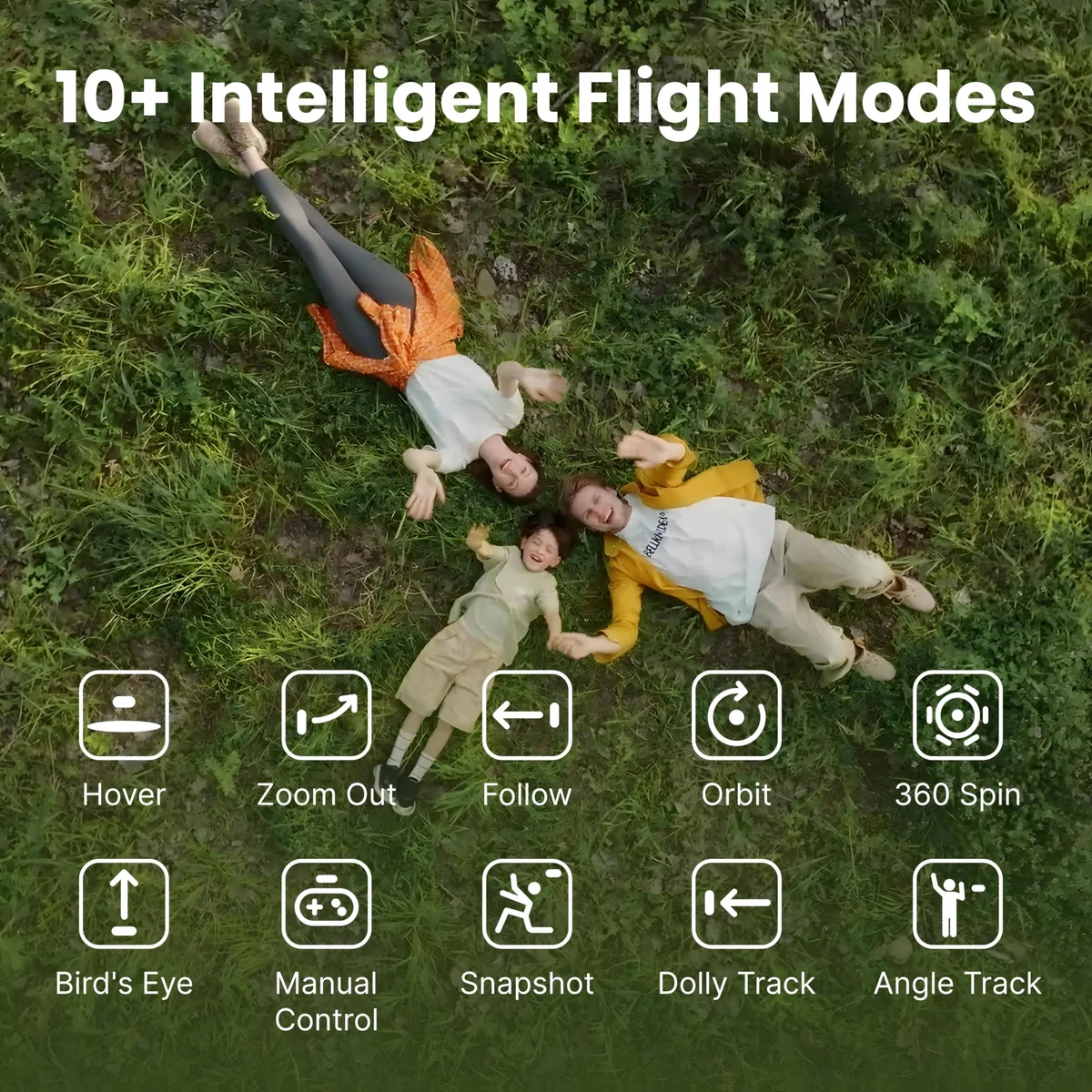
The stock modes are Hover, Follow, Zoom Out, Orbit, Bird's Eye and a manual mode you fly from the phone. Firmware since launch has added Snapshot, Dolly Track, Side Track and a gesture-driven Smart Control, so the listing's own feature list now undersells the aircraft. Only one of those extras can be assigned to the custom slot on the body at a time, which is a genuine annoyance if, like most people who use this thing seriously, you want Dolly Track and Side Track and never once want the one that rockets straight up.
The physical design is the underrated part. The propellers sit inside a cage that is engineered to come apart rather than snap: the joints flex, and the pins pop out under a hard enough hit so you can click the cage back together in a few seconds. The consequence is a drone that is safe to fly at close range around people. A six-year-old in one reviewer's household operates it unassisted and plays a game of trying to outrun it, and when it does hit her it bounces off, which sits oddly against the listing's own line that the product is not intended for users under fourteen. The prop guards also make it one of the few flying cameras you can hand-launch in a crowd without wincing.
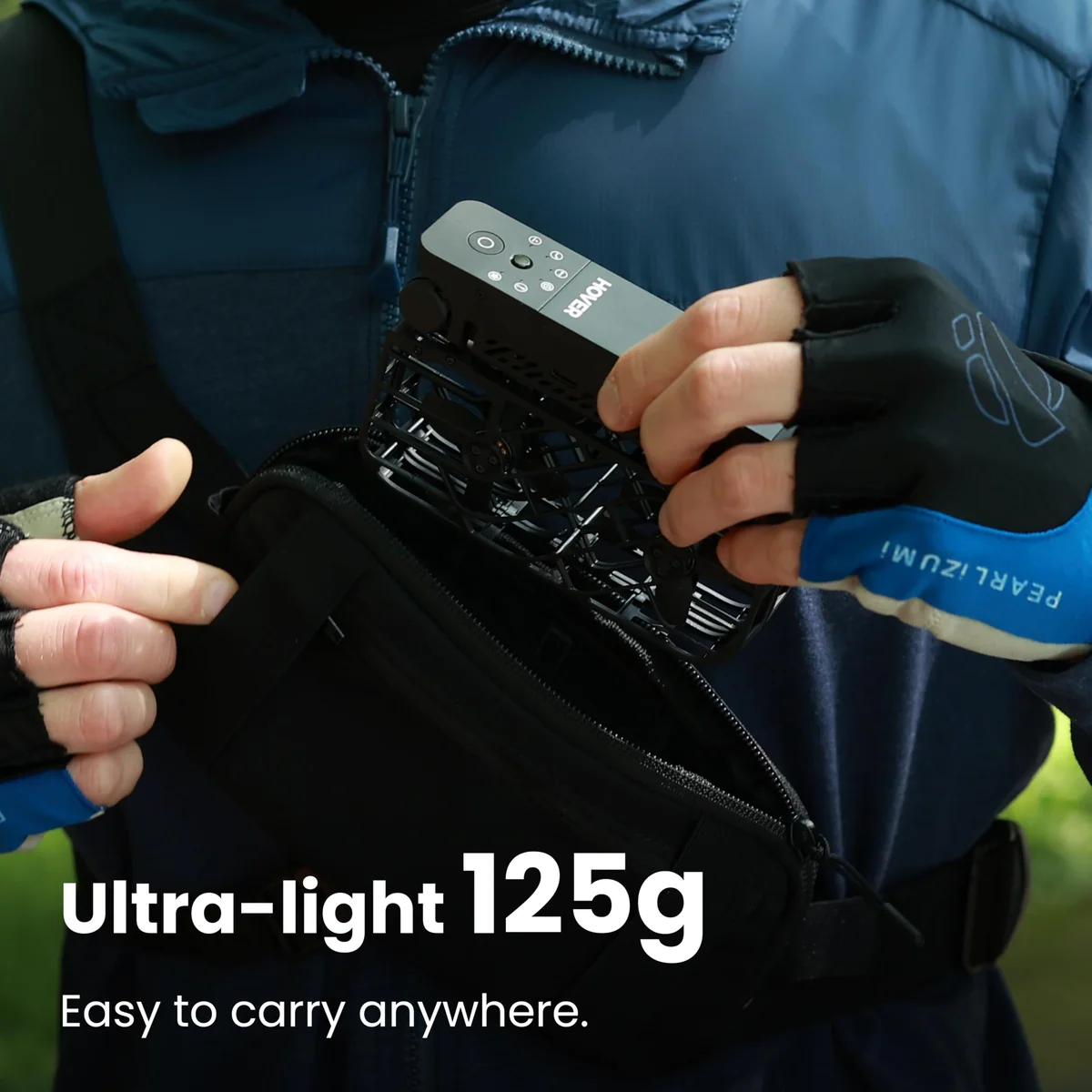
Weight is 125g by the manufacturer's figure and 127g on TechGearLab's scale, roughly half of a 249g class mini. That is under the threshold most registration regimes use as their dividing line, which is why one German owner's review consists largely of relief at not having to register anything. Rules vary by country and change often, so read our explainer on registration and Remote ID for sub-250g drones rather than taking a happy Amazon review as legal advice.
Strengths & Limitations
Strengths
- Airborne in about five seconds from a pocket, with no phone, no controller and no flying skill required.
- The behind-you follow mode holds its lock through trees because it flies your route rather than a straight line at you.
- The caged, flex-jointed airframe survives repeated hard crashes and clicks back together in seconds when it does come apart.
- At 127g it is safe to fly close to people and sits under the weight line most registration regimes draw.
- Real flight time of ten to twelve minutes is genuinely close to the eleven minutes claimed on the box.
- Support has repeatedly gone beyond the warranty in owners' accounts, including a large refund on a self-inflicted water kill.
Limitations
- The non-smart batteries swell if stored charged, with one owner losing three in two years against a one-year battery warranty.
- No GPS and no return to home means that when it loses you, it lands on the spot rather than coming back.
- Water, cliffs and featureless ground are outside its design envelope, and the landing reflex turns each of those into a lost drone.
- It falls behind above roughly 17 mph and cannot descend faster than 1.5 m/s, which rules out road cycling and downhill skiing.
- The single stabilised axis leaves footage exposed to wind, and vertical framing drops the recording to 1080p.
- The folding hinges pick up grit from ground landings and there is no straightforward way to buy spare parts.
- Both the rotors and the spoken mode announcements are loud enough that owners list volume as their main complaint.


Where the tracking holds, and exactly where it lets go
Following you from behind is the mode that works, and it works better than the absence of obstacle avoidance suggests it should. The mechanism is the interesting bit: rather than flying a straight line towards where you are, the X1 flies the route you flew, which is why it survives wooded trails that would put a direct-line follower into a trunk. DC Rainmaker's review includes a segment of running behind trees every second and a half with the lock holding throughout, and describes the mode as difficult to lose. Dolly Track, which flies ahead of you, is solid at middle distance and gets confused close in; when it fails it degrades gracefully by whipping round to follow from behind instead.
Now the disagreement, which is the most useful thing in the whole record and should not be smoothed over. DC Rainmaker logged 130 flights and came away enthusiastic. TechGearLab scored the X1 57 out of 100, eighth of eleven drones, and called it twitchy, unsure of itself in a hover, and so quick to react to the subject that the footage turns jumpy. They also had it fail to acquire a subject at launch on occasion and simply hover until it landed itself. Both accounts are accurate and they describe the same behaviour. The X1 prioritises keeping you in the frame over keeping the shot calm, which is correct for action B-roll and wrong for anything you would call cinematic. If your instinct is to slow-pan across a landscape, you will hate it.
Speed is the hard boundary, and the listing's "up to 15 mph, suitable for cycling" is where it oversells. The measured ceiling is around 17.6 mph, which covers walking, hiking, running and mountain biking on flat or uphill trail, and does not cover a road cyclist with any intent. When you outrun it, it does not sprint or give up gracefully; it stops and lands, potentially on the road you just left. Cyclists in HoverAir's own community have been blunt about this for years, and one well-known cycling YouTuber summed the base X1 up as being like taking a three-year-old to a supermarket: it follows you for a while, then decides to do something else.
Skiing fails for a reason that has nothing to do with your speed downhill and everything to do with a spec buried in the manual: the maximum descent rate is 1.5 m/s. Descend faster than that, which you will on any real pitch, and the drone is left above you looking at empty snow. The retrieval is then a hike back up in fresh powder. Cross-country skiing is fine. Downhill is not, whatever the marketing footage of people traversing implausibly slowly might suggest.
| What you are doing | How the X1 handles it |
|---|---|
| Walking, hiking, trail running | Its home ground; the route-following lock holds through trees. |
| Mountain biking, flat or climbing | Works, and the cage survives the branches it will inevitably meet. |
| Road cycling with pace | Falls behind, gives up and lands, sometimes on tarmac. |
| Downhill skiing or snowboarding | Loses you on the descent rate, not the speed; buy something else. |
| Anything over water, or near a cliff edge | Explicitly outside its design envelope, and the landing reflex is what kills it. |
| Indoors, hallways and corners | Unreliable; owners report quick crashes when it tries to follow around corners. |
| Filming a car, a boat or a static subject | The automatic modes track people, so you are down to the clumsy manual mode. |
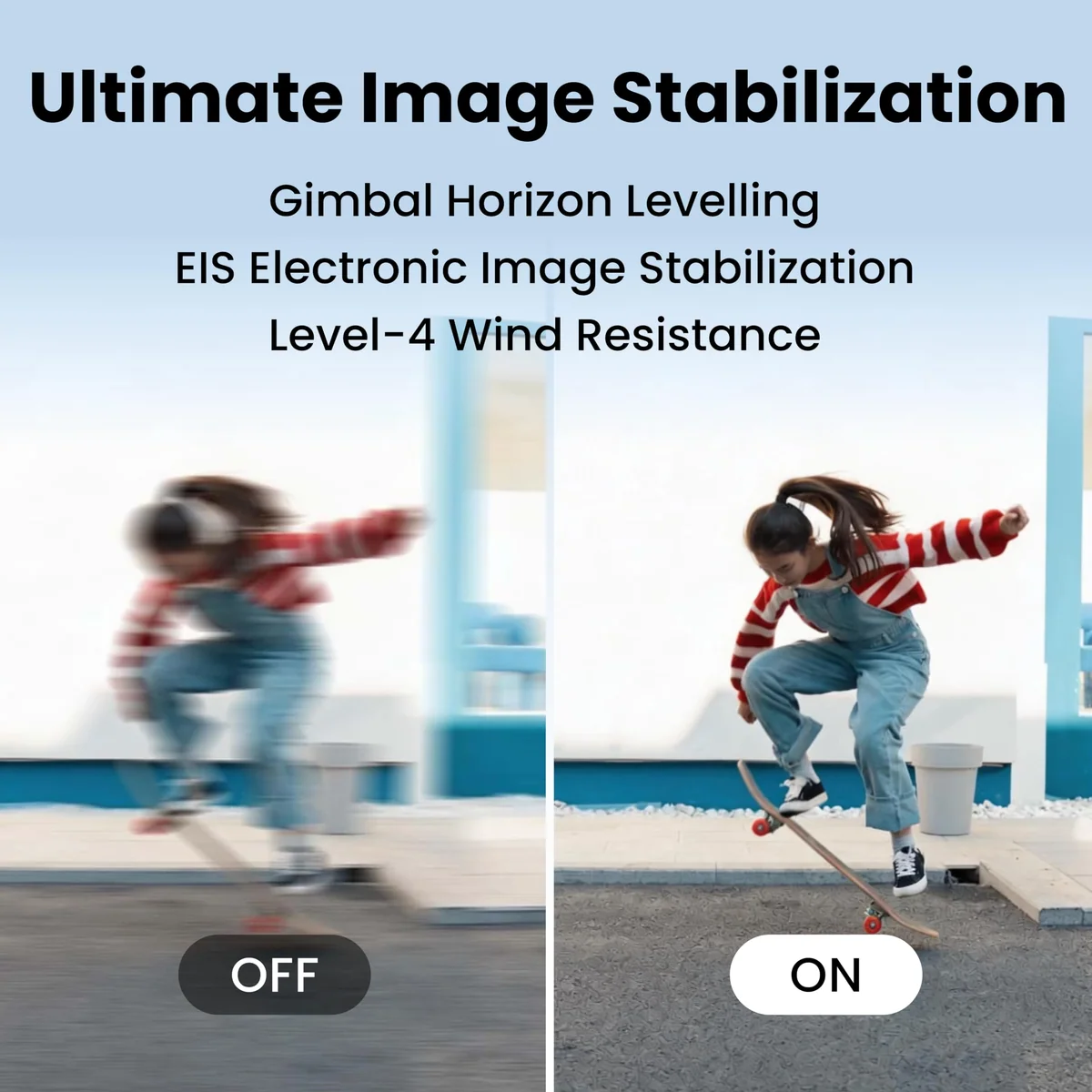
Wind is the other boundary and owners genuinely disagree about where it sits. The rated figure is level 4, or 7.9 m/s. One owner says anything strong enough to move your hair will ground it; another says it is steady in a breeze and the camera copes fine. The likeliest explanation is that they are flying in different weather and calling it the same word, though TechGearLab's structural point supports the pessimist: with only one stabilised axis, wind that pushes the airframe around shows up in the footage because the gimbal cannot take it out. Push well past the rating and the drone will take off, decide against it and put itself straight back down. We have written separately on how much wind a lightweight drone can really take, and this one sits at the fragile end of that range.
On image quality, take the listing's "triple stabilization system" with salt: what TechGearLab found is a single-axis gimbal, and they scored image quality 4.5 out of 10, their lowest mark for this drone. DC Rainmaker, who shot an entire published review in unedited 2.7K, rates the colour and low light as solid. Our reading is that the footage is good for what it is and unremarkable next to a modern 4K drone, and that the honest comparison is with the phone in your pocket rather than with a Mini. Two specifics the listing does not shout about: switching to vertical framing drops you to 1080p, which matters given the entire product is aimed at people posting reels, and the live view on the phone is far coarser than the file the drone actually records, so do not judge the camera from the app preview. If the whole gimbal question is new to you, our gimbal versus electronic stabilisation piece explains why the axis count decides how the footage looks.
Storage is 32GB, fixed, no card slot, sold on the listing as a privacy feature. It is a limitation dressed as a benefit, but it is a mild one: at roughly 700MB per minute you get somewhere around three quarters of an hour of 2.7K, and almost nobody flies this thing in long takes. Battery life lands at ten to twelve real minutes against an eleven-minute claim, which is one of the more honest endurance numbers in this category and a useful counterexample to the usual arithmetic we unpick in advertised versus real flight time.
Which HOVERAir, and whether it should be a HOVERAir at all
The question buyers actually arrive with is not whether the X1 is good, it is which of the four HOVERAirs to get. Here is the short version. The Pro and Pro Max add a second stabilised axis, higher resolution, a card slot, roughly double the tracking speed, rear collision detection and, decisively, clearance to fly over water. Reviewers of the Pro Max also report noticeably longer flights. If you kayak, if you road cycle, if you ski downhill, if you climb, the base X1 was designed around a set of limits your hobby will find on day one, and no amount of coupon money changes that. Our X1 against the Pro and Pro Max comparison lays the three side by side properly. Worth noting that not everyone who trades up is glad: owners of the Pro Max regularly describe it as overkill and point at the middle model as the sensible one.
Against the DJI Neo, its obvious rival, the split is clean. The Neo flies longer, shoots 4K, tracks more calmly and therefore produces smoother video, and can be flown as a normal drone with a controller when you want range. The X1 shoots vertical, which the Neo cannot, and by owner accounts holds its lock more consistently. One caution about that evidence: the community where those comparisons are made is affiliated with the brand and carries affiliate links, so read glowing Neo takedowns there with a raised eyebrow. We have set the two out neutrally in HOVERAir X1 versus DJI Neo, and there is a full Neo review if that is where you are leaning.
Against a DJI Mini, there is no contest and there is no overlap either. If you want to photograph a landscape, a building or anything you are not standing in front of, the X1 is the wrong tool at any price: manual mode is slow and clumsy, the usable range is about 30 to 50 metres, and the flight ceiling is fifteen metres above the ground. That last figure is the one people misread; it does not mean fifteen metres above sea level, it means the drone will not climb higher than roughly a house above whatever it is flying over. Buyers who want scenery should read our Mini 3 review or start at the best camera drones instead, and buyers who want one drone that will both follow them and fly properly should look at the DJI Flip.
On money, the X1 has slid a long way down its own line since launch. Owners in 2024 were paying getting on for double what the listing showed when Quadcopter Bench last captured it; it now sits as the budget entry in HoverAir's own range, pushed down by the Pro and Pro Max above it, and it is habitually discounted with on-page coupons rather than sold at its list figure. Different retailers bundle it differently, so the number on any one page is not the whole market. Whatever it costs on the day, buy the combo with the second battery and the charging hub. Every owner who mentions it says the same, and with ten to twelve minutes per cell and batteries that weigh 43g each, carrying a spare costs you nothing you will notice. Our note on whether bundle packs earn their money is usually more sceptical than this; here the bundle is the honest configuration.
The batteries will fail before the drone does
This is the finding that changed our view of the product, and it is not in any spec sheet. One owner reports three batteries useless after two years of gentle use, against a one-year battery warranty. The explanation came from HoverAir's own support desk, and it is worth reading in the manufacturer's words because it is an admission of a design choice rather than a defect:
The batteries used with the HOVERAir X1 are non-smart batteries and do not have the automatic discharge function available on smart batteries. For non-smart batteries, keeping them at a high charge level for an extended period can contribute to internal gas generation and battery swelling, even when the batteries are used relatively infrequently.
Smart batteries in this class bleed themselves down to a storage charge if you leave them alone. These do not. So the failure mode is the one every casual owner walks into: charge everything after a trip, put the case in a drawer, come back in three months to swollen cells. Support's own mitigation is to store at roughly 60%, keep them out of heat and direct sun, and run a charge and discharge cycle every month or two. None of that appears anywhere on the product page, which is why it is here. That HoverAir moved to smart batteries on the Pro and Pro Max, and made them deliberately incompatible with this model, tells you how they felt about the original arrangement.
Everything else about durability is a pleasant surprise. Of 130 logged flights in the most thorough published account, between thirty and forty ended in a crash, several of them head-on into trees, and the aircraft stayed serviceable throughout. An owner describes it hitting branches during a mountain bike descent, hitting the ground and rolling about twenty feet, then flying again on the next button press. A quirk worth knowing: the recording stops at the moment of impact, so you never get the crash on video.
Two long-term caveats sit against that. TechGearLab flags the folding hinges, which turned gritty after a few landings on dirt and have no cover to protect the camera and gimbal in transit; their advice, which is easy to follow, is to take off and land from your palm or a clean surface rather than the ground. And the spare-parts channel is vague. There is no obvious way to buy a replacement cage, motors or propellers, leaving a support ticket as the route. For a product whose main structural virtue is that it survives crashes, that is a strange gap.
Customer service comes out well in the record, with the caveat that positive support stories are the kind people volunteer. One owner drowned their X1 by ignoring the warning about water, sent it in, was told water damage is unrepairable, and was refunded most of the purchase price anyway on a fault that was entirely theirs. Another had a hardware fault diagnosed over email inside a day and a replacement drone shipped overnight with a spare battery. Against that, an owner of a later model in the same line documents a firmware update that made his drone crash on takeoff, a support response that blamed him for flying indoors in a mode explicitly sold for indoor use, and a warranty declined. US warranty runs one year; EU buyers get two by law. Since the collapse of the obvious insurance options, the warranty length is worth more attention than it used to be.
The other thing that ages is noise, in the sense that it will annoy you before anything breaks. Owners flag both the rotors and the spoken mode announcements as loud. The voice prompts are the reason you never need the phone, so the feature and the complaint are the same feature.
Frequently Asked Questions
Do you need a licence or registration to fly the HOVERAir X1?
At about 127g it falls under the 250g threshold that many countries use to decide who has to register, and one German owner reports needing no registration at all, but the rules differ by country and change often, so confirm with your own aviation authority and read our registration and Remote ID guide before you fly.
How far from you can it actually fly?
Manual control from the phone reaches roughly 30 to 50 metres in good conditions, and the automatic modes are designed to stay near you rather than travel, so this is a short-leash camera and not a range machine.
Can the X1 fly over water?
No, and this is the one warning to take literally, because the drone has no return to home and responds to lost tracking by descending onto whatever is below it.
Does it have obstacle avoidance?
It has downward sensing for landing but nothing looking forward, so it will hit branches and the cage rather than the sensors is what saves it, which is the distinction we draw out in our piece on what avoidance actually catches .
How long does one battery last, and how long do the batteries last?
Ten to twelve minutes in the air per charge, and potentially only a couple of years of calendar life unless you store them at around 60% and cycle them every month or two.
Is this an RC quadcopter you fly with a transmitter?
Not by default, since the whole point is that the aircraft flies preset paths on a button press with no controller involved, and the manual mode you get through the phone is slow, short-ranged and the least convincing thing it does.
Should I get the X1 or wait and buy the Pro?
Get the X1 if you walk, hike, run or ride trails and want the cheapest honest way to find out whether you will use a follow camera at all, and get the Pro if your activity involves water, higher speeds or footage you intend to grade.
What happens if it gets rained on?
It is not waterproof, HoverAir's own advice is to keep it away from water entirely, and if it does get wet the community's hard-won rule is never to power it on and to let it dry for several days first.
Sources (5)
- Amazon listings and customer reviews — Hoverair X1
- Owner reports across r/HoverDrone, r/drones threads
- Techgearlab — Article — www.techgearlab.com
- Co — Article — dronexl.co
- Bikepacking — Article — bikepacking.com