A gimbal moves the camera, electronic stabilisation moves the picture, and that is why cheap drone footage still wobbles
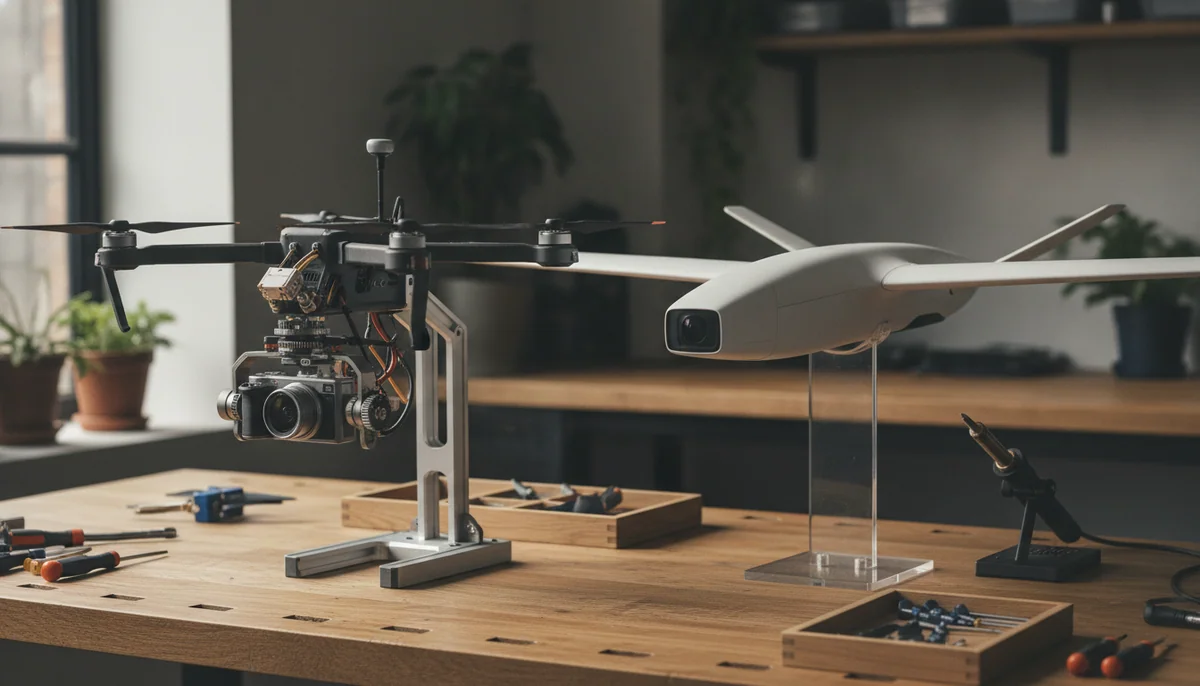
Almost everyone shops this category on the resolution number, and almost nobody shops it on the thing that actually decides whether the clip is usable. A 4K sensor bolted rigidly to a vibrating airframe produces 4K footage of a vibrating airframe. The question that separates a video you will show someone from a video you will quietly delete is not how many pixels the camera has. It is what sits between the camera and the aircraft.
There are three answers to that in the shops, and they are not variations on a theme. A hinge, which stabilises nothing and simply lets you point the lens. Electronic image stabilisation, which lets the camera move with the aircraft and then hides the movement in software afterwards. And a mechanical gimbal, which uses motors to stop the camera experiencing the movement in the first place. Quadcopter Bench's position is that the gap between the second and the third is far wider than the marketing wants you to notice, and the gap between the first and the second is wider still.
| What is holding the camera | Buy it if | The price you pay |
|---|---|---|
| A tilting mount and nothing else, as on the Holy Stone HS175D | You are buying an aircraft to learn on and to crash, and the stills matter more to you than the video | Every stick input and every gust arrives in the frame, and no setting in the app gets you around it |
| One mechanical axis plus software, as on the Potensic ATOM SE | You want a stable, forgiving, sub-250g aircraft and can accept clips that are steady rather than correct | The horizon goes flat and shifts when the airframe leans into wind or turns, and there is no zoom to rescue a frame |
| A three-axis mechanical gimbal, as on the DJI Mini 3 | The footage is the reason you are buying a drone at all | You pay for it, and on this particular one you also get no subject tracking and no sideways obstacle sensing |
| A fixed camera stabilised in software by design, as on the DJI Avata 2 | The flying is the reward and the camera is along for the ride | Roughly fifteen usable minutes a battery, nothing watching forward, and stills that fight you |
If you take one thing from this page, take the sentence that the rest of it argues for: electronic stabilisation hides motion, and a gimbal prevents it. Everything else, including why your footage still looks wrong after you paid for stabilisation, follows from that difference.
Three ways to hold a camera still, and only one of them is holding anything
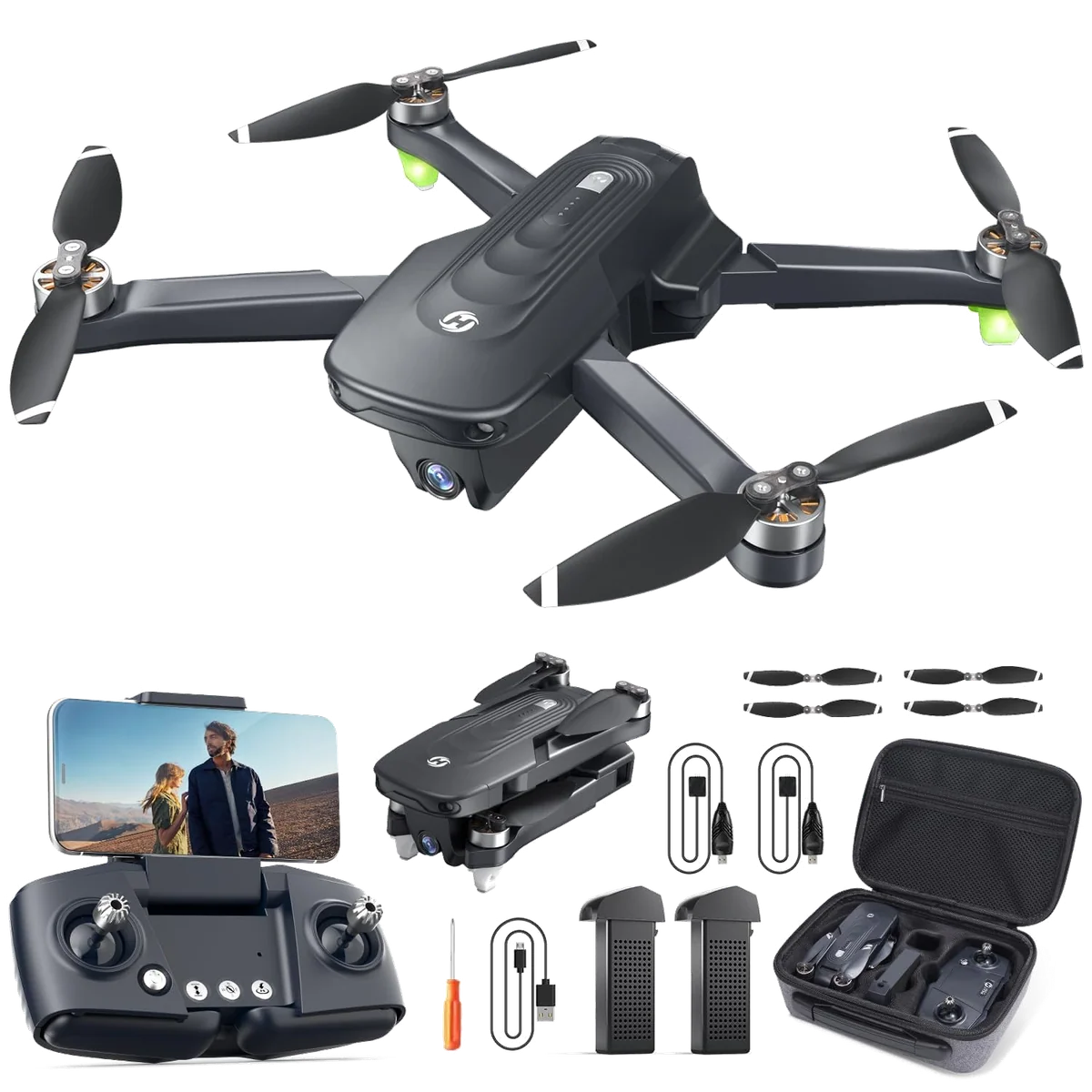
Start with the cheapest, because it is the most honest. On a drone with no stabilisation, the camera is screwed to the airframe on a mount you tilt with a button. The mount exists to aim the lens, not to isolate it. Holy Stone's own listing for the HS175D says "90° adjustable angle" and never once uses the word gimbal, which is the most truthful line on the page. Read that listing again and you will notice where the smoothness is actually promised: in a bullet about altitude hold, optical flow and beginner controls keeping the aircraft steady for cleaner footage. The stability being sold is the aircraft's, not the camera's, and those are different products.
Electronic image stabilisation is the middle tier and the one that causes all the confusion. The sensor captures a wider frame than it hands you. Software then chooses a window inside that frame and slides it against the shake, warping the edges to keep straight lines straight. It is genuinely clever, it costs almost nothing to fit, and it has three fixed limitations. It spends field of view and resolution on the crop it needs to work in. It needs light, so it degrades exactly when the footage was already struggling. And, most importantly, it works after the fact: the camera has already lurched, and the software is deciding which part of the lurch to show you.
A mechanical gimbal does the opposite. Brushless motors on up to three axes, driven by their own inertial sensor, hold the camera pointing where you left it while the airframe pitches, rolls and yaws underneath. The camera does not experience the movement, so there is nothing to correct, nothing to crop and nothing to warp. It is heavier, it is fragile, it is the most expensive assembly on a small drone, and it is the reason the good footage looks like it does.
The hybrid in the middle is where buyers get lost. One motorised axis plus electronic stabilisation is a real improvement on nothing at all, and it is not a three-axis gimbal, whatever a spec-scraping comparison table tells you. Potensic markets the ATOM SE's version as ShakeVanish and states its terms plainly enough in the listing: 4K at 30fps, within a 118 degree field of view, with a camera that tilts from plus twenty to minus ninety degrees. Note the width. Wide lenses and electronic stabilisation travel together, because the crop has to come from somewhere. The gimballed model above it in the same family sees at 78 degrees, and reviewers list that narrower view as one of its drawbacks.
Why the cheap tier still looks shaky when the drone is rock steady
This is the part that surprises people. Both of the budget aircraft above hold a hover well. Their GPS is good, they stop dead when you release the sticks, and they sit in a breeze better than their price suggests. The aircraft is not the problem. The footage fails in two distinct ways, and learning to recognise which one you are looking at tells you exactly what you bought.
Failure one: the lurch
With nothing isolating the camera, video inherits your thumbs. HS175D owners describe it identically from different directions: excellent quality and very shaky, a little jerky when moving, fine once you are hovering. The flight tests agree, and so does the workaround everybody arrives at independently, which is to fly slowly, feed the sticks gently and hover before you press record.
The most instructive account in that record is from an owner who learned to rotate the aircraft and then wait two full seconds before pressing the shutter, because otherwise the horizon tips. He also flies without his phone in bright light and counts button presses to aim the lens, 44 or 45 clicks for the full ninety degrees. That is a real craft solution to a real design gap, and it tells you precisely what tier of camera work is on offer.
There is a detail in the same owner record worth pausing on, because it is diagnostic rather than trivial. One owner calls the missing image stabilisation the drone's only drawback. Another describes electronic stabilisation producing interesting artifacts, like ground that appears to move when you fly fast. Both are describing the same footage. When whatever processing exists announces itself as warping ground rather than as steadiness, the argument about how many axes the mount has stops mattering, because the functional answer is already on the screen.
Failure two: steady, and wrong
Good electronic stabilisation fails differently and more subtly. Digital Camera World, reviewing the ATOM SE, called its image easily the best it had seen from a drone relying on electronic stabilisation, sharp with real contrast and depth. The same review is just as clear about the ceiling: without a gimbal that can rotate to compensate for the airframe leaning into wind, you get a flat horizon flying into and away from the wind. It also caught the tell in Potensic's own naming, noting that calling the three speed settings Video, Normal and Sport might be an admission that the faster you fly, the more the stabilisation suffers.
Owners find the same wall without the vocabulary for it. One asks, in an otherwise five-star review, why the manufacturer did not fit a three-axis camera so the image would not shift when the drone turns. That is the whole limitation in a single sentence from a satisfied customer. The picture is steady. The picture is also leaning, because the drone is leaning, and no amount of cropping inside the frame can rotate a camera that never rotated.
Here is the general rule the two failures share. Every piece of advice for getting good footage out of an unstabilised or electronically stabilised drone is advice about flying more gently. Hover before you shoot. Move slowly. Do not turn quickly. Add a little counter-stick while travelling. That advice is useful and it works, and it is also the stabiliser telling you where it gives up. A three-axis gimbal does not ask you to fly differently.
Reading the spec sheet in ten seconds
You do not need to understand the engineering to shop this properly. You need to recognise six phrases.
| What the listing says | What it means for your footage |
|---|---|
| "90 degree adjustable angle", "adjustable camera", "tilt" | A hinge. Nothing is stabilising anything, and the word gimbal is absent for a reason |
| "EIS", or a brand name like ShakeVanish | Software crop and warp, applied after the aircraft has already moved |
| "Gimbal" with no number in front of it | Read further, because one motorised axis assisted by software is sold with the same word as three |
| "3-axis mechanical gimbal" | The real thing, on roll, pitch and yaw, and the only claim that makes the flying style optional |
| "RockSteady", "HorizonSteady" | Electronic stabilisation chosen deliberately on an aircraft where a gimbal would be wrong |
| Gyro data for external stabilisation | The manufacturer expects you to fix it on a computer, which is honest and is also homework |
Two habits protect you from the rest. Prefer the manufacturer's own words over an aggregator's table, because the aggregators are the source of most of the phantom three-axis gimbals on the budget shelf. And treat the field of view as a clue: an unusually wide lens on a cheap drone is frequently how the crop for electronic stabilisation is being paid for.
What a gimbal does not fix, which is most of what people blame it for
Buying a gimbal solves one problem completely and leaves four others entirely untouched. This is where a reader who has already spent the money on a gimballed drone and is still unhappy usually finds the answer.
Wind is an airframe problem, not a camera problem. DJI's own copy pairs the two carefully, selling level 5 wind resistance and the three-axis gimbal together as the reason the Mini 3 captures consistently smooth imagery. Owners describe exactly that result, with the stabilised camera keeping footage smooth even while they adjust angles mid-flight. What the gimbal is doing is hiding sway so effectively that the drone looks far worse than the picture does. Push past the point where the aircraft can hold position and the shot goes with it, because the gimbal was masking movement, not resisting wind. Reviewers assessing minis for paid work keep landing on the airframe rather than the stabiliser as the limit. If you fly ridgelines and coastlines, read how much wind a lightweight drone can actually take before you blame the camera.
Choppy motion is usually cadence, not shake. Frame rate and shutter speed decide whether a pan looks cinematic or strobed, and the two interact with everything else on the menu. DJI's own footnote on the Mini 3 states that HDR video does not support recording above 30fps, so the headline mode and the smoothest mode are not the same mode. Neutral density filters, which almost never come in the box, exist to let you keep a sensible shutter in daylight. None of that is stabilisation, and all of it looks like stabilisation when it goes wrong.
The live feed is not the footage. On every tier discussed here, the picture on your phone is a compressed preview built for latency rather than quality. People have returned perfectly good drones over image quality they only ever saw through the transmission window. Judge from the memory card, on a real screen, before you form an opinion.
Vibration still reaches a gimbal through its mount. A chipped, bent or badly seated propeller feeds a frequency into the airframe that a gimbal is not designed to absorb, and it shows up as a fine ripple rather than a lurch. Replacing props is the cheapest fix in this entire hobby, and it is worth doing before you conclude the gimbal is faulty.
The exception, where a gimbal would be the wrong answer
Everything above argues for mechanical stabilisation, and then there is FPV, where the argument inverts. An aircraft that banks hard through a gap, dives, and flies at speed close to solid objects is asking its camera to point where the aircraft is pointing. A gimbal on that airframe would run out of travel, add mass to a machine that needs none, and fight the aesthetic the whole flight exists to produce. So the Avata 2 bolts its camera into the nose and stabilises in software, and that is a design decision rather than a saving.
DJI is unusually candid about the terms in its own small print. HDR is available at 60fps only with electronic stabilisation switched off, and with RockSteady or HorizonSteady running it caps at 30fps. There is a further note explaining how to hand the job to external software: turn off stabilisation in the goggles menu before flight, set the angle to wide, and let Gyroflow use the recorded motion data afterwards. Read those two footnotes together and you have the honest state of the art. Electronic stabilisation is a real tool with real trade-offs, applied knowingly, by people who tell you which boxes you cannot tick simultaneously.
The result is video good enough that most owners stop strapping an action camera to the airframe, and the hands-on record on this aircraft comes from FPV builders who bought their own units rather than from spec tables. The cost shows up exactly where the theory says it should: on stills. The aircraft is light and sways in a hover, so clean framed photographs are hard work, and owners who separated the two jobs say plainly that photography should send you to a traditional camera drone. That is a fair trade on a drone you fly for the flying, and it is not a trade a landscape photographer should accept. Neither is the rest of the package: roughly fifteen usable minutes per battery against the twenty-three on the box, and no forward obstacle sensing on a machine designed to be flown near things.
So what should you actually buy
Match the stabilisation to the job rather than to the price, and the shortlist writes itself.
| What you actually want | Where to go, and what you are accepting |
|---|---|
| To find out whether you enjoy flying, cheaply, and to take good stills | The HS175D hovers, comes home and survives crashes, and its video will never stop carrying your thumb movements; the wider case for the brand is in our piece on Holy Stone |
| A forgiving sub-250g GPS aircraft with the best software stabilisation at the price | The ATOM SE is unusually good at its type and still the wrong type if footage is the point, and the head to head with the HS175D settles the budget question |
| A real three-axis gimbal without leaving the sub-250g class | The Mini 3 with the screen controller if your subject holds still, since it cannot track a moving one, or the gimballed Potensic Atom 2 and the DJI Mini 4K as the cheaper routes to the same mechanism |
| The sensation of flight, with footage as the souvenir | The Avata 2 in the three-battery kit, accepting the short flights and the missing forward sensors, alongside the rest of the FPV field |
If you are still weighing whole categories rather than individual aircraft, the sub-250g shortlist and the camera drone picks are sorted with this distinction already applied, and the beginner list is honest about which of them will teach you to fly rather than to film. The argument about whether the budget brands have closed the gap is worked through in our comparison of Potensic against DJI, and stabilisation is the specification where the gap is still widest.
Frequently Asked Questions
Is electronic stabilisation good enough if I only post to social media?
For slow, deliberate flying in good light on a small screen it often is, and it stops being good enough the moment you turn quickly, fly into wind or hand the clip to a big television.
What does a three-axis gimbal do that software cannot?
It stops the camera experiencing the movement at all, so there is nothing to crop, nothing to warp and no leaning horizon to hide.
Why is my footage still shaky when my drone has a gimbal?
Check a chipped or badly seated propeller first, then your shutter speed and frame rate, then whether you were flying in more wind than the airframe could hold, because a gimbal fixes camera movement and none of those three things are camera movement.
Does a higher resolution camera make footage smoother?
No, and a 4K sensor rigidly attached to a vibrating airframe simply records the vibration in more detail.
Why does the horizon tilt or flatten when I turn?
That is the signature of a camera with no roll axis, because the airframe has to lean to move and the software can slide the picture around inside the frame but cannot rotate a lens that never rotated.
Is a one-axis gimbal with EIS the same as a three-axis gimbal?
It is not, and a good deal of the confusion in this category comes from comparison tables that list the two under the same word.
Should I judge image quality from the screen on my controller?
Never, because the live feed is a compressed preview built for low latency, and the file on the memory card is a different and considerably better thing.
Does an FPV drone need a gimbal?
No, a gimbal would fight the banking and diving that FPV exists for, which is why the good FPV aircraft stabilise electronically on purpose and let you turn it off entirely when you intend to stabilise the footage afterwards.
Sources (6)
- Amazon listings and customer reviews
- Owner reports across r/drone_photography threads
- Owner and reviewer video, 1 channel
- Digitalcameraworld — Article — www.digitalcameraworld.com
- Fstoppers — Article — fstoppers.com
- Oscarliang — Article — oscarliang.com