DJI Mini 4K review: a five-year-old drone with a new camera, and that is the point
Buy it if you want to genuinely fly a stable, gimballed, GPS-anchored drone for the least money DJI asks, and walk away if you expected it to track you, dodge anything, or hold a locked frame in real wind.
Based on 4000 owner ratings, 9 owner discussions and 6 other sources. We have not tested this machine ourselves.
We earn a commission if you buy through our links, which does not affect what we say.
Read how this site works →
The verdict, restated for the person about to buy
The Mini 4K is the cheapest way into a real drone: GPS-anchored, mechanically stabilised, and boring in the way you want an aircraft to be boring. Its merit is almost entirely a function of what it costs on the day you look, because the moment the Mini 3 drops to within touching distance, the Mini 3 is the better buy and nothing about this one changes to compensate. Check that gap first. If it is wide, this is the drone. If it is narrow, spend the difference.
What it will not do is worth saying once more without softening: it will not follow you, it will not see the tree, and it will not save you from yourself. Those are not oversights to be worked around. They are the reason it is cheap, and for someone flying in open ground who wants to learn to actually pilot the thing, they are not much of a loss. For anyone else, the money is better spent one shelf up. If you are still weighing the field, our pick of beginner drones and our roundup of sub-249g camera drones put it next to everything else worth considering.
Best for: Travel drones
The DJI Mini 4K is not a new drone wearing a new name. It is the 2020 Mini 2 airframe with a better camera bolted to the front, sold at a price the original never reached, and almost everything a buyer will love or resent about it flows from that one fact. The flight envelope is old and settled. The camera is the only modern part. The features that arrived in the drone world after 2020, subject tracking and obstacle sensing above all, are simply absent, and DJI's own listing quietly declines to mention either of them.
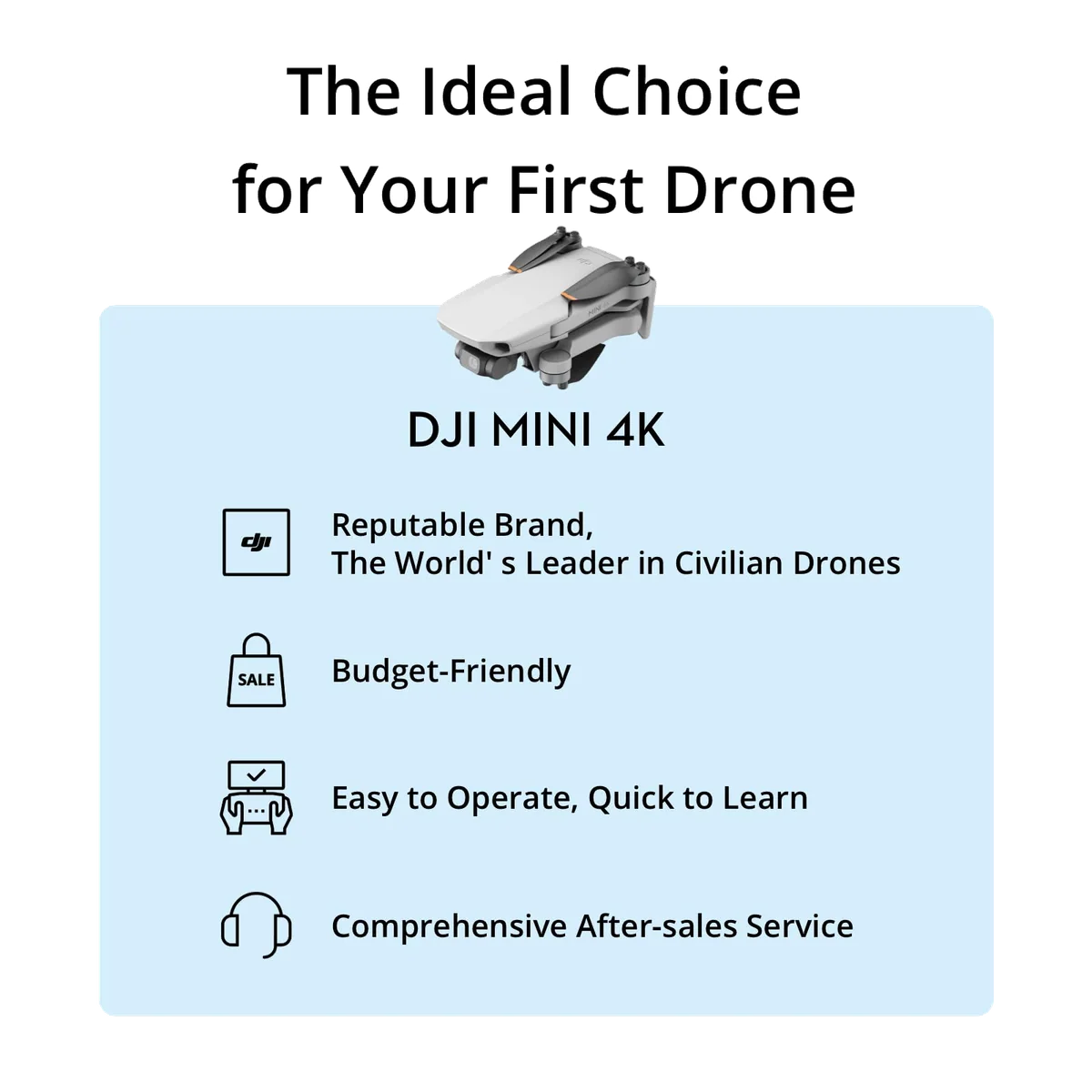
That should be a damning position for a product still sitting at the top of its Amazon category two years after launch. It isn't, and the reason is worth being blunt about: for a first drone, the things this one lacks are the things you should not be relying on anyway, and the things it has are the things that stop a beginner losing the aircraft. Thirteen retained customer reviews are dominated by people who had never flown anything before, and the recurring note is not excitement about the camera. It is relief. It takes off, it sits still, it comes back. One owner lost the link mid-flight and reconnected to find the drone already flying itself home. Another landed it on his hand on the first outing because the grass was long.
Buy it if
- This is your first drone and you want to find out whether you actually enjoy flying before spending real money.
- You fly in open ground: fields, coastline, lakes, hills, car parks, anywhere you can see for a few hundred metres.
- You want a flying camera for practical work, roof and site inspection especially, where the job is seeing rather than selling the picture.
- You travel and you want the model whose sub-249 g weight nobody argues about.
Walk away if
- You want the drone to follow you while you ride, run or ski, because it cannot and no firmware will change that.
- You fly among trees, wires and buildings, where the missing obstacle sensors are the whole difference.
- You are shooting client deliverables and will be grading the files afterwards.
- You need waypoints, third-party flight apps or any kind of automated mission, which are locked out on this model.
One more thing before you go further, because it costs people a great deal of money: the Mini 4K and the Mini 4 Pro are not the same drone, are not the same class, and are not near each other in price. There is no such product as a "Mini 4K Pro". If you have been reading advice about sensors that make a Mini "basically uncrashable", that advice was written about the Pro and does not describe this aircraft at all.
Key Specifications
What you are actually buying
Ask any experienced flyer what the Mini 4K is and you get the same answer with different wording: a Mini 2 SE with an upgraded camera, a well-proven airframe whose one real omission is obstacle avoidance. The cynical version of that reading, which had its moment when the drone launched, is that DJI repurposed old stock and gave it a new number. The generous version, argued by an owner in the same thread, is that DJI made a very good 2020 drone affordable to people who never got to own one. Both descriptions are of the same object.
Quadcopter Bench thinks the age is the most underrated thing on the spec sheet, for a reason that has nothing to do with nostalgia. Batteries, propellers, arms and motors from the Mini SE, Mini 2 and Mini 2 SE all fit this drone. That is an enormous installed base of spares in circulation at a moment when DJI's US service position is unsettled, and it is the single strongest answer to the "what happens when I break something" question that hangs over every drone purchase right now.
The hardware, plainly
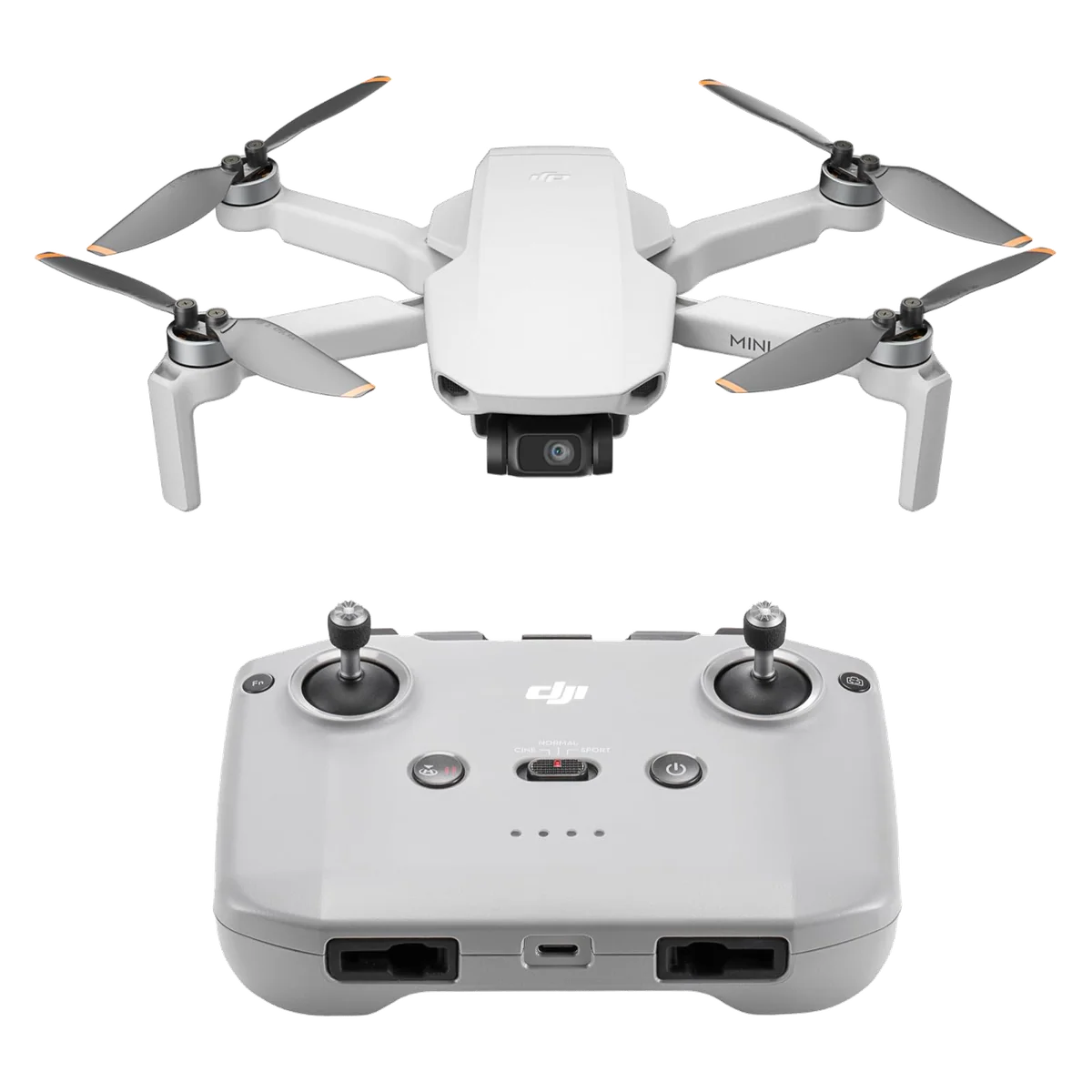
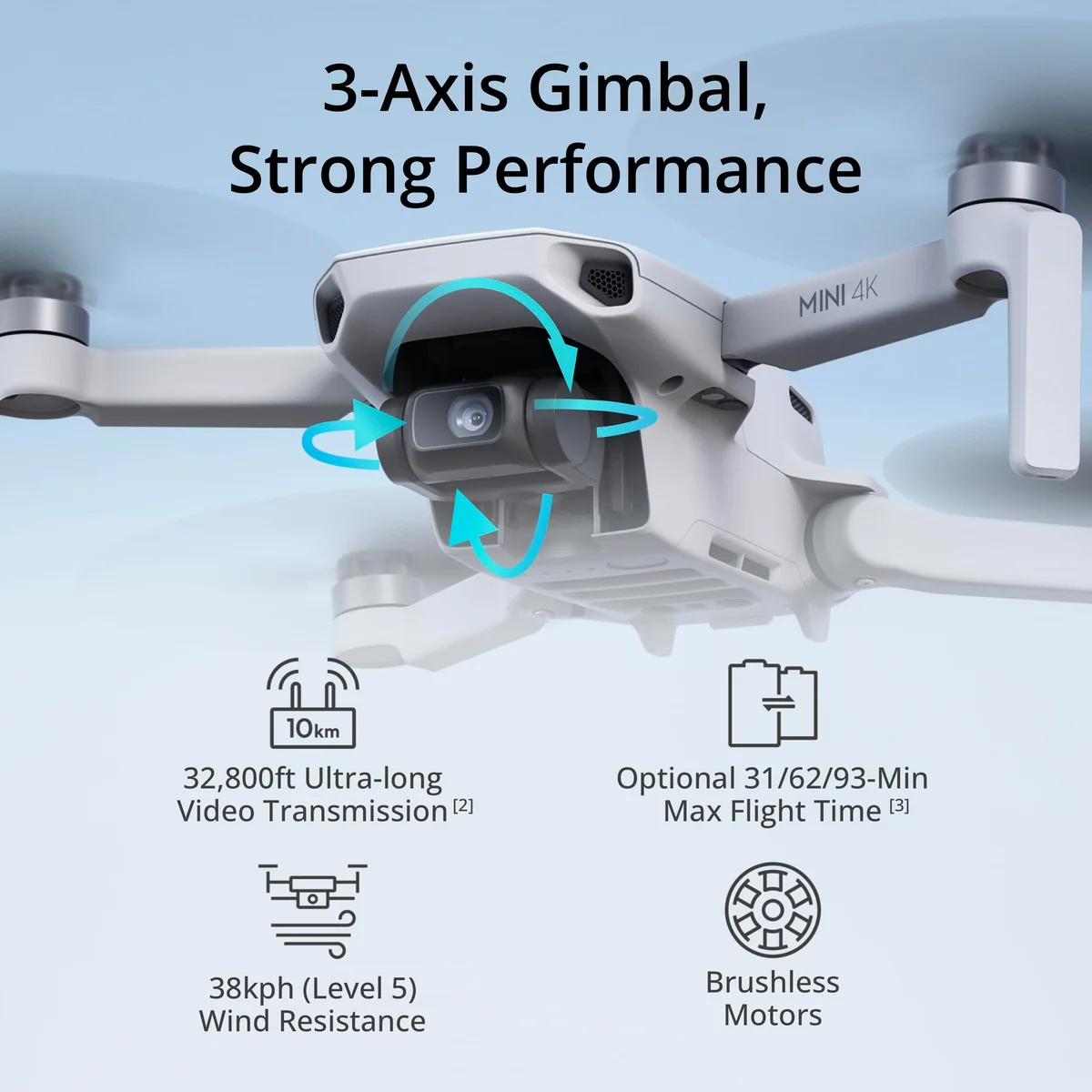
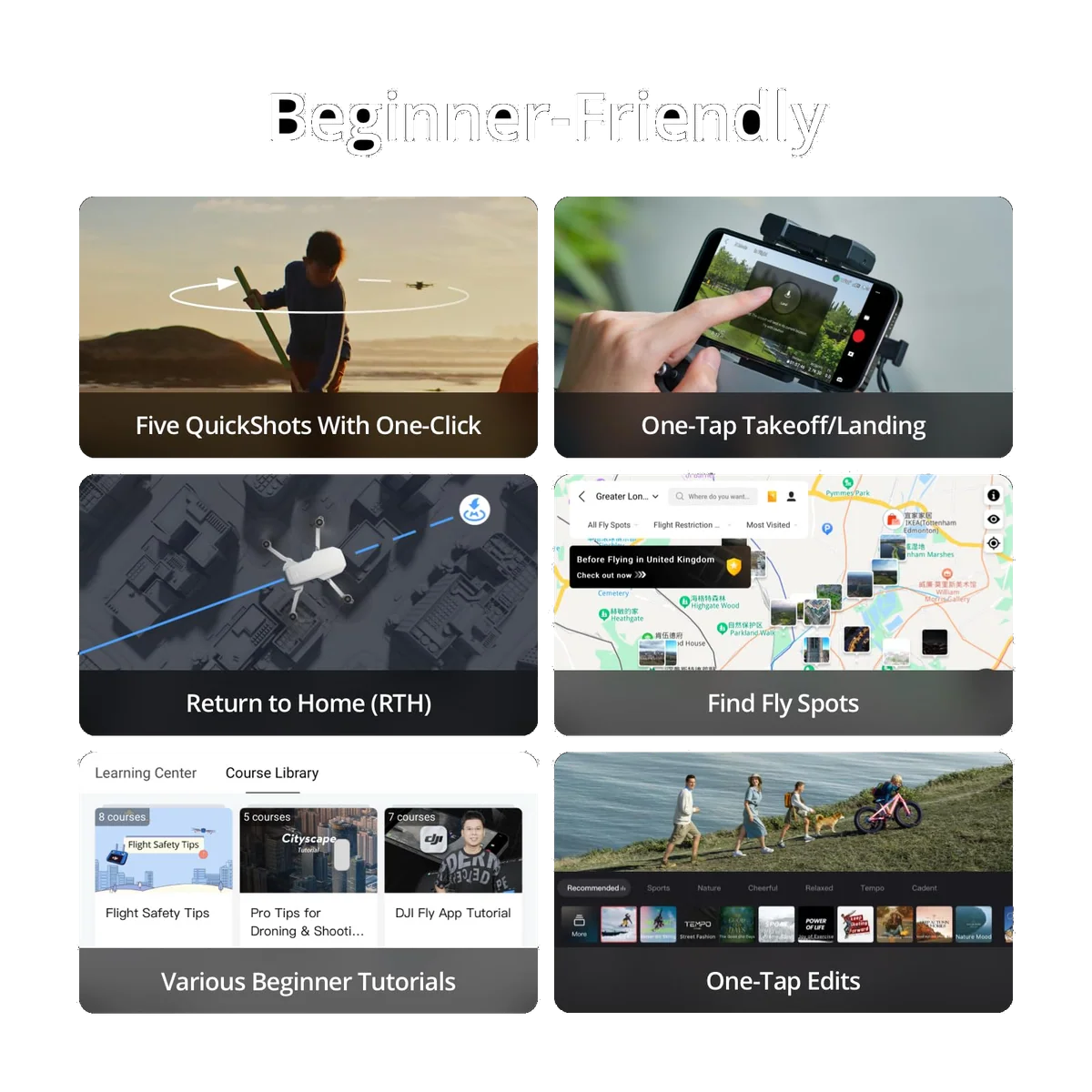
A three-axis mechanical gimbal, which is the part that matters and the part cheap rivals fake with software. If you have only ever seen footage from a drone using electronic stabilisation, the difference is not subtle, and it is worth understanding why cheap drone video still looks shaky even when the spec sheet says stabilised. Brushless motors, GPS with return to home, one-tap takeoff and landing, and the QuickShots set: Helix, Dronie, Rocket, Circle and Boomerang. The controller in the box is the RC-N1C, which is a cradle for your phone rather than a screen of its own.
The gimbal earns a specific mention. It tilts from level to straight down, and the propellers stay out of frame no matter how hard you fly, which is not a given at this end of the market. The digital zoom is also better than its reputation: inspection users report reading cracks and individual fasteners with it, which is a genuinely useful capability that DJI barely advertises and that plenty of owners never discover.
What is missing, said out loud
There is no obstacle sensing in any direction. There is no ActiveTrack, no follow-me, no subject tracking of any kind. The SDK is closed, so third-party flight apps and waypoint tools are not an option. This matters more than the spec omission suggests, because buyers routinely arrive believing otherwise, having lumped this drone in with the Neo and the Flip. The most common regret from people who own one is precisely this: they wanted the drone to film them and it will not.
Whether the missing sensors are a problem depends entirely on where you fly, and the honest framing is not that avoidance is essential or that it is a gimmick. It buys you margin in cluttered space and buys you nothing against thin wires it cannot see, which is worth understanding before you rely on it on any drone. Two working pilots in our reading argued that flying without it made them better, because nothing was quietly saving them. That is a defensible position for open ground and an indefensible one in a wood.
The setup problem nobody should be surprised by
DJI Fly is no longer on Google Play. Android buyers download it from DJI's website and sideload it, and the drone cannot be activated at all until they do. DJI states this twice on its own listing, which tells you how often it has come back as a complaint. The consequence shows up cleanly in the review record: the only customer review below five stars in the retained set is entirely about getting the thing off the ground, and its author was three days in, staring at a registration screen with no path to it, packing the box back up. He called support, flew it, loved it, and still docked a star because "the selling points are all not clear, especially it not being Android friendly". Against that, an iPhone owner went from installing the app to flying in under twenty minutes. Same drone, same week, opposite mornings. Plan for the sideload if you are on Android and the problem shrinks to an inconvenience.
Strengths & Limitations
Strengths
- A three-axis mechanical gimbal, not electronic stabilisation, so footage stays level even when the airframe is visibly working in a breeze.
- It takes off and simply sits there, and beginners with no prior stick time report first flights with no drift, no crashes and no flyaways.
- Return to home is a feature owners actually exercise, and it has brought aircraft back from lost links to within inches of the takeoff point.
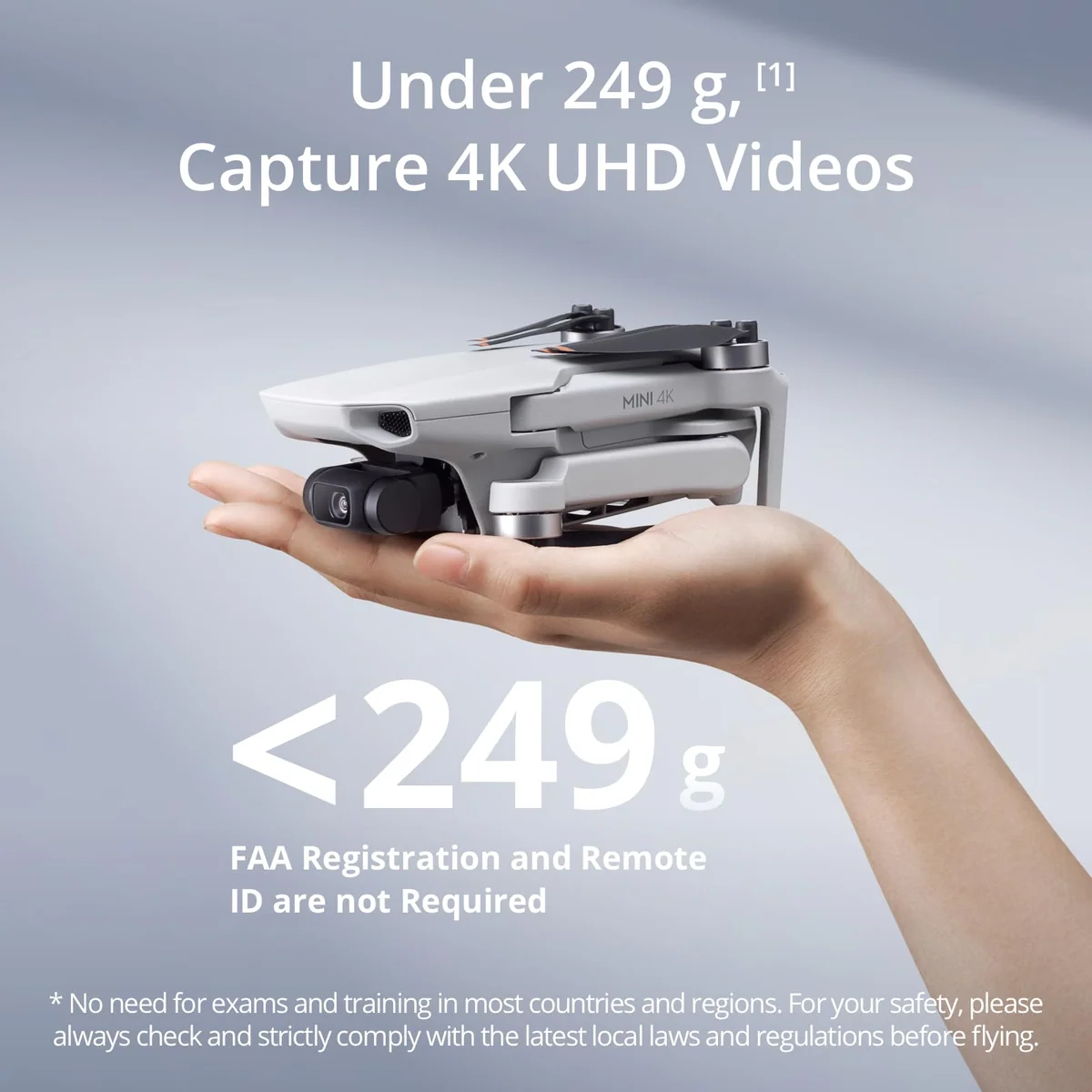
- Under 249 g without controversy, which keeps it clear of the registration classes that catch drones hovering at the 250 g line.
- Spares are everywhere, because the batteries, propellers, arms and motors are shared with the enormous Mini 2 and Mini 2 SE installed base.
- The digital zoom is sharp enough that inspection users read cracks and individual fasteners with it, which is more capability than the listing claims.
Limitations
- No obstacle sensing in any direction, so a branch or a wire ends the flight and nothing on board will stop it.
- No ActiveTrack and no follow-me, which is the single most common regret among people who bought it expecting a drone that films them.
- Android buyers must sideload DJI Fly from DJI's website because it has been pulled from Google Play, and the drone cannot be activated without it.
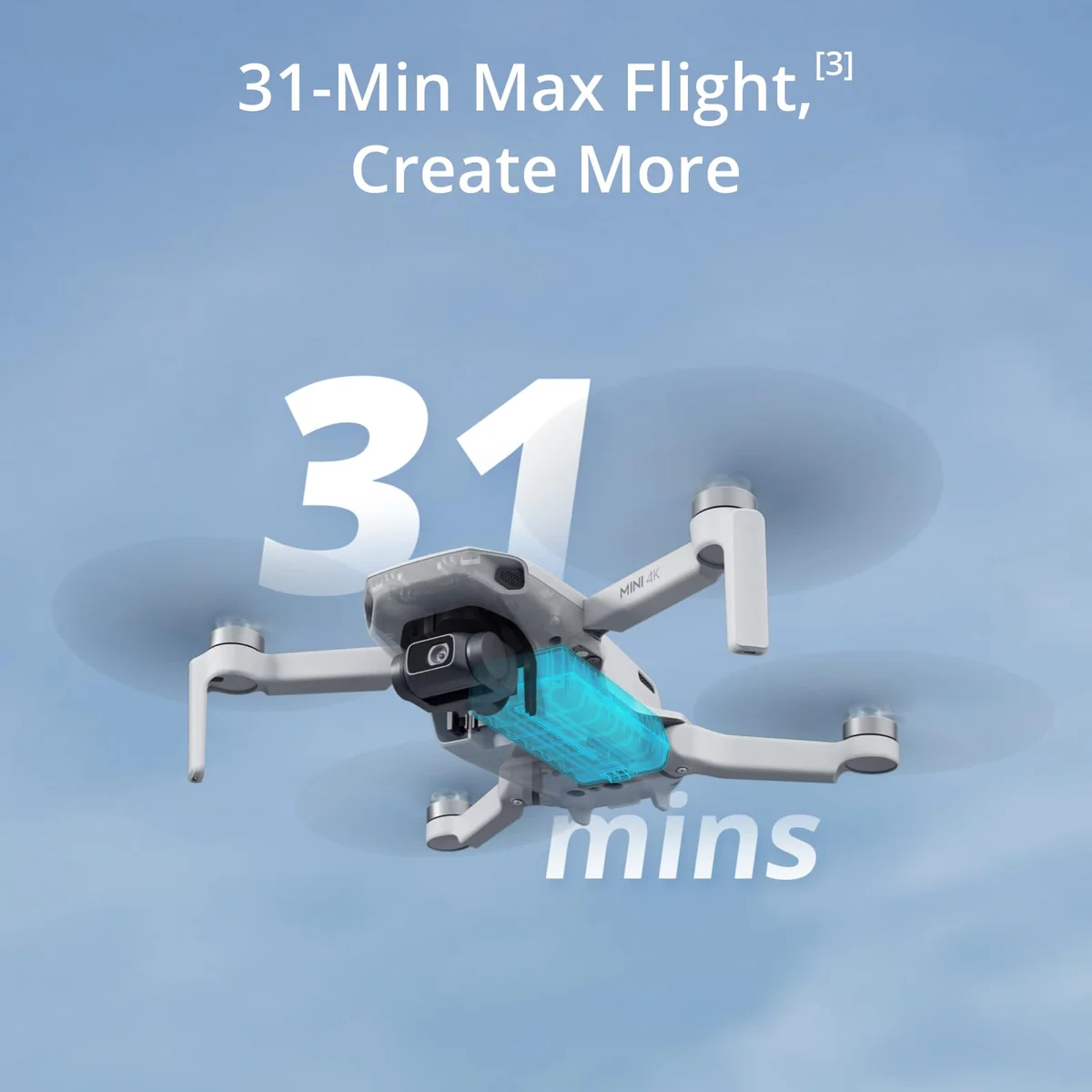
- The advertised 31 minutes is a windless laboratory run to a flat battery, and real flights land several minutes short of it.
- Low light is where the small, older sensor and its dark lens give out, and a working photographer likened the graded files to phone photographs from a decade ago.
- The 10 km transmission figure describes a radio in ideal conditions and not any flight you will ever plan.
Three numbers on the box, and what happens to them in the air
Every drone listing is a set of laboratory measurements. This one is unusually honest about it in the footnotes and unusually optimistic about it in the bullets, so here is the gap, laid out.
| What the box says | What the record supports |
|---|---|
| 31 minutes of flight | Owners report roughly 20 to 28 minutes, falling further when recording 4K or flying in wind |
| 10 km transmission | Picture goes patchy somewhere around 500 m in built-up suburbs and near a mile in the open |
| Level 5 wind resistance, 38 kph | The aircraft holds position; the footage is what degrades first |
The flight-time gap is not DJI lying, exactly. Its own footnote says the 31 minutes was measured flying forward at a constant 17 kph in a windless laboratory, in photo mode, taking no photographs, from full charge to zero. Nobody flies like that. One owner measured 25 to 28 real minutes and named the battery as the drone's weak point; another, flying with a sane reserve, reported 20 to 25. Independent testing of the sibling Mini 4 Pro landed at about 79 percent of its own claim in a pure hover to a flat battery, which is the same shape of shortfall across the whole Mini line rather than a defect in this model. If you want the general version of this, we have written about why the advertised figure and the flight you actually get are different numbers.
The transmission figure deserves less sympathy. Ten kilometres describes a radio link in clean air with nothing in the way, and the binding constraint on any real flight is the battery, then the law, then the radio, in that order. An owner reports the signal getting patchy at around 800 metres on the included controller in normal surroundings, and another notes the obvious variable is not distance but what is between you and the drone. Testing on the higher-tier Mini 4 Pro makes the same point from the other end: the tester turned back at 4,544 metres with four of five signal bars showing, because the battery would not have brought it home. The best rule anyone in our reading offered was simpler than any of this: do not fly further than you are willing to walk to retrieve a downed quadcopter.
Wind is the one claim that mostly survives, and it is where this drone quietly beats the cheap caged rivals it gets shelved next to. Owners describe it holding position in gusts, hovering "still as water", handling breeze better than they expected. But read the claim precisely. Level 5 means the aircraft stays up and comes back. It does not mean your video is usable. Reviewers of the heavier Mini 4 Pro and Mini 5 Pro both report the same thing in wind: the drone bounces, the gimbal fights it, and the footage suffers even when the airframe copes. A lighter drone with an older sensor will not do better. If gusty ground is where you fly, read what a lightweight drone can actually take before deciding this class is right at all.
Where the camera gives out
Nobody in the customer review record complains about the camera, and several call it the reason to buy. Taken at face value that reads like a resolved question. It isn't, and the sharpest evidence comes from the person best placed to notice. A full-time photographer using a Mini 4K for occasional paid delivery reported that clients had never once complained, and that the pain came in the edit: opening those files and grading them was the part that hurt, because they look like photographs from a phone of about a decade ago.
That is the honest ceiling, and the mechanism behind it is not mysterious. This drone has the smallest sensor in the Mini family and the darkest lens of the set, which predicts exactly where it fails: dusk, dawn, night, deep shade, and any file you intend to push hard afterwards. Owners describe low light as the one clear weakness, along with some gimbal tilt if you fly hard in Sport mode. In good light, on default settings, on a first flight with no training, it produces images people are proud of. Fly it in the hour after sunrise and the hour before sunset and the sensor stops being the limiting factor. Fly it at midday under flat cloud, or after dark, and it is the only thing you will notice.
Who it beats, and who beats it
The most useful thing to understand about the Mini 4K's position is that its rivals are not worse versions of it. They are different products that happen to cost about the same, and the choice between them is a choice about what you want to be doing while the drone is in the air.
The DJI Neo 2 is a camera that flies itself. No controller needed, palm launch, gesture control, tracking that works, obstacle sensing, and a build that survives being flown into things. What it does not have is airtime or authority in wind: owners report single-digit to mid-teen minutes per battery, and it struggles against a headwind badly enough that one reviewer compared it to a kite. The cleanest framing anyone gave for the choice is the right one: the Mini if your friend wants to fly the drone and take the pictures, the Neo if they want the drone to fly itself and take pictures of them.
There was a period when the loudest opinion online was that the Neo's camera beat the Mini 4K's, and that argument is worth resolving because it was wrong. It came from one owner comparing the two with the gimbal explicitly bracketed out of the comparison, which is like comparing cars with the suspension excluded. People who owned both said the opposite, plainly and repeatedly: the Mini 4K's video quality and stability are comfortably ahead, and it holds position in wind the Neo cannot.
The DJI Flip is the more dangerous rival, and the one Quadcopter Bench would point a nervous beginner towards if the budget stretches. Same weight class, folding propeller guards that let it bounce off things, forward obstacle sensors, real subject tracking, and a camera a tier above this one. It costs meaningfully more, it packs bulkier, and it gets fussy about advanced modes once the wind gets up. If you want the drone to be forgiving rather than to teach you, that is the trade you are being offered.
Above it sits the DJI Mini 3, and this is where the Mini 4K's case is most vulnerable. The Mini 3 has a better camera, longer flight time, true vertical shooting, and an open SDK, which unlocks third-party apps and the autonomous flying this drone cannot do at any price. Several people who bought a Mini 4K exchanged it for a Mini 3 and named the SDK as the reason. The gap between the two is smaller than the enthusiast forums claim, and when the Mini 3 is discounted it has been observed to fall to nothing at all. Check both before you commit; if the gap is small on the day you buy, the Mini 3 is the better drone and we would say so. We have set the two side by side in a full comparison.
Outside DJI, the Potensic Atom 2 is the credible alternative, and it is the answer for one specific reader: a US buyer who needs Remote ID for paid work, since it ships with the broadcast module built in. Our head-to-head of the two goes through where each one wins.
The strongest argument for buying this one
It is not the camera and it is not the price. It is what happens to most first drones. In a thread devoted to why so many nearly-new Minis appear on the used market, the recurring explanation from experienced flyers was that people buy drones expecting to use them constantly and then do not, that the commercial market is saturated, and that the regulations turn out to be more tiring than the hobby is fun. The advice that emerged, unprompted, was to buy the Mini 4K first, because it is the cheapest way to discover whether you enjoy this at all. Independent commenters in separate threads reached the same conclusion, including one telling a fifteen-year-old to learn on one and then thrash it.
The counter-case is equally real and comes from the same shelf. One owner went Mini 4K, then Mini 3, then a refurbished Mini 4 Pro inside seven months, having crashed none of them. He called it upgrading the hard way, and if you already know you want tracking, waypoints and a bigger sensor, buying the cheap one first is not a saving. Be honest with yourself about which of those two people you are. If you cannot tell, you are the first one, and there is more on that in our guide to learning without wrecking it.
One practical note on the battery sets, since this drone is sold in one, two and three-battery configurations. Every owner and reviewer who addressed it landed the same way: take the extra batteries. A single pack means one short flight, and the light you drove out for arrives when it arrives. Whether the multi-battery bundle also brings a charging hub and a bag is worth checking before you buy, because that is where the actual value in these kits usually sits, and we have written about when the bundle is worth it and when it isn't.
Living with it, and the awkward question of buying a DJI at all
The build gets described two ways by people who own one, and both are true. Held in the hand it feels delicate, and one technically observant owner warned that it is "not for the faint of heart or brutes expecting industrial durability". Flown into things, it holds up better than that suggests: one owner reported ten crashes, two of them frightening, a cracked shell snapped back together, five sets of propellers, and a drone still flying perfectly. The pattern is that this airframe breaks propellers and shells rather than gimbals, and both are cheap and everywhere. Buy spare propellers with the drone, and replace them when they chip, because a nicked blade costs you power, battery and quiet.
Noise is a mild and honest complaint. The propeller buzz is higher pitched than a larger drone's and carries further than its size suggests, which matters more socially than technically. Small drones attract less attention on the ground and more attention in the air than people expect.
The recovery features are better than the price implies and owners actually use them. Return to home has brought aircraft back from lost links and from beyond visual range, in one case landing within inches of the takeoff point. If you do put one down somewhere awkward, the app will lead you to its last known position and make it beep and flash.
Weight, registration and the 249 g line
DJI's own footnote is worth reading before you treat the weight as absolute: the 249 g figure includes battery, propellers and a microSD card, and DJI notes that actual weight may vary between production batches. In practice this is the model nobody argues about, which is more than can be said for newer Minis that sit right on the line and have owners weighing units at home. Add prop guards, a skin or a larger battery and you are over regardless.
What the sub-250 g class actually buys you is fewer hoops, not no hoops. In most of the world it is the threshold between a drone you can just fly and one that needs registration and a short online test. The listing's "no registration needed" bullet hedges on the word recreational, and that hedge is doing all the work: paid work needs certification regardless of weight, and European and UK operators register themselves even for the smallest drones. There is also an altitude trap that catches travellers, since sub-250 g drones flown in Europe are capped at 120 m above the takeoff point wherever they were bought, which is a real problem in mountains. Our guide to registration and Remote ID for sub-250g drones goes through it properly, and you should check your own regulator rather than take any of this as settled.
The DJI question
Anyone buying a DJI drone in the United States right now is buying into an unsettled situation, and pretending otherwise would be useless. The mechanism is an FCC covered-list action taken in December 2025 that blocks authorisation for new foreign-made drones; on the published account, previously approved models remain legal to buy and fly, and DJI filed suit challenging the decision in February 2026. Coverage since has been consistent that new DJI hardware is not getting approved for the US while older models continue on.
Two consequences bear on this specific drone. The first is that DJI Care Refresh is no longer available to US buyers, so accidental-damage cover means third-party policies or a homeowners rider, which we cover in insuring a drone now that Care Refresh is gone. On a drone this cheap the calculation mostly answers itself. The second is spares and service, which is exactly where the Mini 2 lineage pays off: the parts that break are shared with one of the largest installed bases DJI ever built, and buyers asking about support in the aftermath were reassured on precisely that point. What nobody in our reading could answer is how long the DJI Fly app itself will remain available and updated to US users, and that question was asked and left hanging. It is the one genuine open risk in owning this drone, and we would rather flag it than pretend it is resolved. The current state of play is tracked in our piece on buying and flying DJI in the US.
Frequently Asked Questions
How far will a DJI Mini 4K actually fly?
The 10 km figure describes the radio link in ideal conditions, and in practice owners report the picture degrading somewhere between roughly 500 m in built-up suburbs and close to a mile in open country, with the battery and visual-line-of-sight rules binding long before the transmission does.
Does the DJI Mini 4K follow you or track a subject?
No, it has QuickShots and a circle mode but no ActiveTrack of any kind, and owners who wanted a drone that films them name this as their one real regret.
Is the Mini 4K the same thing as the Mini 4 Pro?
No, and confusing the two is the most expensive mistake in this corner of the market, because the Pro is a substantially dearer drone with obstacle sensors, subject tracking and a larger sensor.
Do you have to register it?
Under 249 g it is exempt from FAA registration and Remote ID for recreational flying in the US, but paid work requires certification regardless of weight and most other countries register the operator even for the smallest drones, so check your own regulator before you fly.
Will it work with an Android phone?
Yes, but DJI Fly is no longer on Google Play, so you download it from DJI's website and sideload it before the drone can even be activated.
Can it fly at night?
The camera will shoot after dark and DJI markets night scenes on the listing, but night flying rules typically require an anti-collision light that is not in the box, so treat that bullet as a photography claim rather than a legal one and check your local rules.
Is it still worth buying this many years after launch?
Yes for a first drone in open ground, because the airframe is old enough to be thoroughly debugged and cheap enough that learning on it costs you very little, but no if you are buying it to earn money with the pictures.
Should I get the multi-battery set or the single?
Take the extra batteries if the gap is modest, because one pack buys you a single short flight and nobody in our reading regretted carrying more.
Sources (8)
- Amazon listings and customer reviews — Dji Mini 4k
- Owner reports across r/dji, r/drones threads
- Mavicpilots — Article — mavicpilots.com
- Firstquadcopter — Article — www.firstquadcopter.com
- Photo — Article — jvn.photo
- Fstoppers — Article — fstoppers.com
- Pcmag — Article — www.pcmag.com
- Digitalcameraworld — Article — www.digitalcameraworld.com