The Mavic 4 Pro is the best drone in this class and the worst one to own
Buy this if the footage pays for itself and you could absorb losing the aircraft outright, and if it is a hobby, buy the Air 3S instead and keep the difference for the crash you have not had yet.
Based on 207 owner ratings, 7 owner discussions and 7 other sources. We have not tested this machine ourselves.
We earn a commission if you buy through our links, which does not affect what we say.
Read how this site works →
So who should buy it
The people who own one and use it commercially do not equivocate. One who does paid work says viewing it as an expense made the decision easy and that if it crashed tomorrow he would immediately order another, because it is worth the cost if you are getting paid. In the same breath he says that for strictly recreational flying he would look at the Air 3S, because it is much easier to eat that cost if it goes down. An owner with a broad collection puts the same line differently: if you want a prosumer cinema drone this is for you, and if you want something fun to fly about, this is not the one.
That is the whole decision, and I would not soften it. If this drone is going on invoices, it is the strongest tool in its class and the ownership risk is a business cost you price in. If it is going in a cupboard between holidays, the risk is not a cost, it is just risk, and the Air 3S comparison is the page you actually want. If it is going out on paid shoots and you need the codec, buy the other combo, not this one. And if you are here for the professional side of the argument more broadly, our guide to drones for paid work sets this one against the rest of the field.
Best for: Drone for professional video work
Every owner report Quadcopter Bench could find agrees on the flying part. The person who left the only one-star review on this listing spent four paragraphs explaining why he regrets the purchase and still wrote that the camera and flight performance are excellent. A UK owner coming off a Mavic 3 Pro says it has come on leaps and bounds. A Japanese buyer replacing a decade-old Phantom 4 was startled by how much quieter and steadier it is. Nobody in the record disputes the hardware.
What they dispute, loudly, is what happens afterwards. Three separate reviewers on this listing raise after-sales risk without being asked: one says service down the road may be difficult, one recommends buying third-party cover because DJI's own extended warranty is not available to him, and the one-star reviewer says he was quoted a two to three month wait before he could even send his older drone in for repair. That is not a complaint about a drone. That is a complaint about owning one.
So the argument on this page is narrow and, I think, unavoidable. The Mavic 4 Pro is a professional instrument that is currently sold into an ownership environment with no manufacturer safety net underneath it. If it is a tool that earns, the maths works: a drone that pays for itself in a fortnight can be replaced. If it is a Saturday morning toy, the maths is brutal, and the honest recommendation is the Air 3S, which the buying guides still name as the money-saving alternative for people who want reach without the flagship consequence.
One more thing before you scroll, because it is the sort of detail that decides a return. The listing for this combo carries a bullet describing a seven-inch rotatable high-brightness controller. That controller is not in this box.
Key Specifications
The bullet that is not in the box
Read the listing's own bullets in order and the seventh one promises a 7-inch rotatable, high-bright RC Pro 2 that collapses for carry. Read the eighth bullet and it says the box contains a DJI RC 2. Read the title and it says DJI RC 2. Read the description and the RC Pro 2 turns out to belong to the 512GB Creator Combo, a different product entirely. DJI has pasted one bullet block across three variants of the same aircraft and left the wrong controller standing in it.
The gap between those two controllers is not cosmetic. The RC 2 is a 5.5-inch Full HD panel rated around 700 nits. The RC Pro 2, on DJI's own product pages, is a 7-inch Mini-LED with folding sticks, a rotating screen, a built-in microphone, four hours of battery and 128GB of storage. An owner who has flown both lists twelve differences, including a faster processor, a brighter and bigger screen, full-size HDMI, and an elevated screen design that keeps your hands out of the picture.
There is a second, subtler claim in the same bullet list worth pausing on. The headline transmission figure, O4+ at 30km, appears on DJI's marketing alongside the 7-inch controller, and the RC 2's own spec line reads simply O4. The owner who wrote that twelve-point list says flatly that the Pro controller is the one carrying O4+ and the better signal. Quadcopter Bench could not find a source that resolves this for the RC 2 pairing specifically, so treat the 30km number the way you should treat every transmission spec: as a link budget measured in clean air with nothing in the way, not as a distance you can fly. If you are weighing the two controllers seriously, the Fly More against Creator Combo comparison does that job properly, and our guide to the RC 2 covers what else it will and will not talk to.
None of which makes the RC 2 a bad controller. A reviewer who had previously spent heavily on DJI's older Smart Controller called the RC 2 phenomenal, praised how fast it boots, and said the screen stayed sharp and bright outdoors. But he was comparing it to a five-year-old flagship on a cheap drone. On this aircraft, owners are blunter: one describes the RC 2 as slow and sluggish from his time with it on an Air 3S, and a Mavic 4 Pro owner who chose this combo on budget says the glare can get crazy and names a faster controller and a brighter screen as his two wishes.
Three cameras, not three equal cameras
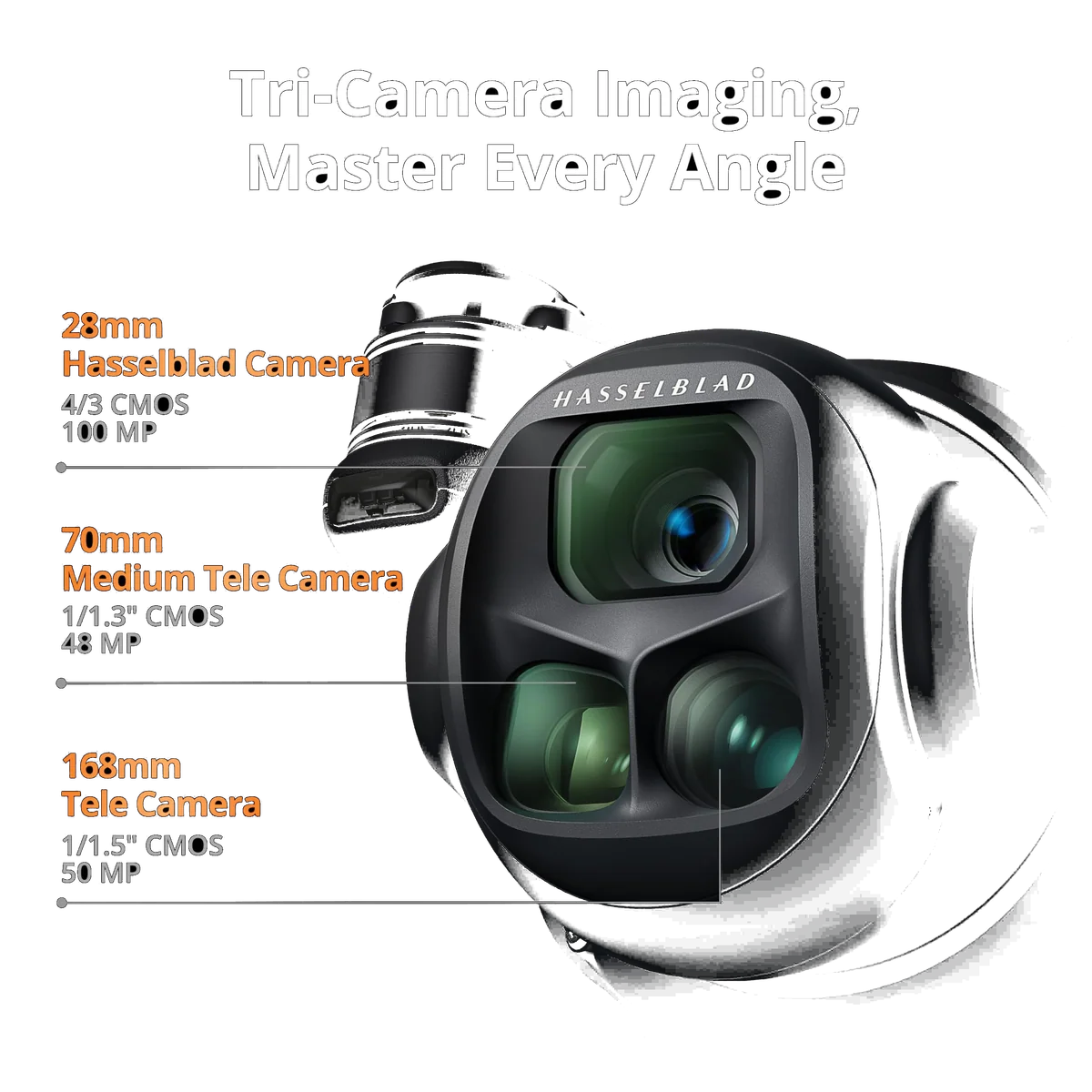
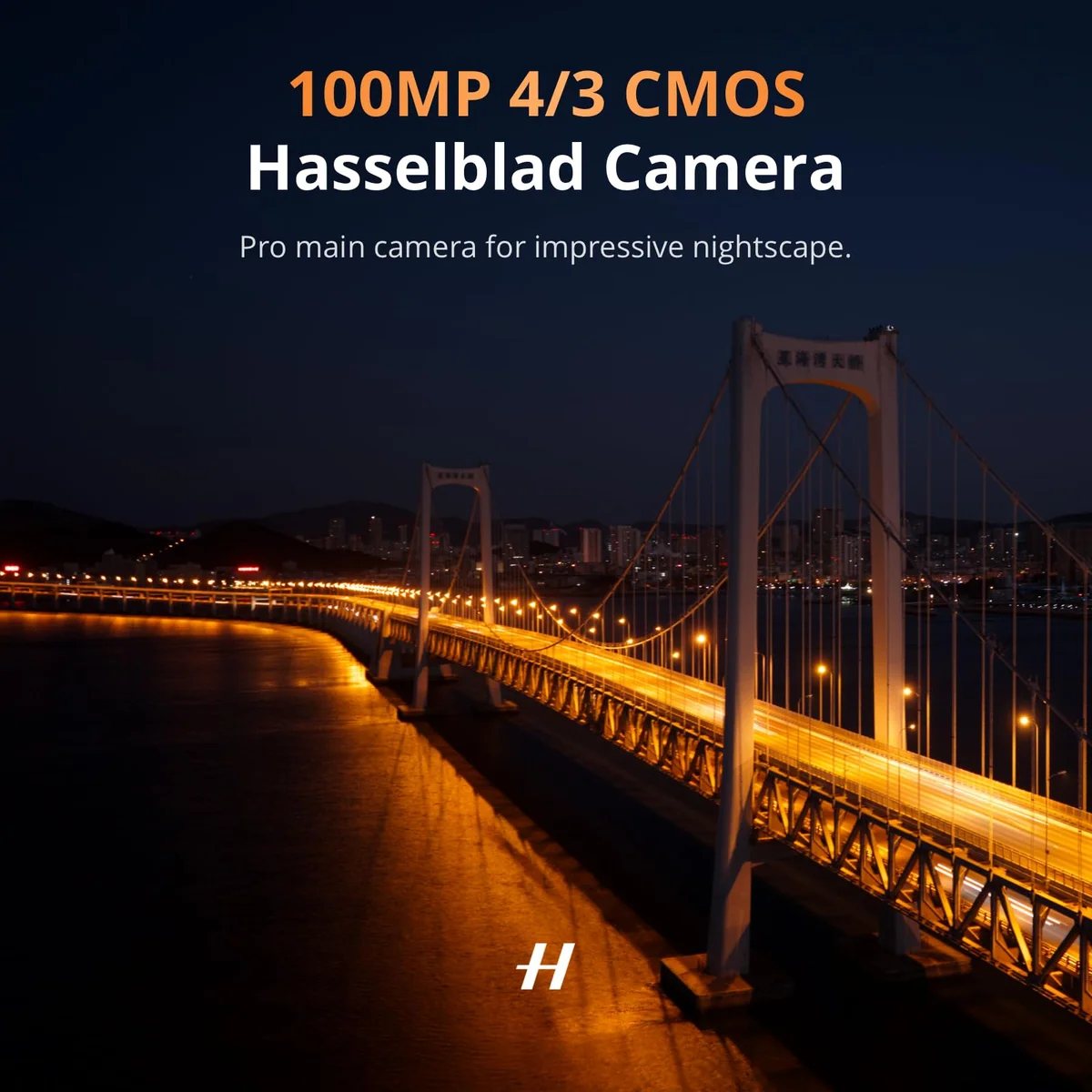
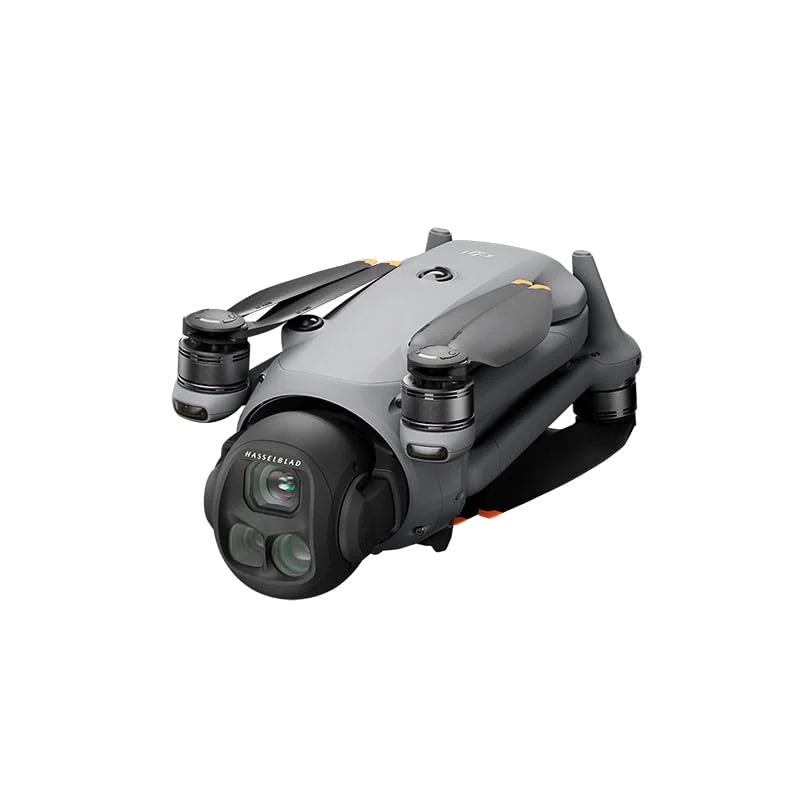
The listing calls it a flagship tri-camera drone and leads with a 100MP Hasselblad main camera on a Four Thirds sensor, plus two telephoto cameras on smaller sensors. The interesting finding is not the megapixel count. It is that the three cameras finally match each other.
A reviewer who explicitly did not want this drone explains why he changed his mind. On the Mavic 3 Pro, each sensor had a different colour profile and you could not shoot D-Log across all of them, so post-production was a fight the whole way through. On the Mavic 4 Pro, D-Log and D-Log M are available on every sensor. For anyone cutting a sequence that moves between focal lengths, that is the generational change, and it is worth more than any headline number.
He does not rate the three lenses equally, and neither should you. He calls the medium telephoto awesome and better than the equivalent on the Air 3S. On the long telephoto he says it is good but still not one hundred percent there for him, and adds that he does not expect to use it much anyway. That last observation is echoed by a working owner who bought this exact non-Creator combo for commercial jobs and reports he has not used the tele lenses anywhere near as much as he expected to. If the long reach is the reason you are here, that is two people who own one telling you it is the least-used feature on the aircraft.
On stills the record genuinely splits. One owner upgrading from a Mavic 3 Pro says the still images do not appear much better than the older drone's, and takes direct aim at the 100MP framing: the claim is not really correct if you are comparing it to a DSLR, though he does not dispute the sensor or the Hasselblad glass. Another owner making the same Mavic 3 Pro to Mavic 4 Pro jump says picture quality is excellent and the whole thing has come on leaps and bounds. The most likely reconciliation is that they are agreeing about video and disagreeing about stills, and the first reviewer is the only one who separated the two. If you are buying primarily for photographs rather than motion, weight his account.
Strengths & Limitations
Strengths
- All three cameras now share colour profiles and can shoot D-Log, which removes the post-production fight that put one reviewer off the previous generation entirely.
- It is quieter in the air than the small drones people assume it will beat, with a low tone that owners say goes unremarked where a Mini gets noticed.
- Subject tracking acquires people at roughly seventy-five metres where an Air 3S wants you around twenty.
- The mass that makes it a chore to carry is the same mass that holds position in wind a Mini cannot work in.
- Three batteries and two full sets of spare propellers mean a working day without rationing flights or nursing a dinged prop.
- Owners who use it commercially are near-unanimous that it earns back what it cost, including the one who says he would order a replacement the day it crashed.
Limitations
- The listing's seventh bullet describes a seven-inch RC Pro 2 that this combo does not contain.
- The 240W adapter that charges three batteries in parallel belongs to the Creator Combo, so this kit charges them one after another until you buy it separately.
- ALL-I 4:2:2 encoding and the 512GB of internal storage are locked to the Creator Combo, which matters if you bought this for client work.
- True vertical shooting is tilt-restricted, and a photographer who flies one calls that his main frustration with the gimbal.
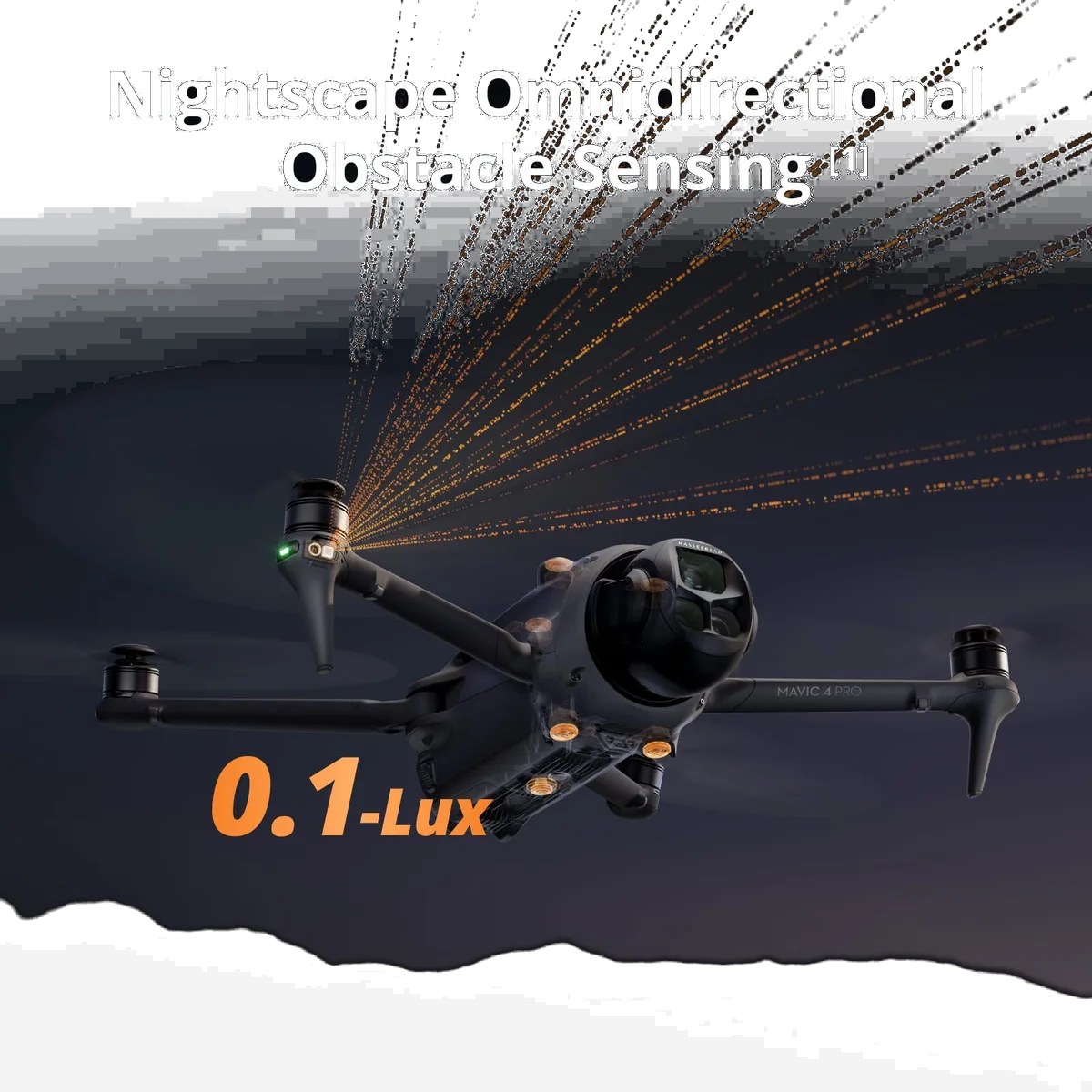
- The LiDAR that makes night flying safe looks forward only, so nothing protects you when you back up in the dark.
- Owners report thin branches defeating the obstacle sensing during tracking, which is the failure mode every vision system shares.
- DJI Care Refresh is not available to US buyers of this drone, and owners report repair queues quoted in months.
- There are no ND filters in the box, on a drone whose main camera is built around controlling exposure.
What it is actually like in the air
The most counterintuitive finding in the whole record is about noise. Big drone, big propellers, big racket, is what everyone assumes. Owners say the opposite. A reviewer who flies both says the huge props make far less noise than the Air 3S, a deeper and softer tone that is much less obtrusive. An owner who moved up from a Mini 2 SE puts it more usefully: everyone knows where a Mini is, and people did not even realise he was up in the air. A third owner independently agrees, saying the Mavic's pitch blends into the background where a Mini screeching overhead is unmistakable.
That matters more than it sounds. Half the reason people buy a smaller drone is to avoid attention, and on this evidence the flagship is less conspicuous in the air than the sub-250g machines, even though it is far more conspicuous on the ground and vastly more consequential if it falls on somebody.
Wind is the other structural advantage of the weight. Reviewers of the small drones are consistent that a Mini bounces around in conditions that a larger aircraft simply holds through, and that if you regularly fly in wind you need the bigger airframe. Our own piece on what a lightweight drone can take goes into where that ceiling sits. An owner who came up from a Mini 2 SE describes flying in conditions that seemed impossible before.
Tracking, and what the sensors do not see
Subject acquisition is a real step. The reviewer who ran it against an Air 3S says that where the older drone needs you at around twenty metres for many of these functions, the Mavic 4 Pro was finding people at around seventy-five. It picked up ducks, birds and cars in a car park unprompted, and reacquired a subject after flying around a large tree.
Then read the crash report. An owner in his first week, in mountain terrain, says tracking was avoiding obstacles well enough but that super thin branches it seems not to see, and it hit a few and came down from fifteen or twenty feet. He replaced the blades and was flying again in two minutes, with not a scratch on the aircraft, which says something good about the build and nothing good about the sensing. Thin branches and overhead cables are the documented blind spot of every vision-based system, and we have written up what these systems catch and what they fly straight through.
The night-flying claim deserves the same scepticism. The listing sells 0.1-Lux Nightscape omnidirectional obstacle sensing. The reviewer who went through the aircraft feature by feature is emphatic about the limitation: the LiDAR is its eyes in the dark, it is accurate down to roughly the width of a finger, and it is only forwards. Not sideways, not backwards. His words: you can back into something and you will trash your drone in the dark.
The gimbal, and the frustration nobody in the marketing mentions
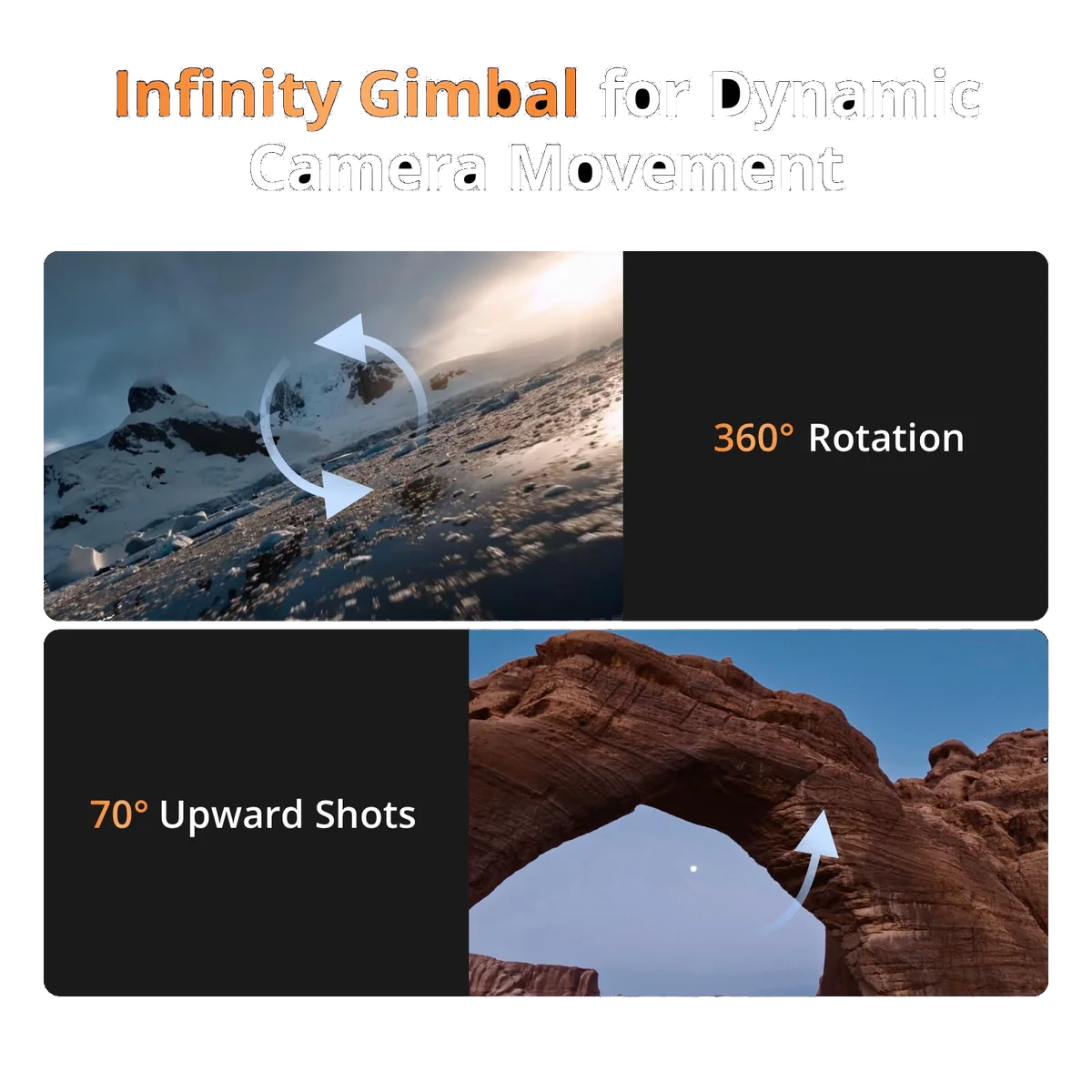
The Infinity Gimbal's 360-degree rotation is bullet three on the listing. The fault sits on the other side of that rotation. A landscape photographer who flies one, writing about a different DJI drone entirely, describes the new design as better because his main frustration with the Mavic 4 Pro's gimbal has been resolved: the true vertical mode is not as restricted in how much it can tilt. A Mavic 4 Pro owner puts a number on the same thing, saying you can only tilt down about ten to twenty degrees when shooting vertical. So the headline is the rotation and the catch is what you can do once you have rotated. If vertical delivery is a large part of your work, test that before the return window closes.
One physical handling note from the same detailed walkthrough, because it is the kind of thing you learn by scratching something expensive: folded or open, the aircraft rests on the bottom of its propellers, and the belly sits very low. He now carries a padded mat and puts the drone down on it. On rough ground or rocks, you should too.
The 51-minute number
DJI rates it at 51 minutes. Quadcopter Bench found no published measured flight time for this aircraft anywhere in the material we read, and no owner in the record gives one either, though two say the endurance is the best in the Mavic range. What we do have is the shape of the answer from a tester who ran the same exercise on a smaller DJI drone: he hit return-to-home at around 4,500 metres out with four of five signal bars still showing, because the binding constraint was never the radio link, it was the battery needed to get home. His hover test on that aircraft returned about eighty percent of the rated figure.
Apply that with care, because it is a different and far lighter airframe. But the principle holds on every drone ever sold, and we have written it up at length in advertised flight time against real flight time: the rated number is a still-air hover with no reserve, and your working number is that minus wind, minus the reserve the aircraft enforces on itself, minus however hard you fly.
What the Fly More Combo gives you, and the one thing it withholds
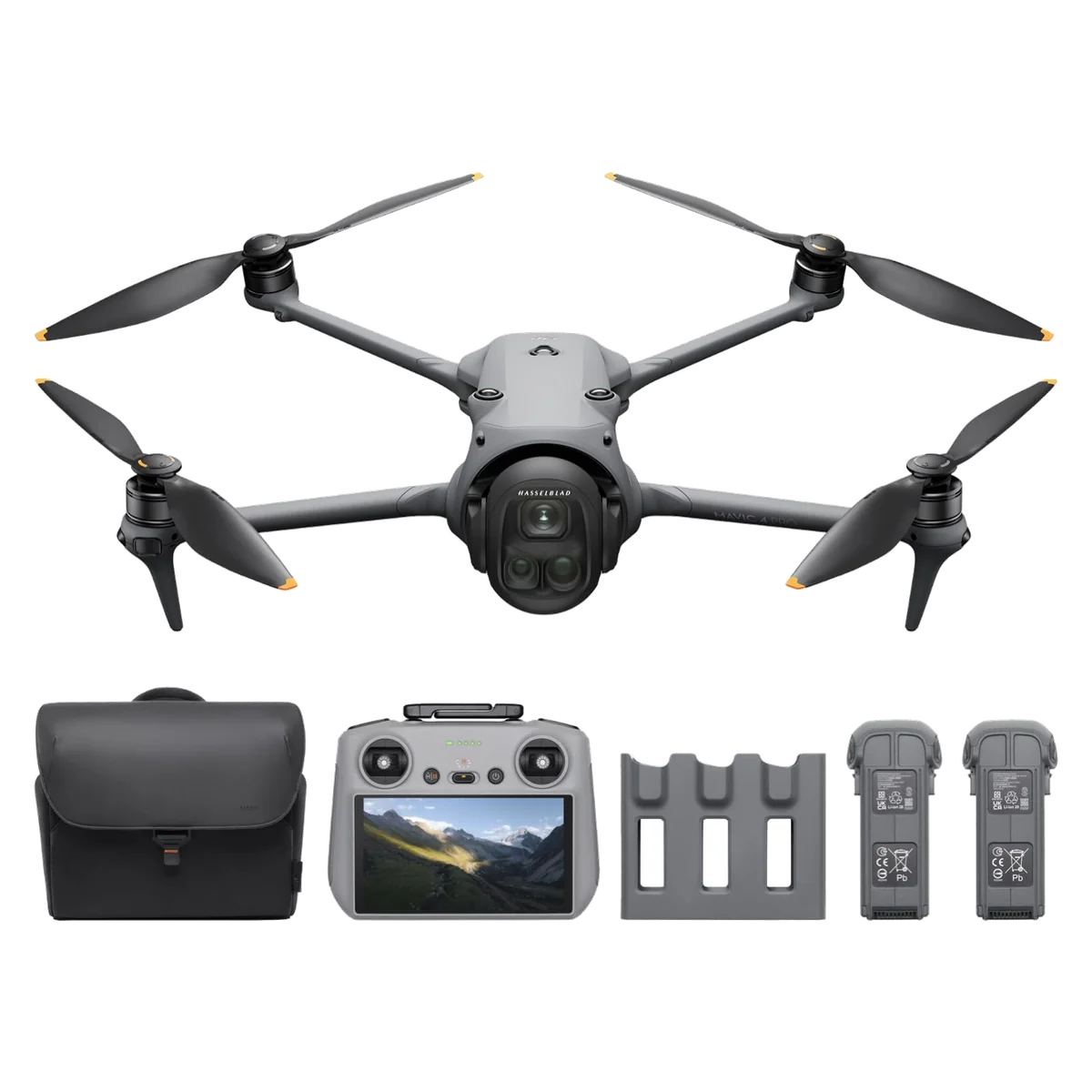
Someone who unboxed this exact combo lays out the contents: a case noticeably larger than the Air 3S one, eight propellers, a charging hub with two batteries already seated and a third in the aircraft, the RC 2, plug adapters for what feels like every country on earth, two USB-C cables, and a 100W charging brick with two outputs sharing that hundred watts between them.
| Item | This combo | Creator Combo |
|---|---|---|
| Controller | DJI RC 2, 5.5in | RC Pro 2, 7in, folding |
| Batteries | Three | Three |
| Charging hub | Hub, 100W adapter | Parallel hub, 240W adapter |
| Aircraft storage | Not stated on the listing | 512GB, ALL-I 4:2:2 |
| ND filters | None | None |
Two absences the unboxer calls out himself. There are no ND filters, and there is no 240W adapter. The second one is the one that bites, and it bites slowly. An owner who bought this combo because he did not care about internal storage or the fancier controller says he flew it for a few months before discovering his one regret, which was the charger: both combos ship the same three-bay hub, but only the Creator Combo ships the adapter that fills all three in parallel. He bought the 240W brick secondhand and now, in his words, can almost completely fly nonstop, juicing two batteries while flying the third. Another owner in the same thread immediately asked for the link, having skimped the same way.
That reframes the whole combo question, and it is the sharpest practical thing on this page. Three batteries buy you a longer session, not a shorter turnaround. Until you add the bigger adapter, they charge one after another, and a full recharge is an evening rather than a coffee break. Add the brick separately and you have closed the charging half of the gap to the Creator Combo for a fraction of the step up in price, leaving that step to buy you a controller, internal storage, and a codec. Our Fly More Combo explainer works through the same arithmetic across DJI's range.
The codec is the part that should stop a professional buyer. ALL-I 4:2:2 encoding and the 512GB of internal storage are Creator Combo items, stated as such in the listing's own description. One owner asked directly whether a Fly More aircraft can be upgraded to get those codecs and nobody answered him. If a client deliverable specifies 4:2:2, this is not the box, and no amount of aftermarket accessory buys your way back.
The honest counterweight is that the owner who wrote the definitive twelve-point list of Creator advantages opens with the concession that matters most: the image quality is identical between versions unless you use the higher bitrate. For most people the picture coming off this drone is the same picture. You are paying the difference for the screen you look at it on and the file it lands in.
The part of this purchase nobody puts in the bullets
Here is where the recommendation turns, and it has almost nothing to do with how the aircraft flies.
US buyers of this drone cannot buy DJI Care Refresh for it. That is reported independently by owners on this listing and across the drone forums, including one who otherwise gave it five stars and recommended a third-party policy instead, and one who describes the removal of the two-year Refresh option as the thing that broke his loyalty to the brand after he had already bought. A factory warranty still exists for defects. What has gone is the cover for the thing that actually happens to drones, which is that you fly them into something or lose them over water. Our piece on insuring a drone now that Care Refresh is gone walks the alternatives, and the record here suggests the alternatives are contested rather than solved: one owner reports his recreational friend had a State Farm claim denied on the grounds that it was a commercial flight, and is convinced that will be the default answer.
Repair is the second half of it. The one-star reviewer on this listing was told there was a sixty to ninety day delay before he could even send in his older drone. He is a working professional and describes that timeline as unacceptable, and when he asked support for any flexibility, the answer was essentially no. The forums corroborate the shape of it. One owner, on his fifth DJI drone, running a business, is already on his second Mavic 4 Pro because the first developed a gimbal fault at eighty-five days: it started vibrating mid-flight, calibrations and resets did nothing, DJI sent a form letter warning it could be ninety days or more, his local repair shop wanted more than the drone cost to replace the gimbal, and his insurer said it was the manufacturer's problem. His aircraft is parked.
That is one report, and one report is not a pattern. Quadcopter Bench flags it rather than generalises from it. But it is the single most detailed ownership account in the record, it comes from someone with more DJI drones behind him than most reviewers, and his verdict is the fairest framing anyone has produced: it lives up to the hype and is the most insane piece of tech he has owned, but unless it is out there working for you so you can justify the cost of it breaking, be careful.
Behind both problems sits the regulatory picture, which is genuinely unsettled rather than merely inconvenient. PCMag's reporting has the FCC adding all new foreign-made drones to its Covered List in December 2025, DJI filing suit in February 2026 in a case that could still overturn it, and the FCC chair stating that consumers can still buy and fly drones the agency previously approved. The Mavic 4 Pro is named among the models that cleared before the door closed. Owners in the forums read the same mechanism the same way: already-approved models can be sold, anything newer cannot. A working pro who bought one describes shopping across three US resellers with a spread of several hundred dollars between them on identical boxes. Our standing explainer on the DJI situation is where we keep that current, because it moves.
One practical consequence for anyone buying through a marketplace. Owners warn that a storefront called DJI Store on Amazon is a consolidated list of DJI items and not DJI selling directly, and advise sticking to listings that ship from Amazon rather than from unknown third parties. Two reviewers of this listing describe exactly that experience: one was nervous buying online at all and had a promised delivery date slip twice, and one wrote his entire review about how well the seller supported him through registration. Know who you are buying from, and check the return terms before the parcel arrives rather than after.
The other cost of the weight class
This aircraft is nowhere near the sub-250g threshold, so every rule applies. In the US that means FAA registration, the free TRUST exam for recreational flight, Part 107 for anything you invoice, and Remote ID broadcasting. A UK owner names his own version of the same cost: it is heavy enough that you need an A2 certificate to fly closer to people, and it is hard to hike with on your back. If dodging that paperwork is part of why you are shopping, read what registration and Remote ID actually require first, because this drone is the wrong end of every one of those thresholds.
Frequently Asked Questions
Does this combo include the seven-inch controller the listing describes?
No, it ships the 5.5-inch DJI RC 2, and the seven-inch RC Pro 2 belongs to the separate 512GB Creator Combo.
Will it really fly for 51 minutes?
That is DJI's rated figure and we found no measured flight time for this aircraft anywhere in the record, so treat it as a still-air ceiling rather than a number you plan a shoot around.
How far can it actually go?
Transmission range and flying range are different things, and on every drone the limit you hit first is the battery you need to get home, not the radio link.
Is it overkill for a hobbyist?
For most hobbyists yes, because the Air 3S delivers most of the picture at a fraction of the consequence when something goes wrong.
Can you still buy and fly one in the US?
PCMag reports that the Mavic 4 Pro received FCC clearance before new foreign-made drones went onto the Covered List in December 2025 and that previously approved drones can still be bought and flown, though DJI's legal challenge means the picture is still moving.
Can you get DJI Care Refresh for it?
US owners report that you cannot, and several have gone to third-party policies instead with mixed results on claims.
Does the charging hub fill all three batteries at once?
The parallel hub and the 240W adapter are Creator Combo items, so on this kit expect sequential charging unless you buy the larger adapter separately.
Do you need a licence to fly it?
It sits far above every sub-250g threshold, so registration and Remote ID apply, and a UK owner notes he needs an A2 certificate to fly it close to people.
Is the Android app situation a problem?
The listing states that the DJI Fly app has been removed from Google Play and directs Android buyers to download it from DJI's website, which means sideloading rather than an app store install.
Sources (9)
- Amazon listings and customer reviews — Dji Mavic 4 Pro
- Owner reports across r/dji, r/drones threads
- Owner and reviewer video, 2 channels
- Digitalcameraworld — Article — www.digitalcameraworld.com
- Firstquadcopter — Article — www.firstquadcopter.com
- DJI — Article — www.dji.com
- Fstoppers — Article — fstoppers.com
- Photo — Article — jvn.photo
- Pcmag — Article — www.pcmag.com